




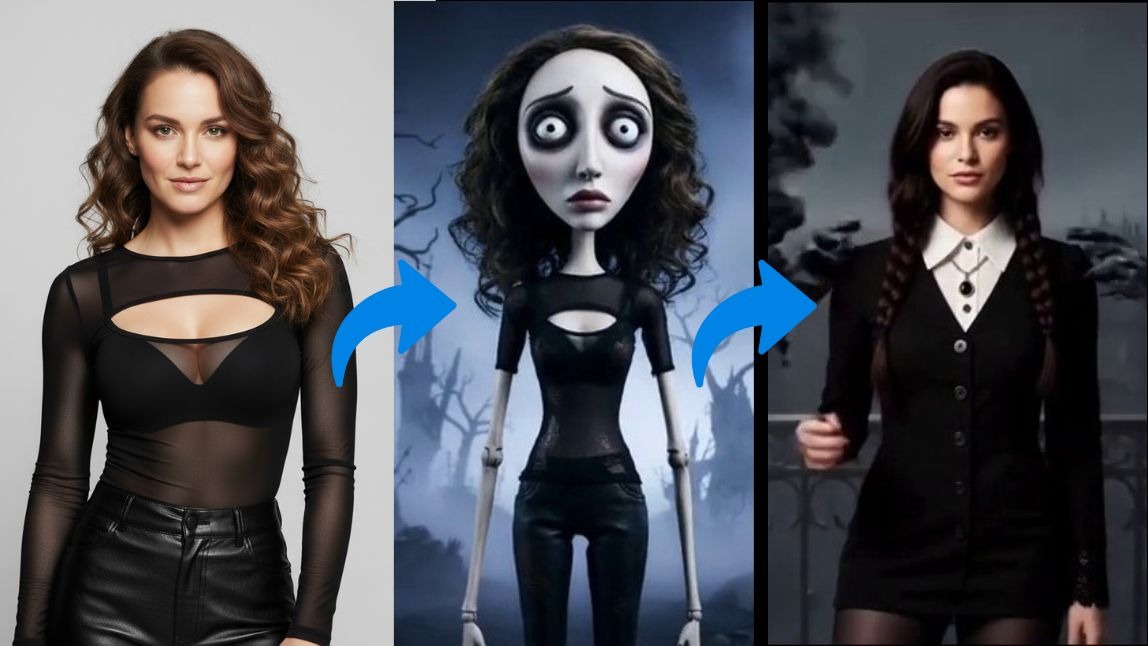
The gothic charm of Tim Burton’s cinematic universe—filled with stitched smiles, pale porcelain faces, and flickering shadows—has sparked a viral trend across social media.
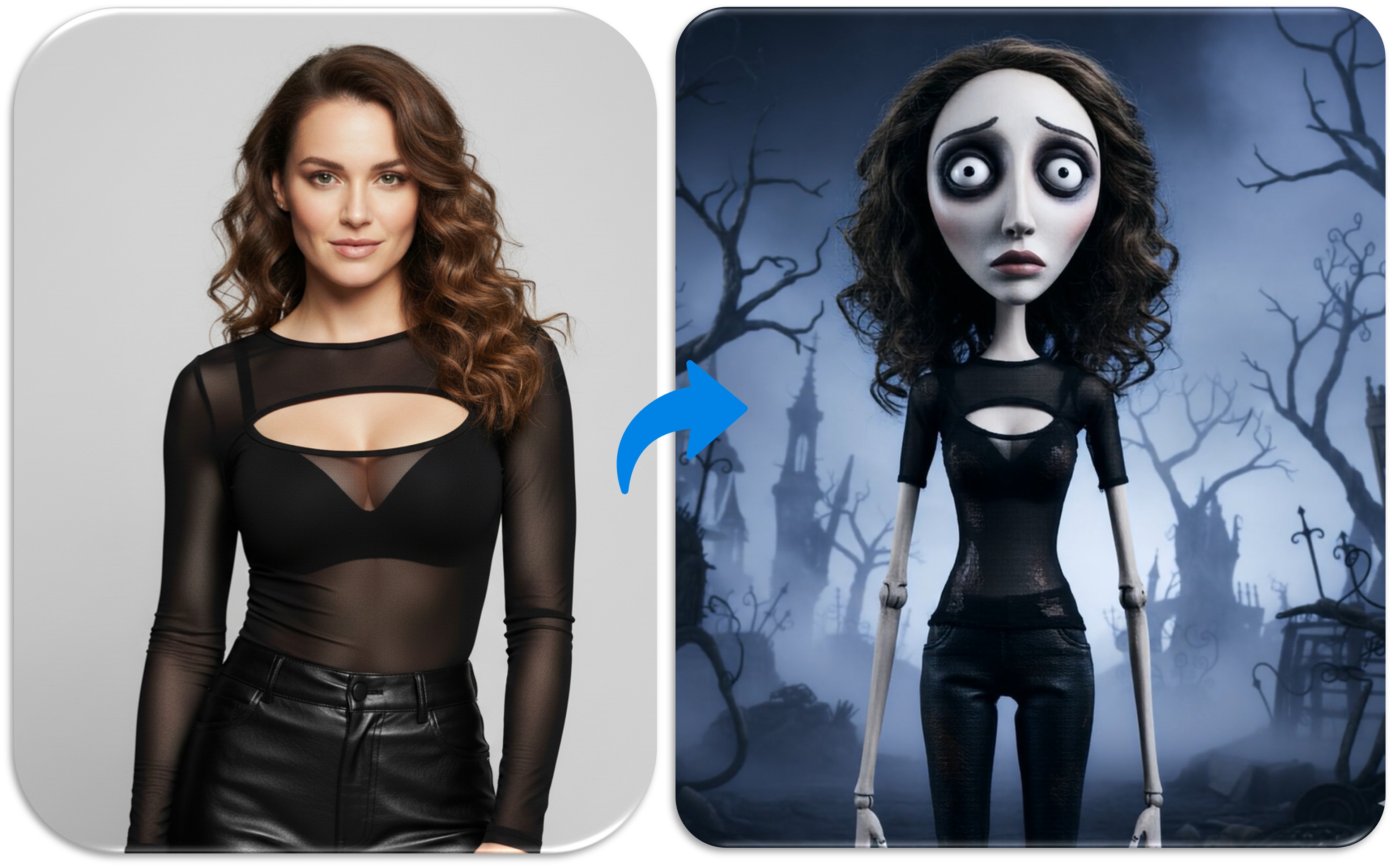
From Corpse Bride to Beetlejuice, fans are now recreating Burton-inspired characters using AI-powered video tools that transform ordinary portraits into haunting animations.
Whether you're channeling the eerie elegance of a haunted doll or the deadpan moodiness of Wednesday Addams, it's easier than ever to bring your gothic alter ego to life.
Haunted Doll Template: Your Gateway to Burtonesque Magic
One of the most popular ways to join the trend is with the Haunted Doll video template.
This AI-powered effect morphs your photo into a ghostly doll with oversized eyes, stitched features, and a stop-motion-style flicker that feels straight out of a Tim Burton film.
Why creators love it:
- Burton-style features: pale skin, expressive eyes, stitched details
- Cinematic animation: flickering lights and jerky movements
- Perfect for Halloween, gothic edits, or dark fantasy storytelling
How to Easily Create Tim Burton AI Videos
Creating your own Tim Burton-style video is simple and fun. Just follow these four easy steps to transform your photo into a gothic animation:
Step 1: Select a Video Template
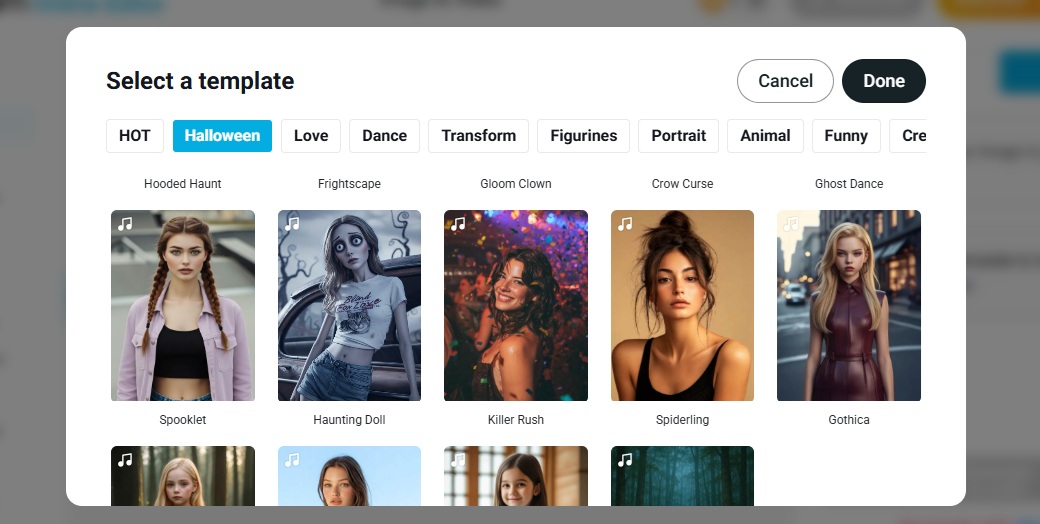
Start by choosing the Haunted Doll template. This option captures the eerie, stitched, and pale-skinned aesthetic that defines Tim Burton’s iconic style. The template selection will appear first before you upload your photo.
Step 2: Upload Your Photo
Once the template is selected, upload a clear, front-facing photo. Good lighting and minimal distractions in the background help the AI generate the best results. Avoid group shots or heavy filters.
Step 3: Generate and Share Your Video
Once your photo is ready, click Generate and let the AI work its magic.
In seconds, your image will be transformed into a stylized video that captures the haunting beauty of Tim Burton’s world.
You can download the video or share it directly to TikTok, Instagram, or with friends to join the viral trend.
Bonus: Gothica Template for Wednesday Addams Vibes
If you’re leaning toward the moody, mysterious aesthetic of Wednesday, the Gothica template is your perfect match. Inspired by the Netflix series, it adds dark academia fashion, somber expressions, and a supernatural edge to your video.
Use it to channel your inner Wednesday Addams—complete with raven-black tones and a touch of gothic flair.
10 Prompt Ideas for Tim Burton Style Videos
Want to add more flair to your video? Try these creative prompts:
- “Victorian ghost child lost in a foggy forest”
- “Porcelain doll with cracked face and stitched smile”
- “Undead bride waiting at a haunted altar”
- “Clockwork boy with gears in his chest and hollow eyes”
- “Gothic ballerina dancing in a candlelit crypt”
- “Tim Burton-style vampire with velvet cloak and glowing eyes”
- “Haunted puppet with tangled strings and stitched limbs”
- “Melancholy scarecrow under a blood moon”
- “Ghostly librarian trapped in a cursed library”
- “Wednesday Addams clone with raven perched on shoulder”
Each prompt adds depth and narrative to your video, helping the AI generate more expressive and stylized results.
Final Thoughts
Whether you're crafting Halloween content, exploring gothic aesthetics, or simply love Tim Burton’s surreal style, these AI templates make it easy to bring your dark fantasy to life.
Try them out, experiment with prompts, and share your spooky transformation with the world.
Your journey into the Burtonverse begins with one photo—step into the shadows and let the magic unfold.


