


 Download without watermarkAccess to AI Photo Editing ToolsUnused credits roll over





Free AI Photo Enhancer: Improve Image Quality Online
Fix blurry photos and upscale low-resolution images in one click. YouCam’s AI photo enhancer sharpens details, reduces noise, and improves image quality online.




Why YouCam is the Best Tool to Improve Image Quality Online
- Fix Blurry Photos Automatically: Upload any blurry, soft-focus, or compressed image and let AI restore sharpness and detail, no manual adjustments needed.
- Increase Image Resolution Without Quality Loss: Upscale photos up to 4x for better clarity in print, social media, or professional use. Without pixelation or distortion.
- Enhance Multiple Photos in Seconds: Upload a batch of up to 50 images and apply AI enhancement across all of them at once. Ideal for albums, product catalogs, and client photo shoots.
🔒 End-to-End Encryption | ✨ Supports JPG, PNG, WEBP, TIFF | 🚀 No Quality Loss


How to Improve Image Quality Online with AI
Fix blurry photos, upscale resolution, and restore old images — all in three simple steps.

Upload Your Photos
Drag and drop or upload your photo directly in the browser. You can enhance a single image or upload a batch of up to 50 at once.


Let AI Do the Work
YouCam's AI instantly sharpens blur, reduces grain, boosts resolution, and corrects color. It processes every detail of your photo automatically.

Download Your Enhanced Photo
Preview the before-and-after result, then save your enhanced image in high resolution. No software needed!
What You Can Do with YouCam's AI Photo Enhancer
Fix Blurry Photos
Got a soft, shaky, or out-of-focus shot you can't reshoot? YouCam's AI sharpens motion blur, soft focus, and compression artifacts automatically. It restores detail and clarity without any manual editing. Works on phone photos, downloaded images, and scanned files.


Upscale Low-Resolution Images
Turn small or pixelated images into sharp, high-resolution files ready for print, web, or social media. Whether it's a screenshot, a logo, or an old web asset, AI rebuilds missing detail and increases resolution without distortion.


Batch Enhance Multiple Photos
No time to edit image by image? Upload up to 50 photos at once and let AI improve quality across your entire batch automatically. Perfect for photographers, online sellers, and creators who need consistent results across large sets.

Trusted by Over 700,000 Users to Improve Their Photos
See how photographers, designers, and everyday users are fixing blurry photos and upscaling image quality with YouCam.
Saved my client deliverables
I received low-res assets from a client for a web design project. Instead of asking for a reshoot, I ran them through the 4x Upscaler. It didn't just resize them; it added the necessary texture to make them look professional on a Retina display.
— Amanda L., Freelance Web Designer
“Better than Lightroom for noise reduction”
I shoot concerts often, which means high ISO and lots of grain. This tool cleans up the noise better than my manual editing software, and it doesn't turn the singer's face into plastic. Highly recommended for low-light photography.
— Brian T., Photographer
“Fixed a dark, blurry group shot”
We took a group shot at a dimly lit restaurant. You couldn't really see our faces. The AI brightened it up without making it look grainy. Now it’s my profile picture!
— Melissa G., Student
Frequently Asked Questions (FAQ): AI Photo Enhancer
What is an AI photo enhancer?
An AI photo enhancer is a tool that automatically improves image quality using machine learning. It sharpens blurry details, reduces noise, corrects color, and upscales resolution — without any manual editing.
How do I fix a blurry photo online?
Upload your photo to YouCam's AI photo enhancer, and the AI will automatically detect and sharpen soft edges, motion blur, and compression artifacts. Download your clearer result in seconds.
Can I increase image resolution without losing quality?
Yes, YouCam's AI upscaler rebuilds missing detail when increasing resolution, so the result looks natural rather than stretched or pixelated. You can upscale images up to 4x their original size.
Can I enhance multiple photos at once?
Yes, you can batch upload up to 50 images at once. The AI enhances every photo in your batch automatically, making it ideal for photographers, online sellers, and content creators.
Does the AI photo enhancer work on dark or noisy photos?
Yes, the AI detects and reduces grain and noise while brightening underexposed areas, restoring natural-looking color and detail in low-light or high-ISO shots.
Is it safe to upload my photos?
Yes, all uploads are processed securely and your photos are protected with advanced encryption. YouCam does not use your images for training without consent.
What file formats are supported?
YouCam's AI photo enhancer supports JPG, PNG, and WEBP formats. For best results, upload the highest-quality version of your original image.
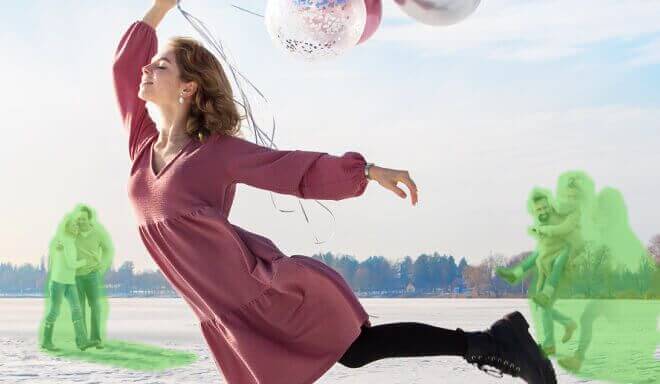
Clean up your background by removing unwanted people or items.

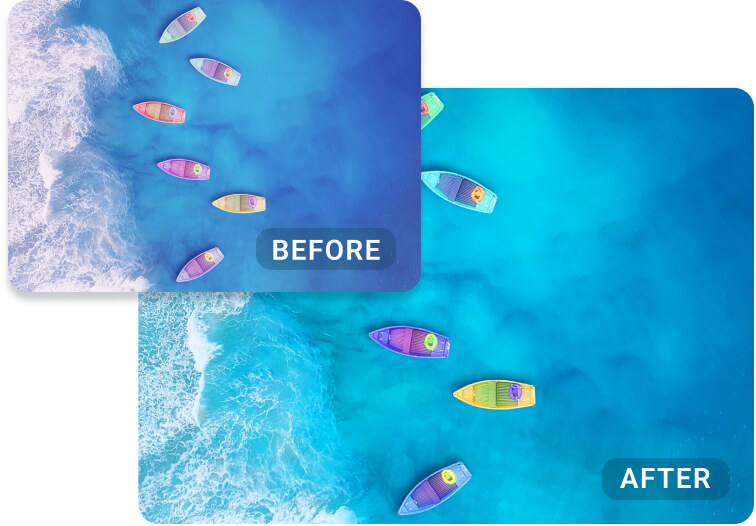
Restore natural tones and fix color imbalances with the YouCam AI Color Correction, making every photo pop.
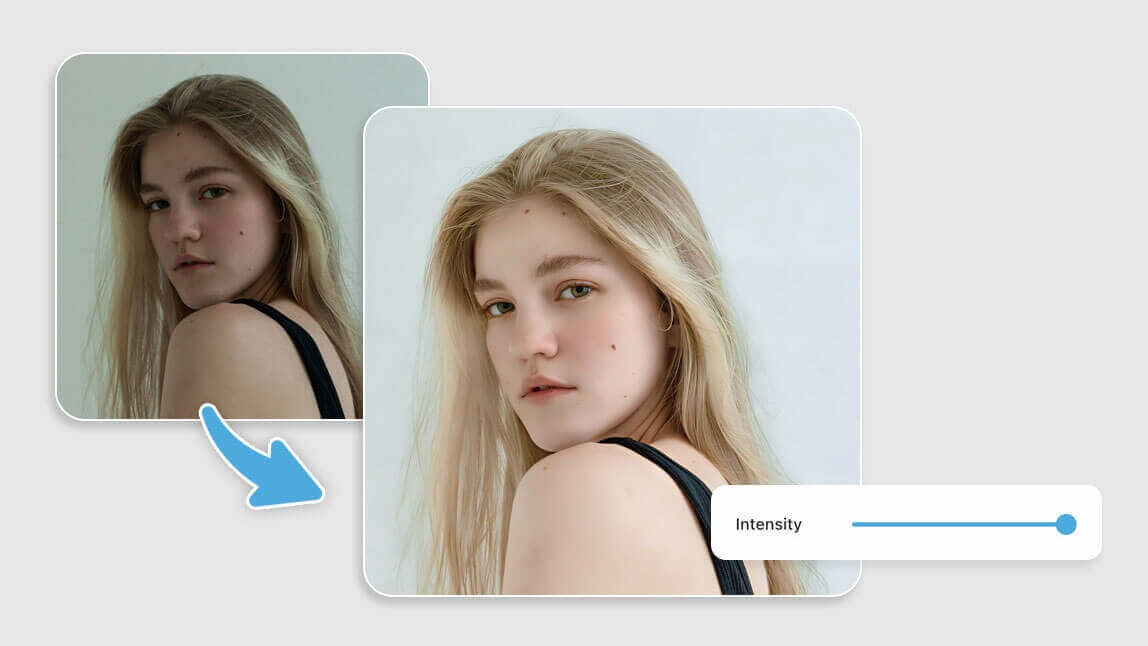
Light up dark or save overexposed photos in a tap with YouCam AI Image Brightener, bringing clarity and vibrance to every detail.

Enhance Photos With AI on Your Phone With Our App
Enhance your photos instantly on your mobile phone with our AI photo enhancer app, YouCam Enhance.


