




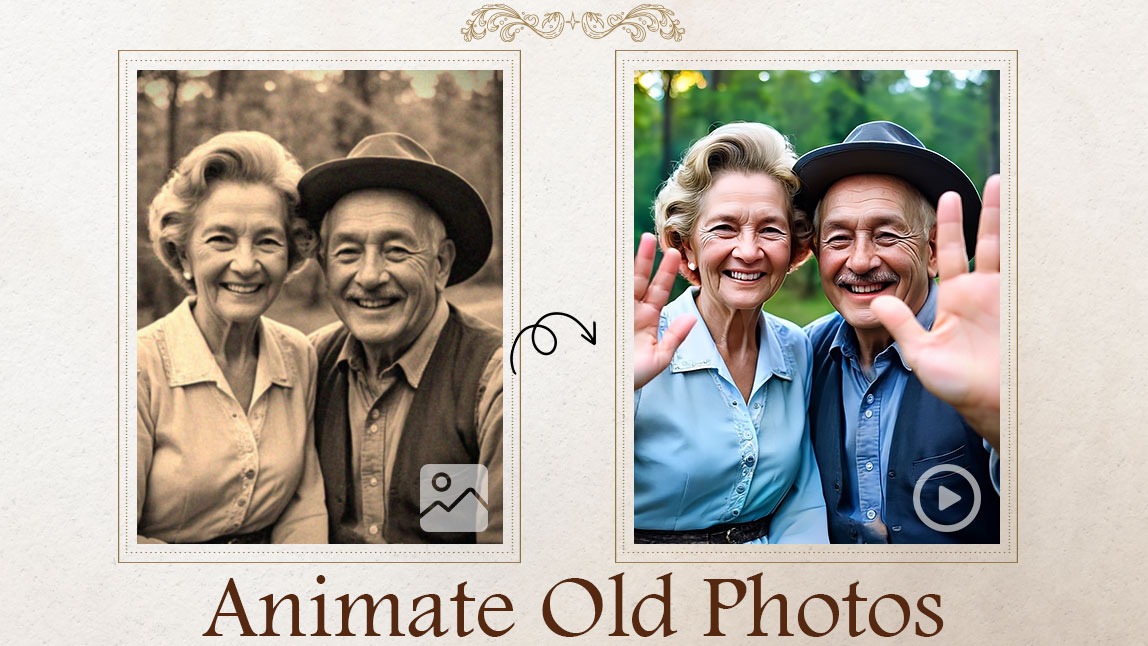
Have you ever looked at an old family photo and wondered what it would be like to see your loved one smile again?
Maybe it's a grandparent you miss dearly, or an ancestor you’ve only seen in faded black-and-white portraits.
Thanks to powerful image-to-video technology, you can now bring those still moments back to life — and it’s easier than you think.
In this article, we’ll explore how you can animate old photos, turning static images into moving, lifelike videos.
Whether you want to preserve family history, create a heartfelt gift, or simply relive cherished memories, this guide will show you how to make it happen.
Disclaimer: This article discusses AI-powered tools that animate old photos. Please use these tools responsibly, especially when working with images of deceased individuals, and consider the emotional impact on others before sharing animated content.
Why Animate Old Photos?
We take photos to freeze time — but sometimes, that stillness feels too quiet.
When you animate an old photo, you’re giving that moment a second life.
Here's why more and more people are doing it:
- Emotional Reconnection: Seeing a loved one’s face move again brings back a wave of emotion.
- Family Storytelling: Add movement to old photos to create dynamic family history videos.
- Memorials and Tributes: A respectful animation can help honor someone’s memory in a deeply personal way.
- Creative Projects: Animate vintage photos for documentaries, presentations, or even social media.
The ability to bring old photos to life helps turn memories into experiences.
Pro Tips to Make Your Animated Old Photo Stand Out
Want to take your animation to the next level?
Try these quick enhancements before animate your old photo:
Colorize the Old Photo First
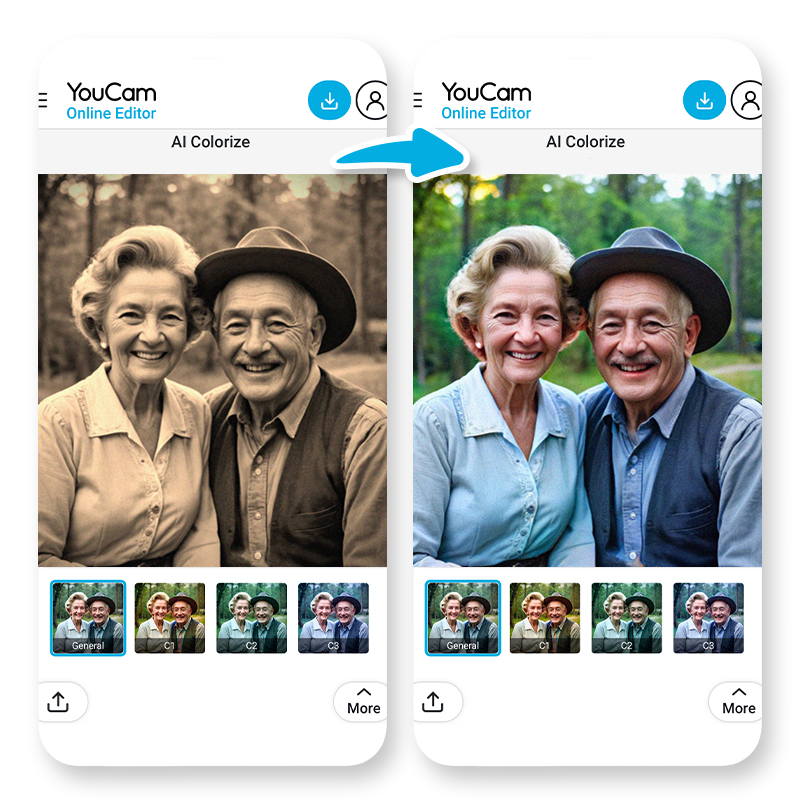
Color adds warmth and realism. Converting black-and-white photos into color makes the animation more emotionally impactful.
Enhance the Old Image First
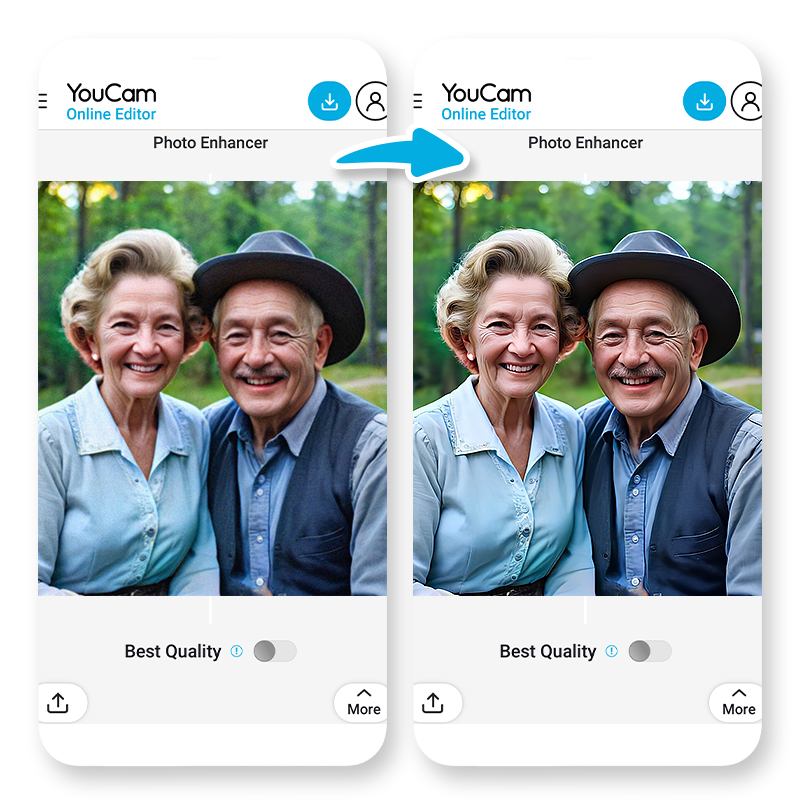
Use photo enhancement tools to sharpen facial features, improve lighting, and fix blurry areas. This gives the animation a cleaner, more natural look.
Small edits can make a big difference when it comes to making your animated old photo feel truly alive.
How to Animate Old Photos with the Best Photo Animator: YouCam Image to Video (Step-by-Step Guide)
Ready to try it yourself?
Here’s a simple process to animate your old family photos:
Step1: Open the Best Photo Animator: YouCam Photo Animator

First, open YouCam AI Image to Video.
The tool is available both online and as an app for iOS and Android users.
Step 2: Select the Photo
Upload the image you want to bring to life.
Step3: Choose a Template or Enter a Prompt to Animate the Old Photo
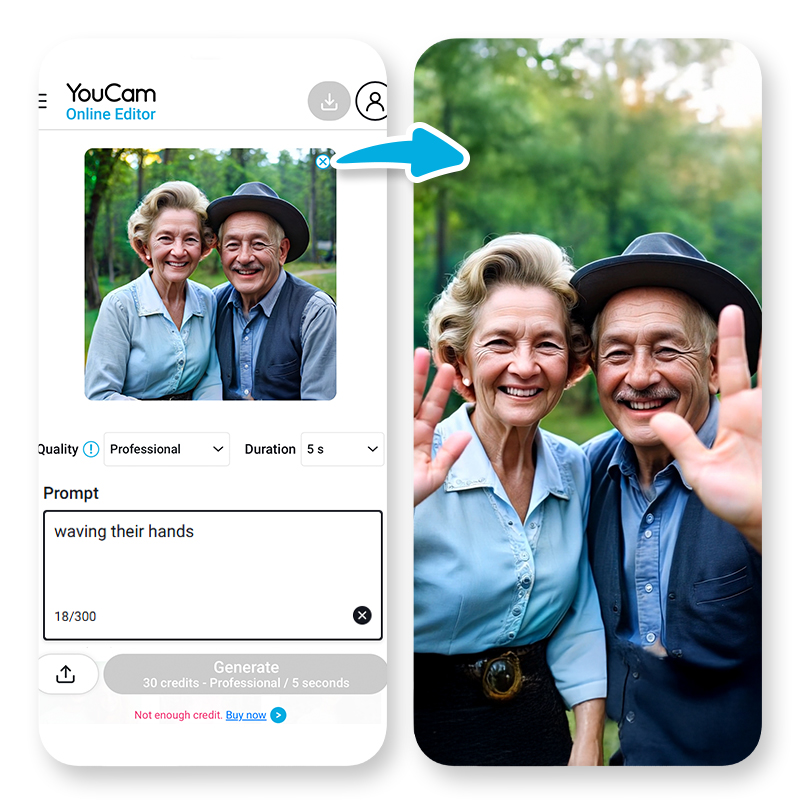
For templates, you can choose "Warm Hug" to make the people in the photo to hug each other.
You can also enter a custom prompt to tell the AI exactly how you want the image to move.
5 AI Fly Prompt Ideas You Can Try
- "Make the person wave gently with one hand and smile, as if saying hello."
- "Make the person smile softly and blink naturally, as if they're posing for a photo today."
- "Add gentle head movement and a warm smile, like they’re greeting someone they love."
- "Make the subject look up slightly and give a nostalgic smile, like recalling a fond memory."
- "Add lifelike facial expressions, including blinking and a small smile, for a realistic vintage animation."
Step4: Preview and Export
Watch a preview of your animated photo, then download or share it instantly.
Ideas for Old Photos You Can Animate
Not sure which photos to choose?
Here are some meaningful and creative ideas for animating old photos:
- Family Portraits: Breathe new life into pictures of grandparents or distant relatives.
- Vintage Street Scenes: Animate bustling street views or landmarks from your family’s hometown.
- Your Own Childhood Photos: See yourself as a baby or teenager come to life again — great for nostalgic gifts.
The beauty of AI is that it lets you revisit the past in ways that weren’t possible before.
Final Thoughts: Start to Bring Your Memories Back to Life
Photos help us remember — but when you animate them, you feel the memory again.
With AI, you don’t need expensive equipment or editing skills. You just need one special photo, a few minutes, and the right tool.
Animating old photos gives you a new way to connect with your past, honor your loved ones, and even spark new conversations across generations.
With just a few clicks, you can transform cherished images into living memories that you and your loved ones can treasure forever.
Because some memories aren’t meant to stay still.
So go ahead, bring those precious smiles back to life. Some moments are too special to remain still.


