




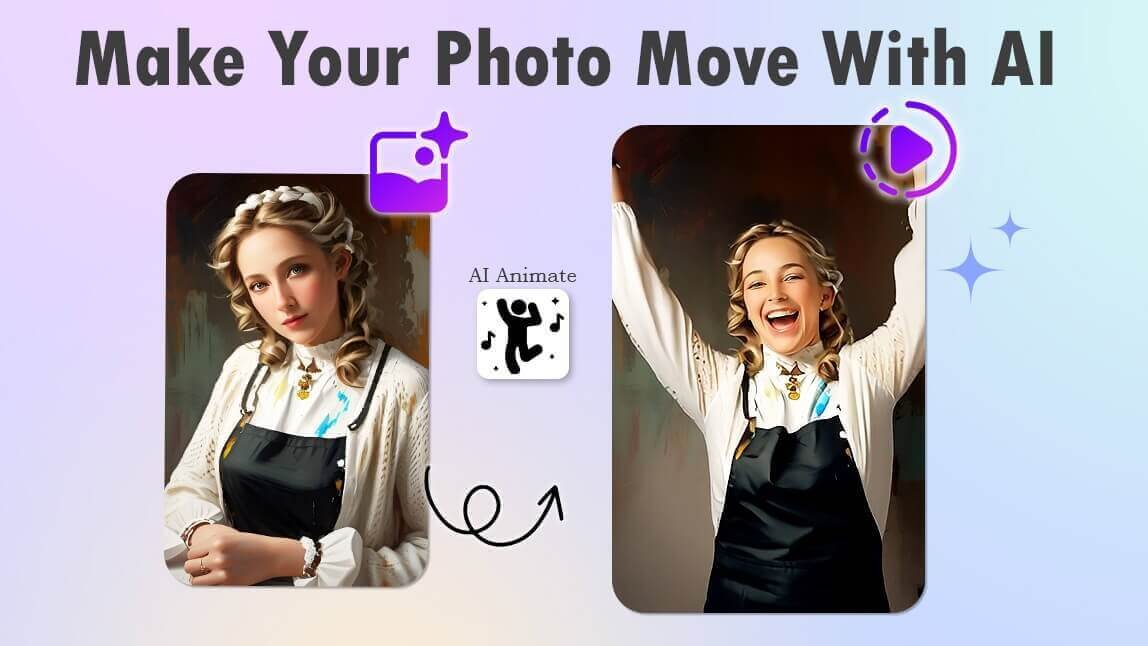
An AI photo animator is a tool that turns static images into moving videos using generative AI. With YouCam AI, you can animate photos online to create realistic motion like hugs, dancing, and facial expressions in seconds.
Why Use YouCam AI Photo Animator?
- Create realistic animations with advanced AI motion technology
- Generate viral effects like AI hugs, and dancing videos
- Animate photos online without downloading any software
- High-quality video output for social media and sharing
- All-in-one tool with additional features like AI colorization
Have you ever wondered how to bring your old photos to life?
I recently discovered an amazing AI photo animator that can make your images move in the most realistic way. It's incredibly easy to use and the results are simply stunning.
Let me share my experience with this fantastic tool!
Online AI Photo Animator to Animate Image in 2026
- Available: Online (also available on iPhone & Android in the YouCam Video app)
YouCam's AI Image to Video feature is perfect for making your photos move in a lifelike manner.
The tool uses advanced AI to create subtle, realistic movements, bringing your images to life in a way that's both captivating and easy to achieve. Whether it's a gentle breeze through hair or a slight smile, the results are truly impressive.
Plus, it’s all done online, so there’s no need to download any software – just upload your image and let the AI work its magic!
5 Highlights: Why We recommend YouCam's AI Image to Video Generator
- User-Friendly Interface: The tool is incredibly easy to navigate, making it perfect for both beginners and experienced users.
- Realistic Animations: The AI creates subtle, lifelike movements such as hugs, kisses, and dances, bringing your photos to life in a captivating way.
- Variety of Styles: With a wide range of animation styles, you can find the perfect effect to match any photo, from heartfelt hugs to energetic dances.
- High-Quality Output: The animations are rendered in high resolution, ensuring your photos look stunning and professional.
- Colorize & Animate Your Old Photo: Besides animating old photos, you can also colorize black and white photos to make them more vibrant and lifelike with its AI Colorizer. This feature breathes new life into your cherished memories.
5 Must-Try Animate Photo Ideas in 2026
Here are five must-try ideas you can easily achieve with YouCam AI Image to Video in 2026!
1. Revive Your Memories: Transform Old Photos into Lively Videos
Bring your cherished old photos to life by turning them into animated videos that capture the essence of the past.
2. Animate Classic Artworks
Add a modern twist to classic masterpieces by animating famous artworks and watching them come alive.
3. Make the Toys Move: Make Your Real Toy Story
Create your own magical toy story by animating your favorite toys and making them move in delightful ways.
4. Turn Meme Images into Videos
Give your favorite memes a new dimension by transforming static images into hilarious animated videos.
5. Animate Your Travel Photos
Relive your travel adventures by animating your travel photos and creating dynamic visual stories.
Pro-Tip: How to Get Glitch-Free Results
Not all photos animate equally. As an expert user of these tools, I've found that following these three rules ensures the AI understands your image:
- Clear Separation: Photos with a clear distinction between the foreground (person) and background (scenery) work best. The AI can easily "mask" the subject to move them independently.
- Avoid Motion Blur: Do not use photos that are already blurry. The AI needs sharp edges to calculate movement vectors.
- Lighting Matters: Even lighting on the face helps the AI detect facial landmarks (eyes, mouth) for realistic expressions.
Best Prompt Ideas for Animating Your Photos
If you're still not sure how to animate your photos, we've collected some fun ideas for you. You can animate photos with one person, two people, pets, or landscape photos!
Try these prompts to animate your photos:
- Make the two people kiss
- Make this person dance
- Animate the dog running towards the screen
- Add a soft breeze blowing the hair of the person
- Make the flowers in this garden photo sway in the wind
- Animate the person jumping with excitement
- Make the person in the photo wink at the camera
- Make the baby in this photo giggle and move
- Add snow falling gently in the background of this winter photo
- Animate the dog in the photo chasing its tail
- Make the person in this photo wave at the camera
- Animate a butterfly flying around the person in this photo
- Make the person in the photo blow a kiss
- Animate the waves crashing onto the shore in this beach photo
- Make the person in the photo turn their head and smile
- Animate the cat jumping off the ledge in this photo
How to Animate a Photo Online Using YouCam AI Image to Video
Want to transform your photos into dynamic, moving images? Here's a step-by-step guide on how to animate a photo online using YouCam AI Image to Video!
Step 1: Access the AI Photo Animator

First, open your web browser and navigate to the YouCam AI Image to Video tool.
Step 2: Upload Your Photo
Next, click on the "Upload" button to select the photo you want to animate from your device. Make sure the photo is clear and of good quality for the best results.
Step 3: Choose the Photo-to-Video Template
Now, choose a photo-to-video template. You can select trendy templates like “Hug” and “Dance” or customize your own animation by adding text. If you prefer a surprise, simply click on “Generate” to let the AI decide how your picture will move.
Step 4: Retrieve Your Animated Photo
After clicking the “Generate” button, the AI will start animating your photo. This process might take a few minutes. Once it's done, you will be notified through the website and via email. Check your animated photo in the gallery and enjoy the results!
Discover More AI Animating Photo Ideas
- AI Hug Generator: Create AI Hugging Videos Online for Free
- AI Dance Video Generator: Make Your Photo Dance Online Free
- AI Kissing Video Generator: Create AI Kissing Videos Online Free
Animate Photo FAQ
- How can I animate a still picture for free?
- The YouCam Online Editor allows you to upload and animate photos for free directly in the browser.
- Step 1: Select a reliable AI photo animation tool available online.
- Step 2: Click the upload button and select the photo you want to animate.
- Step 3: Choose from various animation templates or let the AI generate one.
- Step 4: Enter a text prompt (optional) and click Generate.
- Step 5: Save and Share.
- Is there a free photo animation app?
- Yes, YouCam Online Editor is a free online photo animation tool that provides users with both an Image-to-Video feature and a photo-to-anime converter.
- Is there an AI that makes pictures move?
- You can easily animate a static photo using YouCam's Image-to-Video tool. Simply upload your image, choose your animation template, and let the AI bring it to life with stunning visuals and seamless motion.
- What website turns pictures into animations?
- YouCam Image-to-Video is the best website for turning pictures into animations. You can animate your photos directly from your browser without needing to install any apps.


