





Have you ever captured what you thought was the perfect photo, only to later discover an unwanted stranger in the background?
Don’t worry! You don’t need to travel back in time to fix these moments. With advanced AI photo editing technology, erasing someone from your photos is just a few clicks away.

In this guide, we'll show you how to seamlessly remove people from photos using the YouCam Online Editor’s AI Replace Tool. Achieve distraction-free photos in seconds, without the need to download any software or app!
Disclaimer: Please note that the "AI Person Remover" feature in YouCam Online Editor is for legitimate photo editing only. Users must comply with all laws and ethical standards, respecting the privacy, rights, and dignity of individuals in images.
| Table of Contents |
|---|
How to Remove People From Photos Online
Looking for an easy-to-use online tool to edit people out of photos? YouCam Online Editor offers a user-friendly online tool that is perfect for that.
Here's how you can remove unwanted people from photos in 4 steps:
- Step 1: Navigate to YouCam Online Editor and launch the AI Replace tool.
- Step 2: Use the intuitive selection tools—brush and zoom—to highlight the person you wish to erase from your photo.
- Step 3: Enter "remove" text in the prompt box and Click "Generate". The AI will automatically remove the object you brushed.
- Step 4: Preview your photo and download it.
Best Use Cases for Removing People from Photos
Keep reading to learn some great examples of when an object removal tool comes in handy to clean up your photos:
- Erase Your Ex Out of Photos
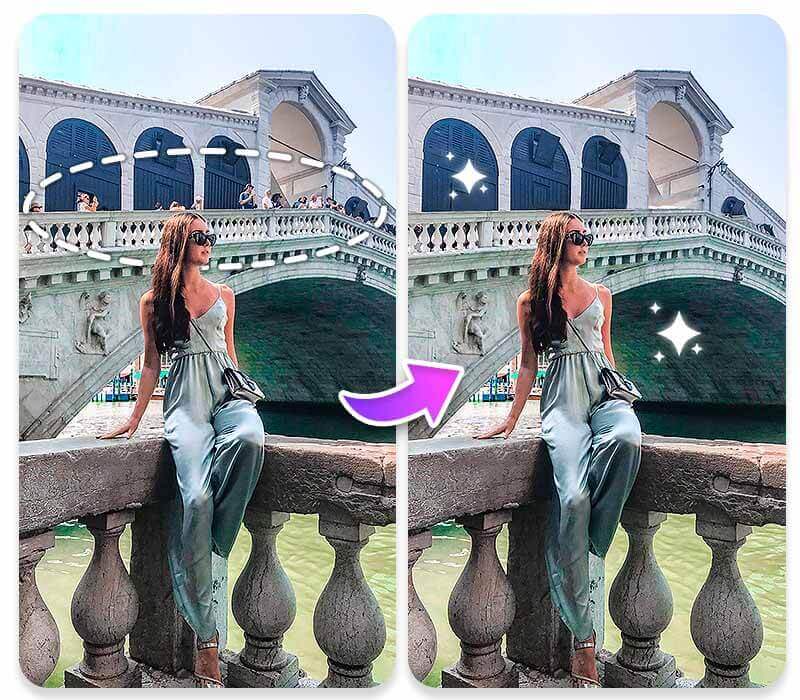
- Remove Tourists from Your Travel Shots
- Erase Unintended Reflections
- Spotlight Yourself
1. Erase Your Ex Out of Photos

Moving on from a relationship shouldn't mean parting with your favorite memories. With YouCam Online Editor's AI Object Replace feature, you can seamlessly erase anyone from your cherished photos, helping you to heal and move forward.
2. Remove Tourists from Your Travel Shots

Capturing that flawless photo of iconic landmarks is often tricky with all the other tourists standing in the way. With YouCam Online Editor's AI Replace feature, you can effortlessly clear away the crowds.
3. Polish Your Photos by Erasing Unintended Reflections
Discovering your own reflection (or shadow) in photos—whether in water, windows, or any reflective surface—can be annoying. With YouCam Online Editor's Object Removal feature, you can effortlessly erase these accidental self-portraits.
4. Spotlight Yourself
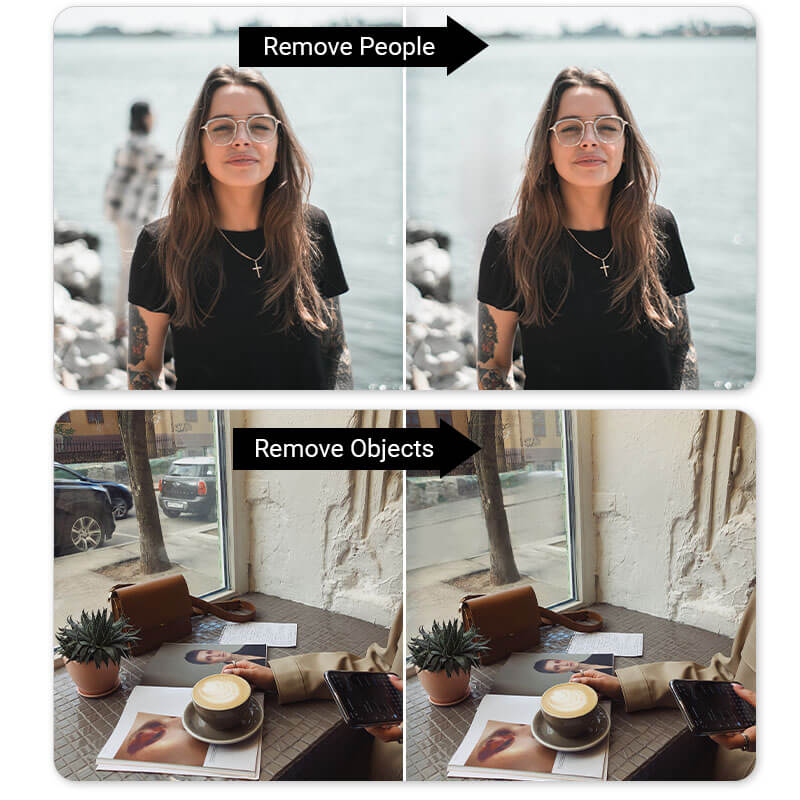
With YouCam Online Editor's AI Replace feature, you can easily eliminate distractions in the background, whether it's for your professional website, social media profiles, or a personal project.
What Else Can You Remove From Photos
Apart from removing people and photobombers from photos, you can also remove any unwanted objects from your photos. Here are some examples:
- Remove Text
- Remove Distracting Objects
- Remove Blemishes
- Remove Watermarks
- Smooth Out Wrinkles
- Remove Background
1. Remove Text From Photos
Street signs, graffiti, or unwelcome captions can divert attention from your photo's primary focus. Use YouCam Online Editor to seamlessly erase text easily and instantly.
2. Remove Distracting Objects From Photos
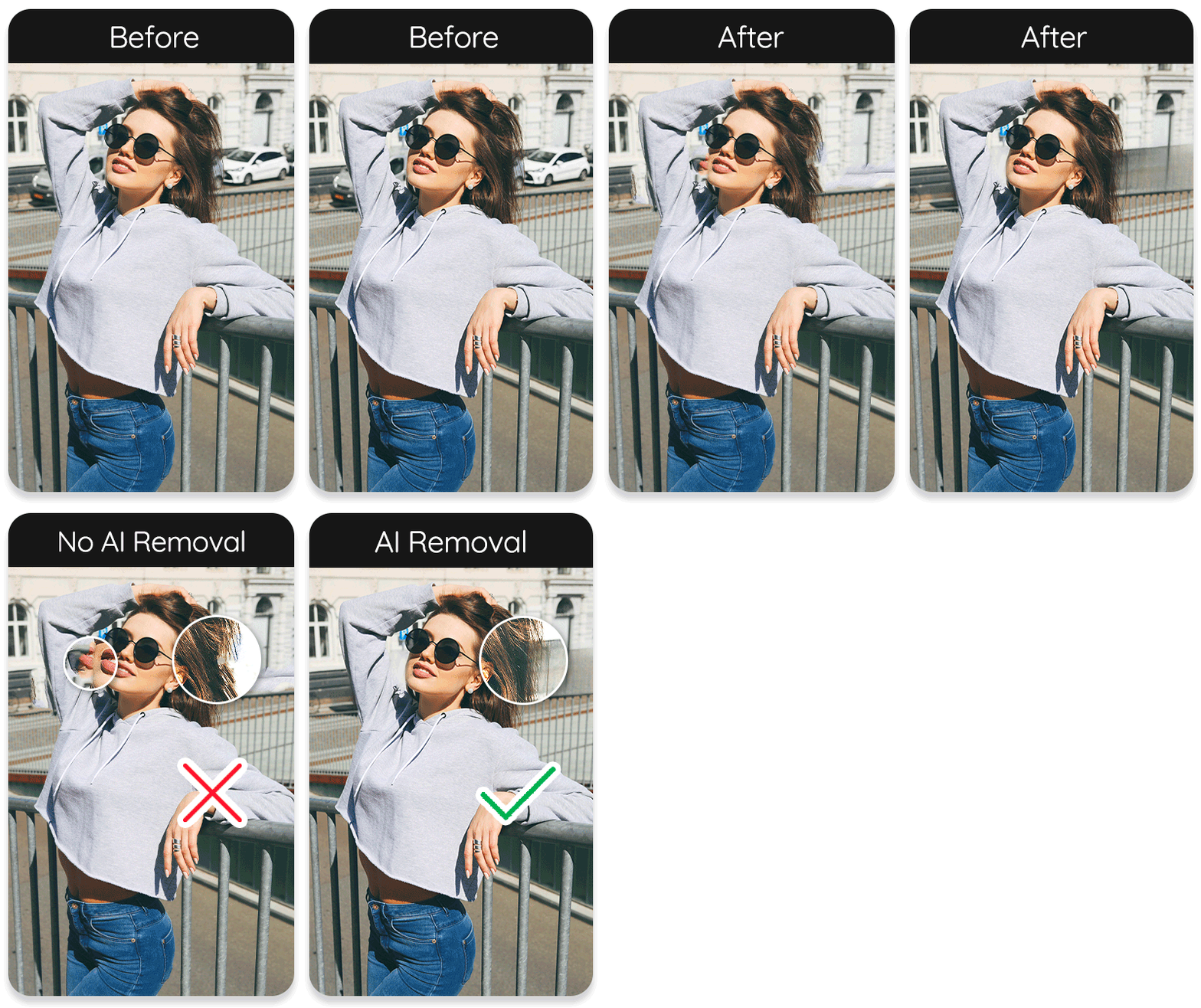
Whether it's power lines dissecting a peaceful sky or a forgotten cup marring a spotless beach, incidental objects can detract from your photo's harmony. With our AI Object Replacer, you can effortlessly fix that!
3. Remove Blemishes From Selfies
Sometimes the camera captures a bit too much detail, revealing blemishes such as pimples, scars, or uneven skin tones. With YouCam Online Editor, you can remove these imperfections, enhancing the photo's natural beauty without over-doing it.
4. Remove Watermarks

Whether it's a watermark from a stock photo for which you've acquired rights or an outdated logo from a previous campaign, the ability to cleanly remove watermarks with YouCam Online Editor is super useful for repurposing your images.
5. Smooth Out Clothes’ Wrinkles

Wrinkles in clothing can undermine the polished look of a photo. With the YouCam Online Editor's AI Replace tool, smoothing out these distractions becomes a simple task.
6. Remove Backgrounds with the Background Removal Feature
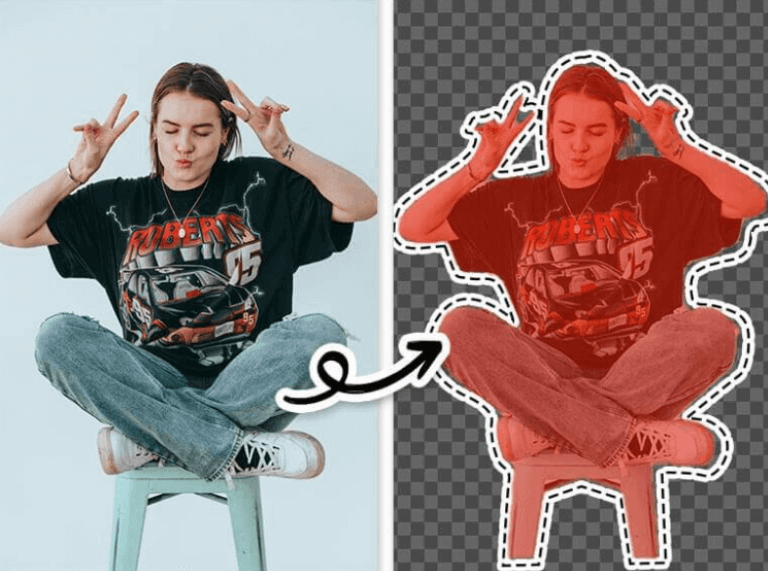
Another way to fix photos with a messy background is by removing the background all together! YouCam Online Editor lets you remove backgrounds easily with its Background Removal tool.
You can make your photo's background transparent, add a white background or any other background you like.
Why Use YouCam Online Editor for Object Removal
1. AI-Powered Object Removal
YouCam Online Editor uses advanced AI technology to detect and remove unwanted objects with precision. This results in clean edits without requiring professional photo editing skills.
2. User-Friendly Interface
The tool is designed for ease of use. Even beginners can quickly learn how to remove objects from photos without any prior experience in photo editing.
3. No Software Installation Required
As a web-based tool, YouCam Online Editor eliminates the need to download or install any software. Users can access and use it directly from their browser, saving time and storage space.
4. High-Quality Output
Despite being an online tool, YouCam provides professional-quality edits. The AI smartly blends the background after object removal, maintaining a natural look in the final image.
5. Powerful tools YouCam Online Editor offers
YouCam is more than just an object removal tool—it’s a complete photo editing solution with a range of AI-powered features:
- AI Replace: Replace specific elements in your photo (like sky, clothing, or background) with AI-generated visuals for creative transformations.
- Photo Enhance: Instantly improve image quality with AI-based enhancements such as better lighting, color correction, and sharper details.
- AI Expand: Extend the edges of your image beyond the original frame using AI to fill in realistic details—perfect for resizing or reframing images.
Legal and Ethical Guidelines for Removing People from Photos Using AI Tool
- Secure Explicit Consent: Obtain verifiable permission from all individuals depicted in the image or the copyright holder before removing any person. Unauthorized edits may infringe on privacy rights and applicable laws.
- Uphold Truthful Representation: Avoid using the tool to manipulate images in ways that misrepresent events or individuals, as such actions could result in legal liability for defamation or fraudulent misrepresentation.
- Comply with Copyright Laws: Ensure you have legal authorization to edit the image. Modifying copyrighted material without permission may violate intellectual property regulations and result in legal consequences.
- Preserve Contextual Integrity: Refrain from altering images in contexts where removal could distort legal, historical, or cultural records, as such edits may undermine evidentiary or archival integrity.
- Prevent Harmful Outcomes: Do not use the tool to remove individuals in ways that could cause emotional harm, perpetuate discrimination, or violate ethical norms, ensuring compliance with social responsibility standards.


