




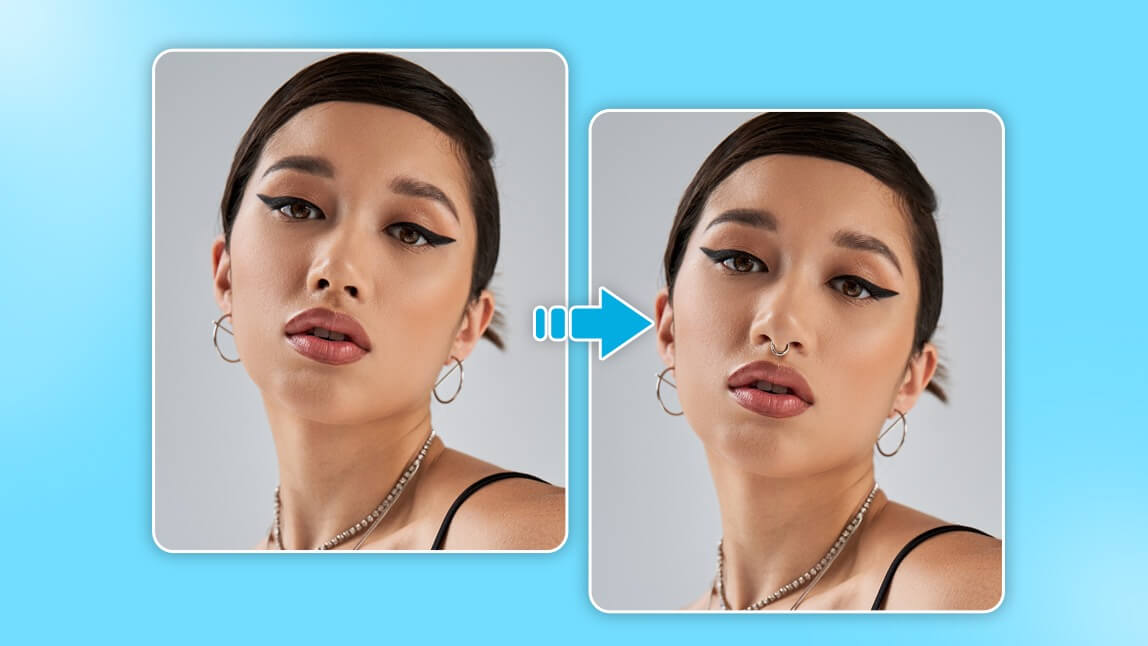
If you’ve ever wondered, “What would I look like with a piercing?” you can now find out instantly. Using a free online piercing simulator powered by Generative AI, you can realistically add nose rings, septum hoops, and ear jewelry to your photos without downloading an app.
How to Try On Piercings Online (No Download Required)
The YouCam Online Editor uses AI "In-painting" technology. Unlike old-fashioned stickers, this AI blends the jewelry into your skin’s lighting and texture for a 100% realistic look.
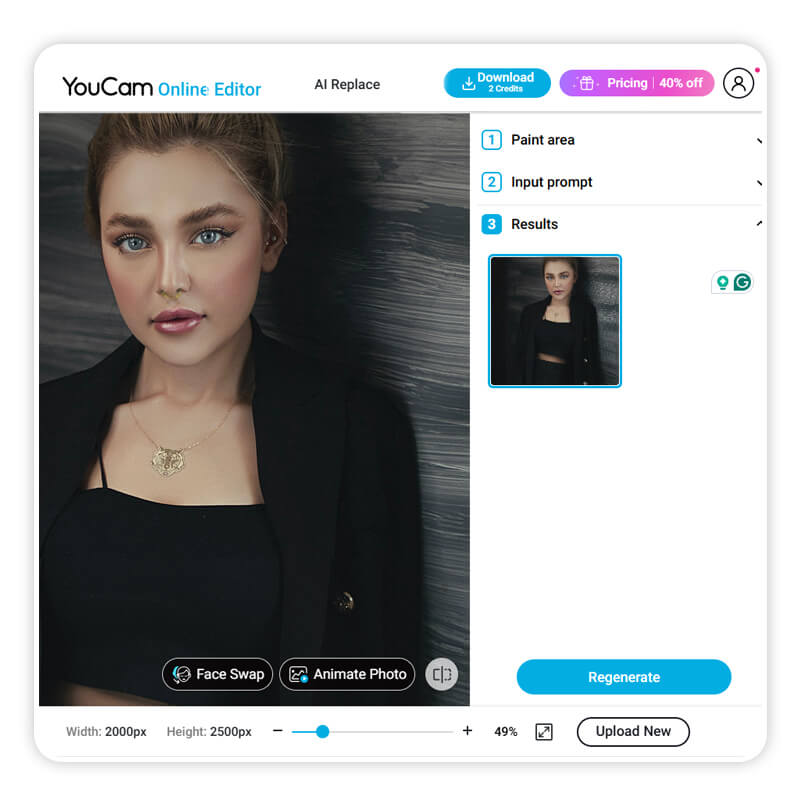
Step-by-Step: Virtual Piercing Try On
- Open the Tool: Visit the YouCam Online AI Editor.
- Upload Your Photo: Select a clear, front-facing selfie.
- Select the Area: Use the brush tool to highlight where you want the jewelry (e.g., nostril, lip, or earlobe).
- Describe Your Style: In the prompt box, type specific jewelry like "Small gold nose stud" or "Black matte septum ring."
- Apply & Save: Hit "Generate" and download your new look.
Choosing the Right Piercing for Your Face Shape
A virtual piercing simulator is more than just a filter; it’s a tool for "digital curation." Different face shapes suit different jewelry placements:
- Nose Piercing Filter: Use this to decide between a "high nostril" or standard placement. See if a hoop or a stud better complements the width of your nose.
- Ear Piercing Simulator: Experiment with "curated ears" by adding multiple studs or hoops to your helix, tragus, and lobe simultaneously.
- Lip & Eyebrow Filters: Vertical placements can elongate the face, while horizontal bars (like a bridge piercing) can draw attention to the eyes.
Web Editor vs. Mobile App: Which is Best?
| Feature | Online AI Editor | YouCam Makeup App |
|---|---|---|
| Installation | No Download Required | App Install Needed |
| Realism | High (Generative AI) | Live AR (Real-time) |
| Customization | Unlimited (Text Prompts) | Preset Styles |
Try Live Camera Piercing Filters
If you want to see how a piercing looks while you move your head, the YouCam Makeup App offers live Augmented Reality (AR) filters.
1. The "Heartscape" Filter (Nose & Septum)
Perfect for a soft, "coquette" aesthetic. This filter adds a delicate silver septum hoop and nose ring paired with a soft-glam makeup look.

2. The "Vortex" Filter (Y3K & Futuristic)
For those into the Y3K or Cyberpunk aesthetic, the Vortex filter provides sleek, metallic facial piercings that react to your movements in real-time.

Professional Tip: Consult a Piercer
While a virtual piercing try on is a great starting point, always consult a professional piercer before getting the real thing. Use your AI-generated photo to show your piercer exactly where you want the placement. They can then check your facial anatomy and skin health to ensure the piercing heals safely without rejection.
Frequently Asked Questions
- Can I try on piercings online for free?
- Yes, the YouCam Online Editor allows you to upload a photo and use AI to add any type of piercing for free directly in your browser.
- Is there an app that shows you with piercings?
- Yes, the YouCam Makeup app for iOS and Android features live camera filters that allow you to see piercings move with your face in real-time.
- How do I see what I look like with a nose ring?
- Upload a selfie to our online editor, brush the nostril area, and type 'nose ring' into the AI prompt box to generate a realistic preview.
Ready to see your transformation? Start with the Online Piercing Editor now and test your new look in seconds.


