




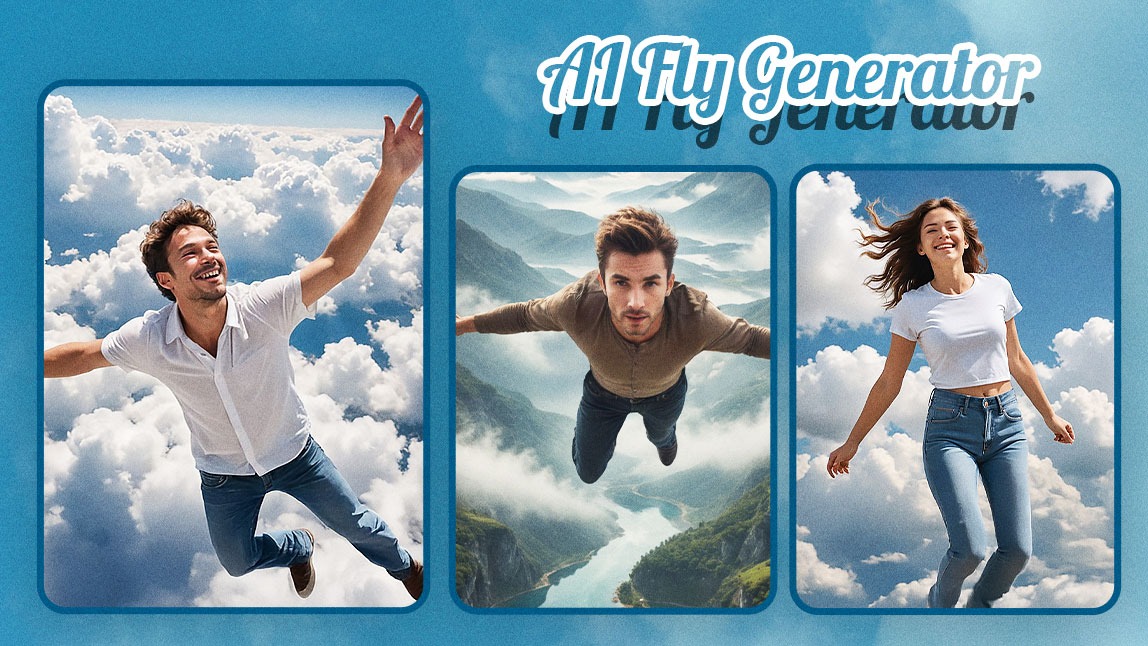
Ever dreamed of flying through the clouds like a superhero? Thanks to AI Fly technology, you don’t need a drone, a green screen, or even a video camera. All it takes is one photo, a creative prompt, and the power of an AI Fly Generator.
These tools use advanced image-to-video AI to turn still photos into fully animated flying scenes. Want to zoom through a futuristic city or glide over a mountain range with angel wings? You can.
In this article, we’ll show you how to create your own AI Fly video using the best tool available today — the YouCam AI Video Generator. Whether you're a content creator, marketer, or just love cool tech, you're going to love this.
What Is an AI Fly Generator?
An AI Fly Generator is an AI-powered tool that transforms static images into dynamic flying videos. With just a few words (called a “prompt”) and a single image, you can create short videos where the subject appears to fly through any kind of environment you can imagine.
From superhero takeoffs to dreamlike levitation scenes, the AI Fly effect adds motion, emotion, and cinematic depth to a regular photo.
Why Use an AI Fly Video Generator?
The rise of AI-generated video has made it easier than ever to create attention-grabbing content. But what makes an AI Fly video generator worth using?
- No editing skills required – You just upload a photo, type your prompt, and AI handles the animation.
- Fully customizable – Choose how you want to fly and where you want to go.
- Shareable, eye-catching videos – Perfect for TikTok, Instagram Reels, YouTube Shorts, or even marketing campaigns.
- Fast & affordable – Create unique flying videos in under a minute, for free or at low cost.
- High engagement potential – AI Fly videos are designed to grab attention and spark comments.
How to Make an AI Fly Video with YouCam AI Fly Generator
The YouCam AI Video Generator is the most user-friendly and powerful tool for creating AI Fly videos.
Here’s how to bring your vision to life in just minutes:
Step 1: Open YouCam AI Video Generator

Head to the YouCam AI Video Generator in your browser, or download the app on iOS or Android for easy mobile access.
Step 2: Upload a Photo
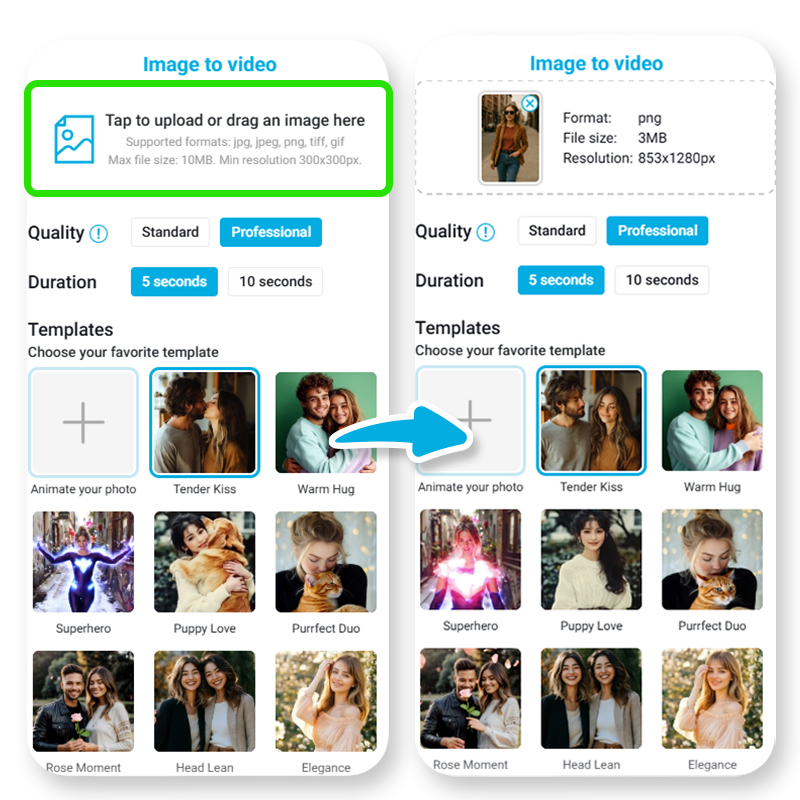
Choose a clear photo of yourself. Full-body shots work best, especially with simple backgrounds.
Step 3: Enter Your AI Fly Prompt
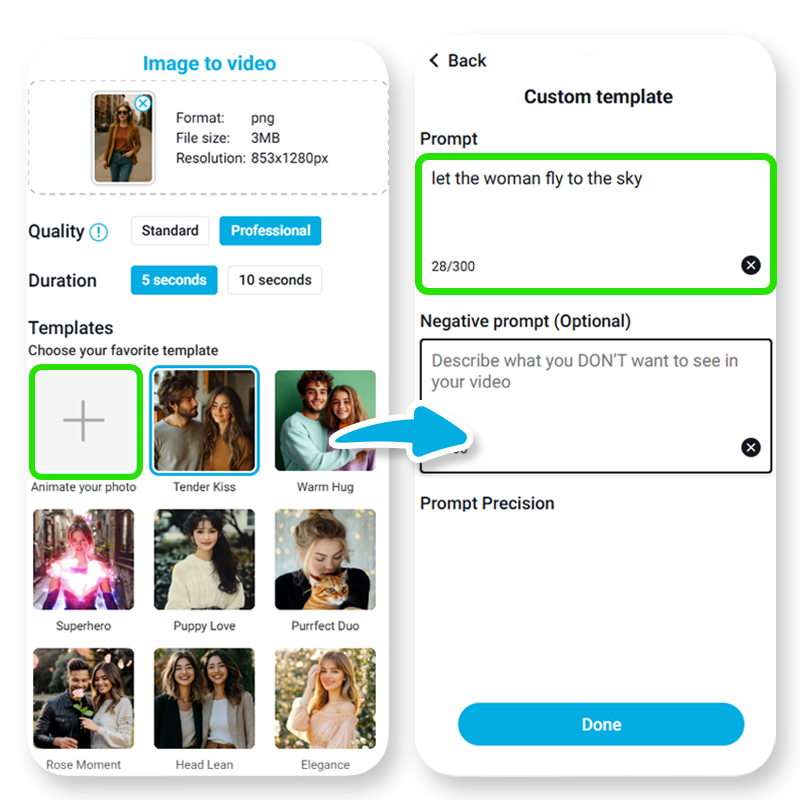
This is where the fun begins. Your AI Fly prompt tells the AI how the subject flies and what kind of background or scene to animate.
5 AI Fly Prompt Ideas You Can Try
- Fist forward like a superhero flying through a futuristic city at night
- Arms wide gliding peacefully above the clouds during golden hour
- Cross-legged floating meditation above a mountain lake at sunrise
- Zooming through space in an astronaut suit, stars swirling in the background
Step 4: Preview & Download Your AI Fly Video
Once the video is generated, preview the motion and style. If it looks good, hit download. You’re ready to share your flying moment with the world.
5 Creative AI Fly Ideas You Should Try
Looking for inspiration? Here are some ideas to try:
- The Hero Landing: Fist-forward flying through a stormy sky with lightning in the background
- Celestial Soar: Floating in slow motion among stars, nebula clouds glowing all around
- Dreamy Flight: Arms out flying over pink skies and cotton candy clouds at sunset
- Digital Dive: Zooming between neon skyscrapers in a futuristic cyber city
- Fairy Tale Float: Levitating with butterfly wings in a glowing enchanted forest
Final Thoughts: The Future of Flying Is AI-Powered
The AI Fly Generator is changing the way we create visual content. Whether you're flying like a superhero, meditating above the earth, or soaring through fantasy worlds, it’s all possible with just one photo and a little imagination.
With platforms like YouCam, creating AI Fly videos has never been easier. It’s quick, creative, and undeniably fun — and most importantly, it helps your content stand out.
➡️ Try the YouCam AI Fly Generator now, and bring your photos to life in ways you’ve never imagined.


