




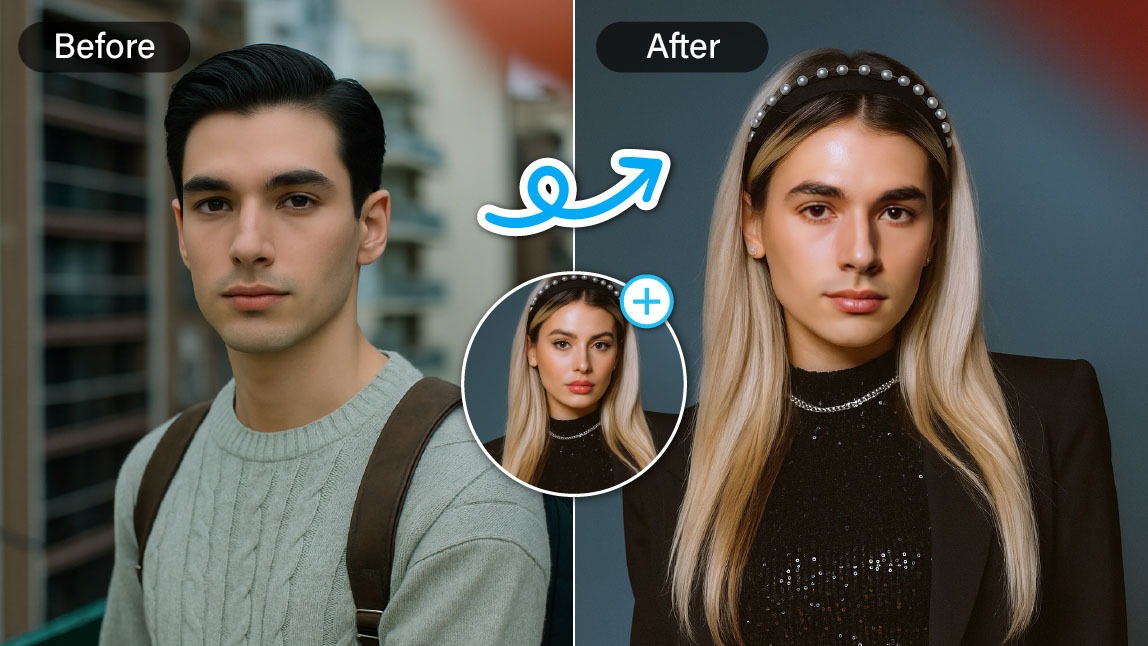
There has been a trend on TikTok where people convert their photos to see how they would look as a different gender. You might also be curious to see yourself as a celebrity of the opposite gender with a totally different style!
If you're looking for an easy-to-use opposite gender filter, try the best one on YouCam Online Editor to convert male to female photo online free in just seconds.
How to Use Opposite Gender Filter
It’s actually simple to convert your photos to the opposite gender!
With YouCam Online Editor’s opposite gender filter, you can see satisfying results in seconds. Follow the steps below to get started!
Search for the best opposite gender filter
Search for “YouCam Online Editor” on any search engine to find the most popular and well-rated opposite gender filter.
Use AI Face Swap to Convert Gender in Photos
Find the “AI Face Swap” feature under the AI Portrait category in the menu. Tap once and click the ‘Start Face Swap Now’ next.
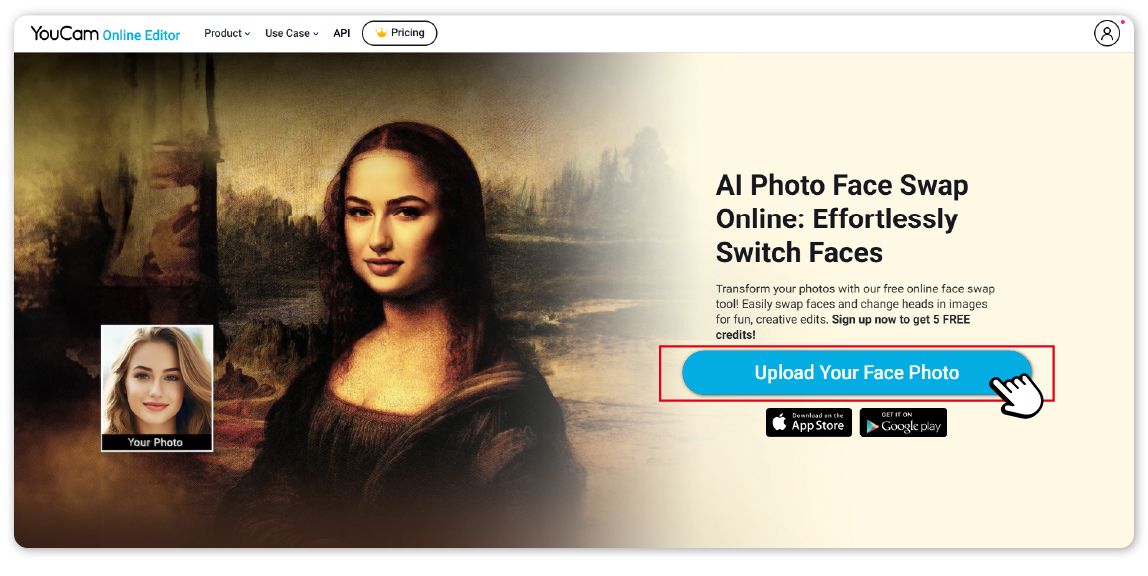
Upload Photos to Use Opposite Gender Filter
Next, upload a target photo to the website. This can be a photo of a person or a celebrity of the opposite gender.
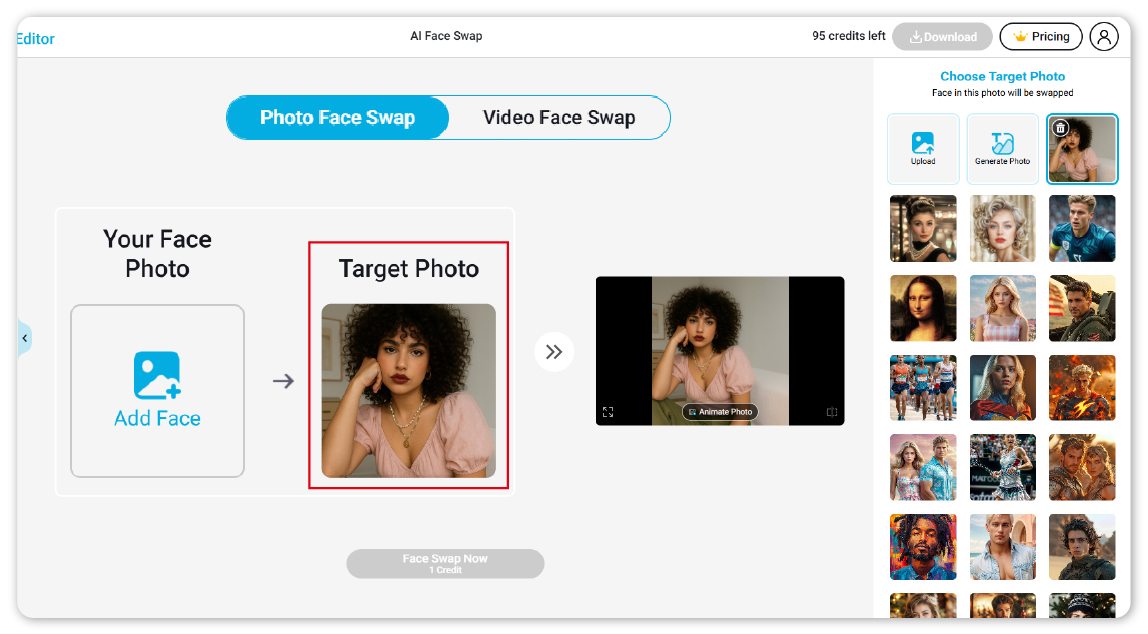
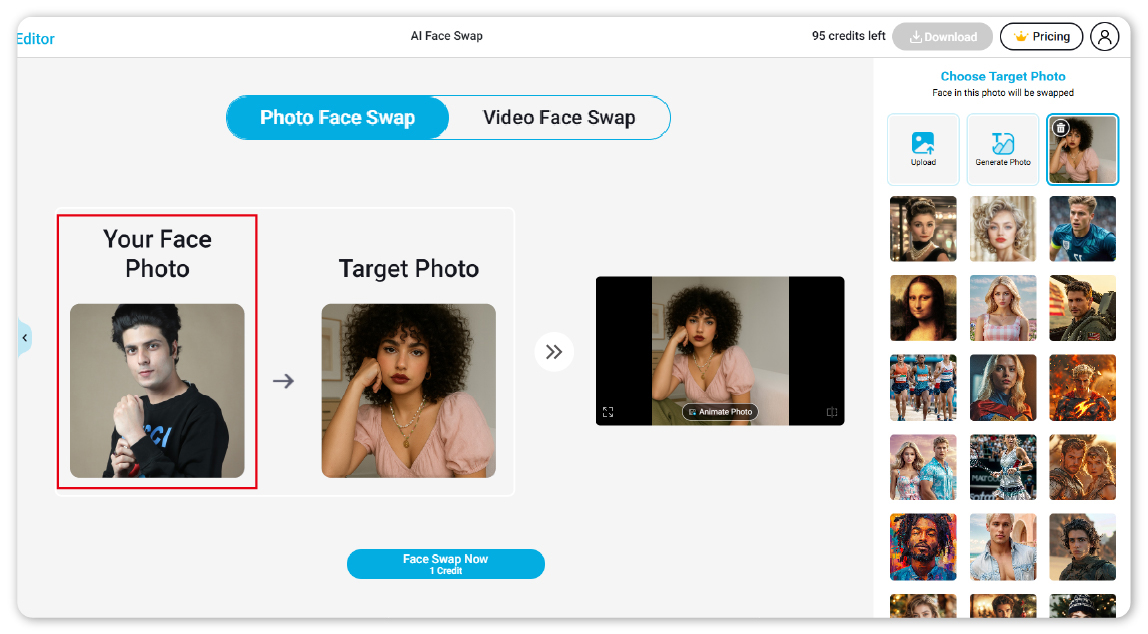
Alternatively, you can use AI to generate a photo based on your prompt.
Then, click Add Face and upload a photo of yourself. Make sure both photos have clear, unobstructed faces for the best results.
See Yourself as the Opposite Gender
After uploading the photos, click Face Swap Now to apply the opposite gender filter.
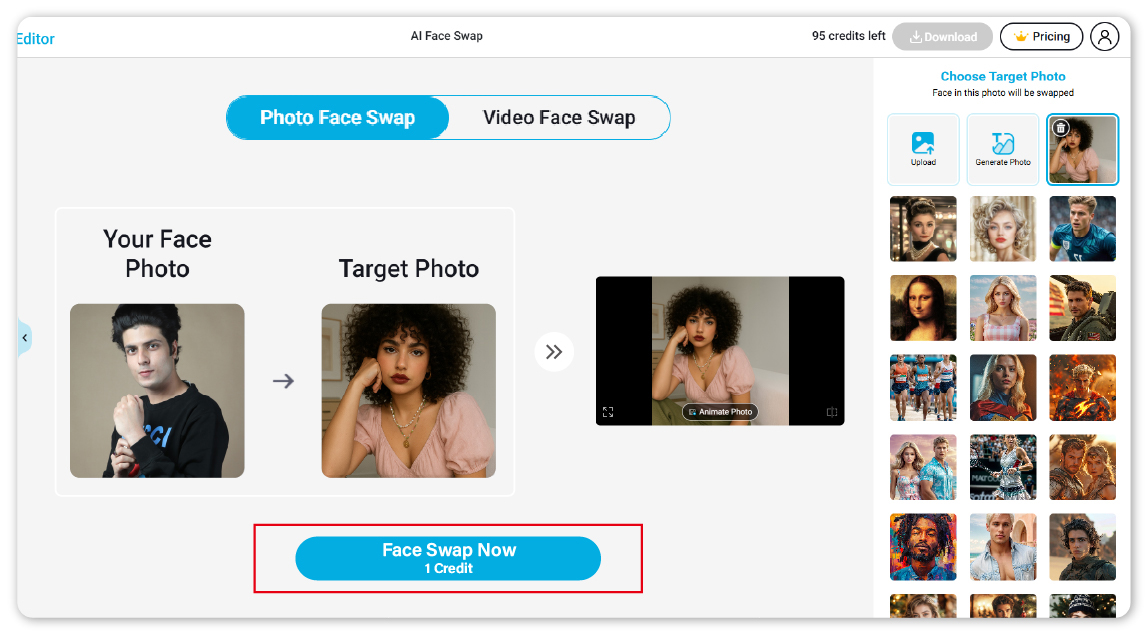
The AI tool will generate the result in seconds, and you can download the final photo to your device!
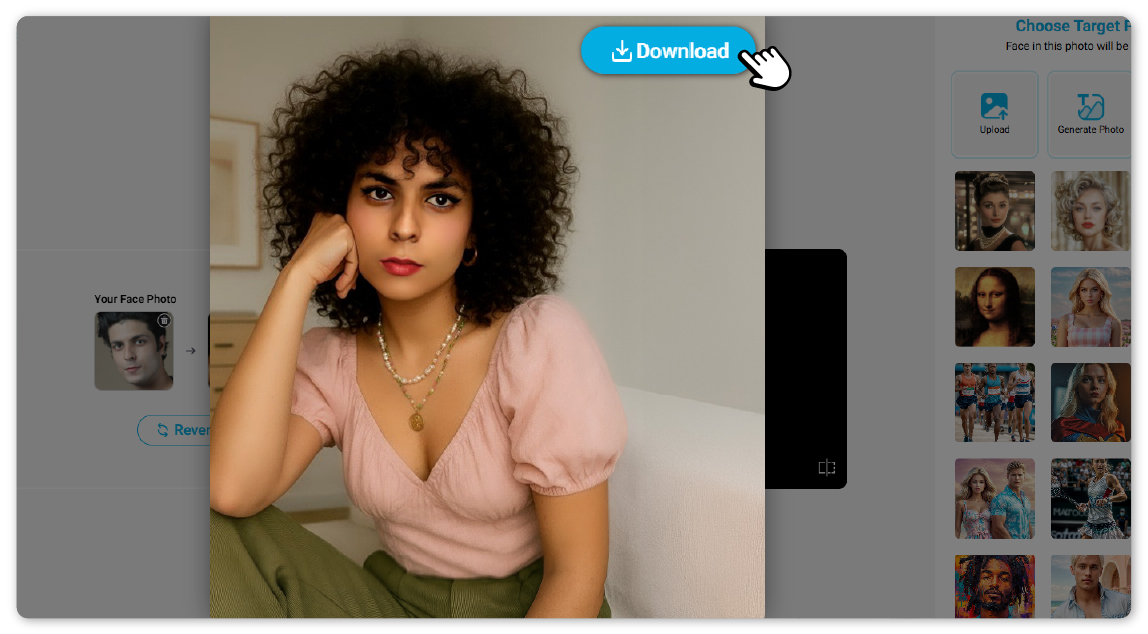
Other Opposite Gender Filter Effects
With YouCam Online Editor, you can explore a variety of possibilities using opposite gender filter effects. Let me give you a brief introduction!
Try Various Fashion Styles with AI Clothes
The ‘AI Clothes’ feature allows users to change outfits in photos to different styles.
It offers a wide variety of women’s looks for male users to try, and female users can upload photos of men’s fashion styles to see themselves in opposite gender outfits.
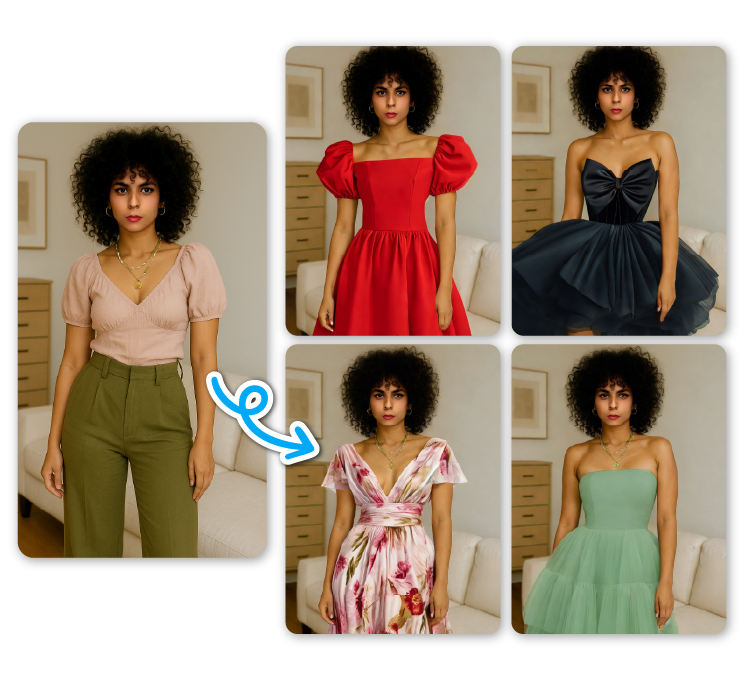
- Find ‘AI Clothes’ under the AI Portrait category.
- Upload a front-facing, standing photo of yourself without any objects or coverings.
- Select a style from the right, or upload a photo featuring an opposite gender outfit, and then tap ‘Change Clothes’.
- The AI Opposite Gender Filter will show you the result in just a split second!
Change Hairstyles with AI Hairstyle Generator
With the YouCam Online Generator, you can even change your hairstyle in photos. There are over 70 female hairstyles and more than 30 male hairstyles to choose from.
From wavy cuts and bobs to buzzcuts, have fun seeing yourself with a hairstyle of the opposite gender!
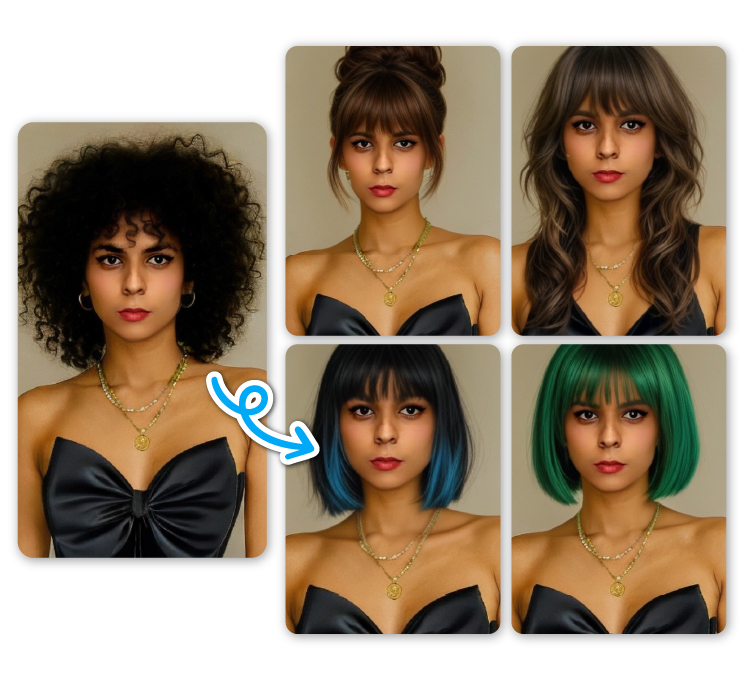
- Find ‘AI Hairstyle Generator’ in the menu.
- Upload a front-facing photo of your face with no hair covering it.
- Select your opposite gender on the right, and browse through the various hairstyles to pick the one you’d like to try.
- Click ‘Generate’ to see yourself with a new, unexpected hairstyle!
Generate AI Portraits in Opposite Gender with AI Studio Generator
The AI Portrait Generator is one of the most popular features in the YouCam Online Editor. You can generate portraits of yourself in the opposite gender in several fun styles, including Pixar, Comic, and Anime.
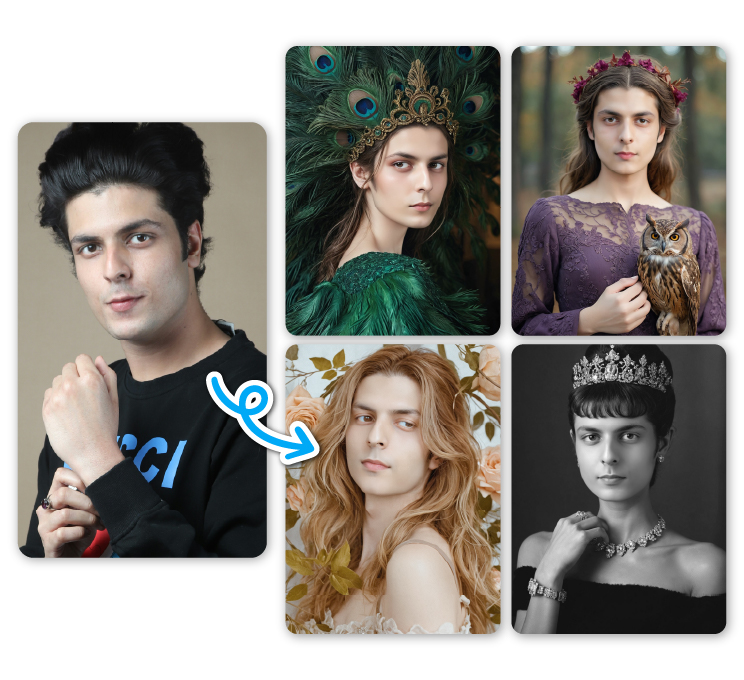 Find ‘AI Portrait Generator’ in the menu.
- Browse through all the available options and choose up to 5 styles you’d like to generate. You can also type your own prompt in the dialog box to create a unique portrait!
- Select the number of result images you want and tap ‘Generate’.
- The AI tool will generate portraits based on your choices in the blink of an eye!
Final Thoughts : Convert Male to Female Photo Online Free
Transforming my photos into the opposite gender was a completely new experience for me, and the YouCam Online Editor made it fun and easy to explore with its various filters and effects. You should give it a try, too!
Opposite Gender Filter FAQs
How to AI gender swap?
With YouCam Online Editor, you can convert your photo into the opposite gender simply.
Find ‘AI Face Swap’ in the menu, and upload your photo along with a photo of the opposite gender. Tap ‘Face Swap Now’, and then you’ll receive the result photos in seconds!
How to do an opposite gender filter?
Without an app, you can also convert your photos into the opposite gender with YouCam Online Editor.
To use the opposite gender filter, find the feature ‘AI Face Swap’ and upload a photo of yourself as well as a photo of another gender. Then, click ‘Face Swap Now’ to get the AI start generating your results!
How to change a photo from boy to girl?
Use YouCam Online Editor to convert male to female photo online free.
Go to the feature ‘AI Face Swap’, and upload a photo of yourself along with a photo of the opposite gender. Next, click ‘Face Swap Now’. The AI tool will show you the outcome immediately!


