




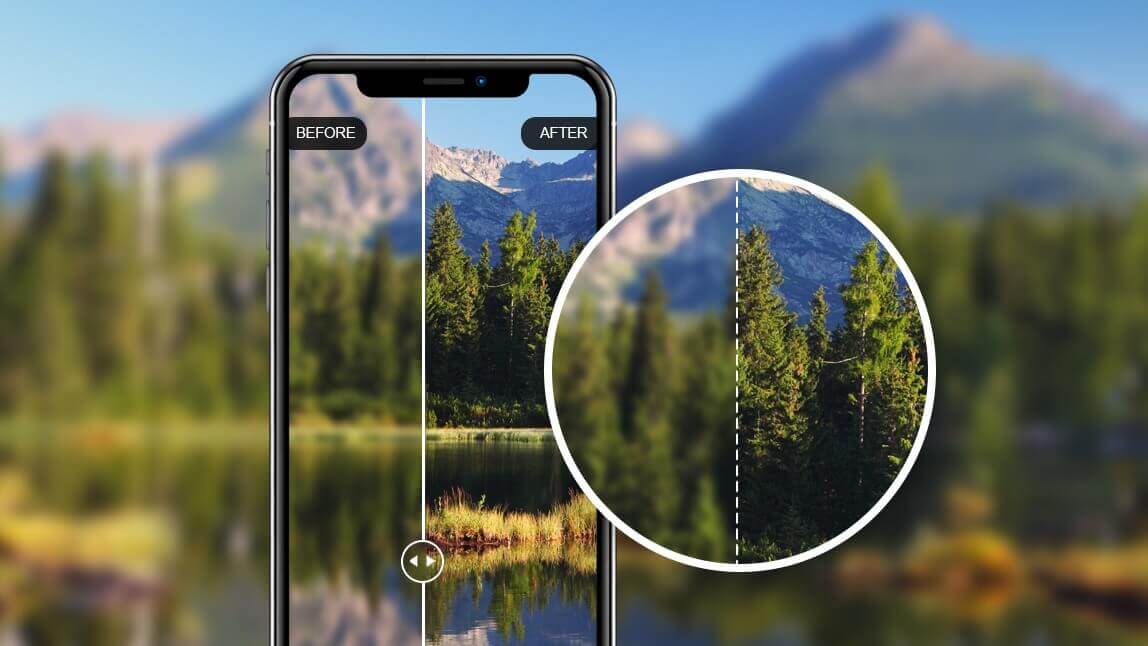
Wondering how to make blurry pictures clear and bring your old memories back to life? In 2025, the most effective solution is Generative AI photo enhancement. Unlike old-fashioned filters, AI doesn't just sharpen edges; it actually reconstructs missing pixel data to fix motion blur and soft focus. You can achieve professional results instantly using the YouCam Online Editor.
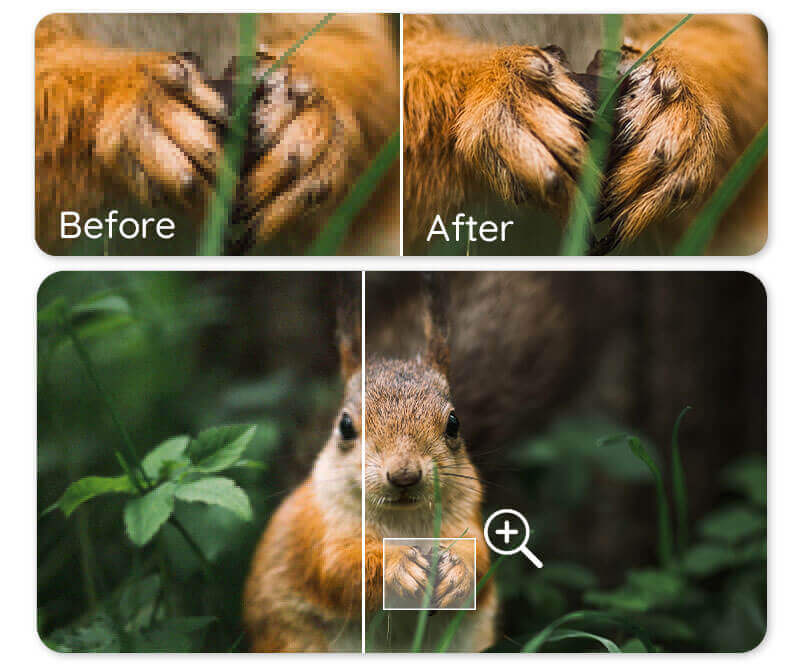
How to Clean Up Photos Online (Step-by-Step)
You don't need professional editing skills to unblur images. The YouCam Online Editor uses "one-tap" AI to handle the complex sharpening process for you.
Step 1: Upload to the Online AI Enhancer
Visit the YouCam Online Editor. Select the "Enhance" tool and upload your blurry JPG, PNG, or TIFF file from your computer or phone.
Step 2: AI Automatic Analysis
Once uploaded, the AI automatically analyzes the image. It identifies where the "noise" and "blur" are located and uses deep learning to sharpen facial features, text, and backgrounds.
Step 3: Save & Download in 4K
The tool allows you to upscale your image up to 4x its original resolution. This is perfect for restoring old family photos or preparing product images for e-commerce.
Pro Photography Tips: Why are Your Photos Blurry?
To be a better photographer, it helps to understand the "root cause" of blur. According to professional photography standards, blur usually falls into three categories:
- 1. Camera Shake: This happens when the shutter is open and your hands move slightly. Fix: Use a tripod or a faster shutter speed.
- 2. Missed Focus: The camera's lens focused on the background instead of your subject. Fix: Use "Tap to Focus" on your smartphone screen.
- 3. Low Light "Noise": In dark settings, cameras increase "ISO," which creates grainy, blurry textures. Fix: Increase the light source or use AI Noise Reduction.
How to Fine-Tune Your Enhanced Photos
After the AI does the heavy lifting, you can use these expert settings in the YouCam Online tool to perfect the look:
- Adjust Sharpness: Find the balance between "crisp" and "natural" to avoid artificial edges.
- Tweak Brightness: AI enhancement often makes details more visible, which may require a small contrast adjustment to stay realistic.
- Batch Processing: If you have an entire album of blurry photos, use the batch tool to save hours of manual editing.
Prefer Mobile? Use the App

While the online tool is best for desktop work, the YouCam Enhance App (available for iOS and Android) offers a quick mobile interface for on-the-go sharpening.
Frequently Asked Questions
- Can I fix a very pixelated old photo?
- Yes. AI upscaling is specifically designed to "fill in" the gaps between pixels, making small, old photos look like they were taken with a modern 4K camera.
- How do I unblur text in a document photo?
- Upload the image to our AI enhancer. The algorithm recognizes letter patterns and sharpens the edges to make the text readable again.
- Is the AI Photo Enhancer free?
- YouCam Online Editor provides free daily credits to unblur and enhance your photos at no cost.
Ready to transform your shots? Start using the AI Photo Enhancer Online today.


