




![How to Remove People from Pictures Online [Easy AI Tutorial]](https://plugins-media.makeupar.com/smb/blog/post/2026-03-11/webp_9fe2642e-49a3-422c-bfc9-ab67a319279c.jpg)
You capture the perfect moment — the lighting is great, the scenery looks stunning, and you’re ready to post it. Then you notice something frustrating: an unwanted person in the background ruining the shot.
Maybe it’s a stranger walking through your photo, a random photobomber, or someone you simply want removed from the picture.
The good news? You don’t need advanced editing skills or complicated software anymore. With modern AI object removal tools, you can remove people from photos in just a few clicks.
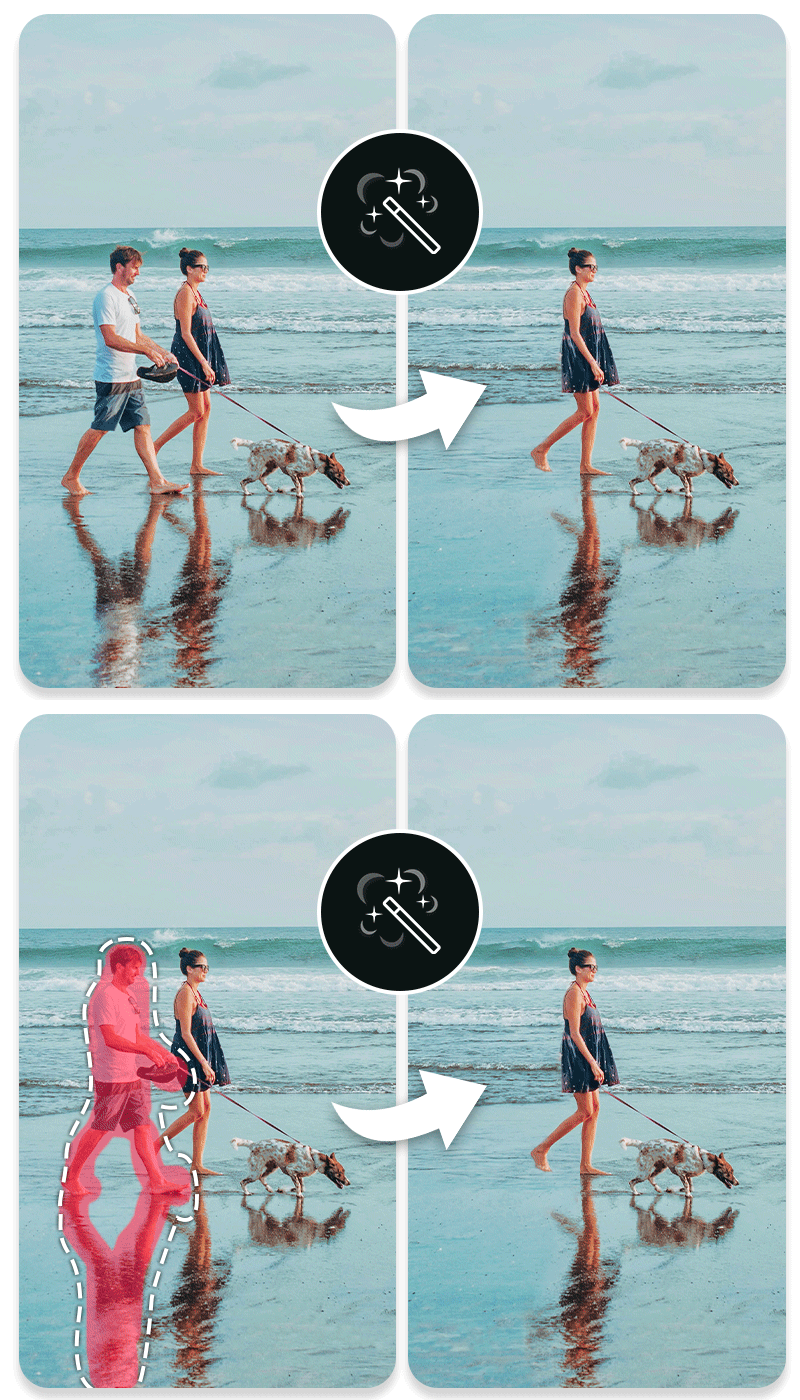
In this guide, you’ll learn:
- The best way to remove people from pictures
- The best AI tool to erase people from photos online
- A simple step-by-step tutorial anyone can follow
- Answers to common questions about removing people from images
Let’s get started.
What’s the Best Way to Remove People from Pictures?

Use an AI Object Removal Tool
The easiest way to remove someone from a photo today is with an AI Object Removal Tool.
Unlike traditional photo editing methods that require cloning or manual retouching, AI tools automatically detect and replace unwanted elements with surrounding background textures.
This makes removing people from pictures:
- Fast – done in seconds
- Accurate – AI analyzes surrounding pixels
- Beginner-friendly – no Photoshop skills needed
Why AI Works So Well
AI object removal uses advanced image inpainting technology. This means the AI analyzes the surrounding environment and intelligently fills the removed area with realistic details.
For example, if you remove a person from a beach photo, the AI will seamlessly rebuild the sand, water, or sky behind them.
The result looks natural — as if the person was never there.
Learn how to Remove People & Objects From Photos Online for Free>>>
Best AI Tool to Remove People from Pictures Online: YouCam Online Editor
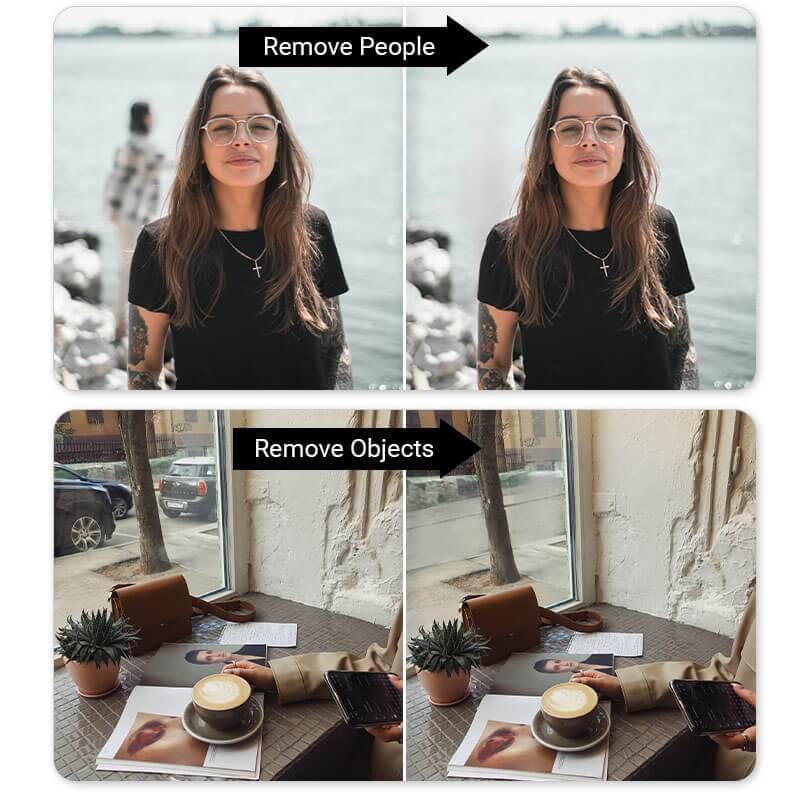
If you’re looking for a fast and beginner-friendly tool, YouCam Online Editor is one of the easiest ways to remove someone from a photo online.
This AI-powered editor allows users to delete people, objects, and distractions directly from their browser — no download required.
Key Features
AI Object Removal
Automatically erase unwanted people, objects, or background distractions with smart AI technology.
Simple Brush Selection
Just highlight the person you want to remove and let the AI do the rest.
High-Quality Image Reconstruction
AI intelligently fills the removed area with realistic background textures.
No Editing Experience Needed
Designed for beginners, creators, marketers, and photographers alike.
Works Directly Online
No installation required — edit images instantly from your browser.
Why Users Love It
With YouCam Online Editor, removing people from pictures becomes:
- Faster than traditional photo editing
- Easier than complex software tools
- Accessible for anyone — from beginners to professionals
Whether you’re editing vacation photos, product images, or social media content, this tool helps you create cleaner, distraction-free visuals.

How to Remove People from Pictures with AI
Follow these simple steps to erase someone from a photo in seconds.
Step 1. Upload Photo
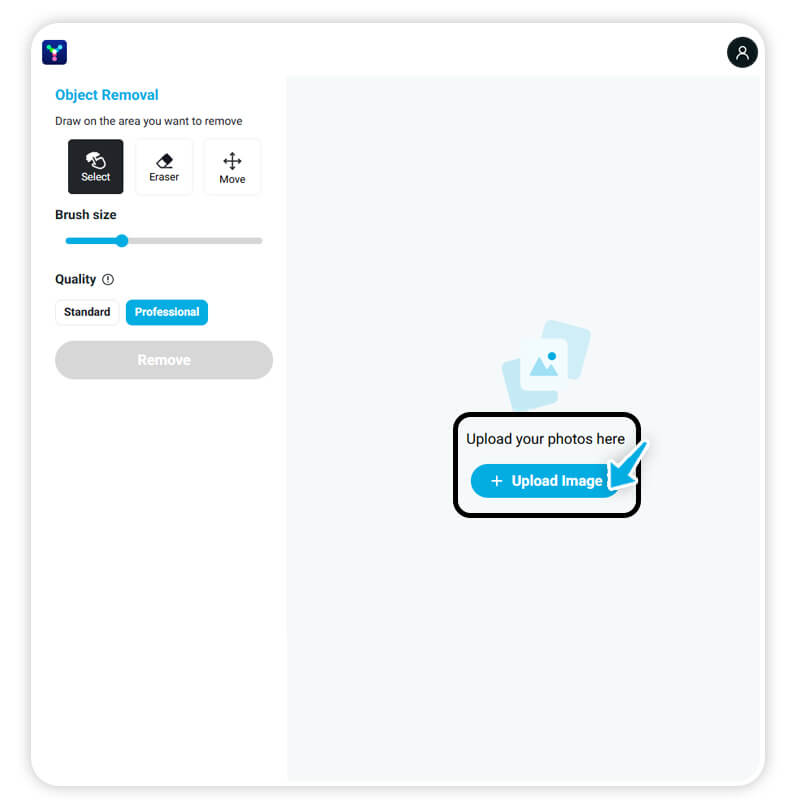
Start by opening YouCam Online Editor and uploading the photo you want to edit.
The tool supports most common image formats, making it easy to work with pictures from your phone, camera, or computer.
Step 2. Select Areas to Remove
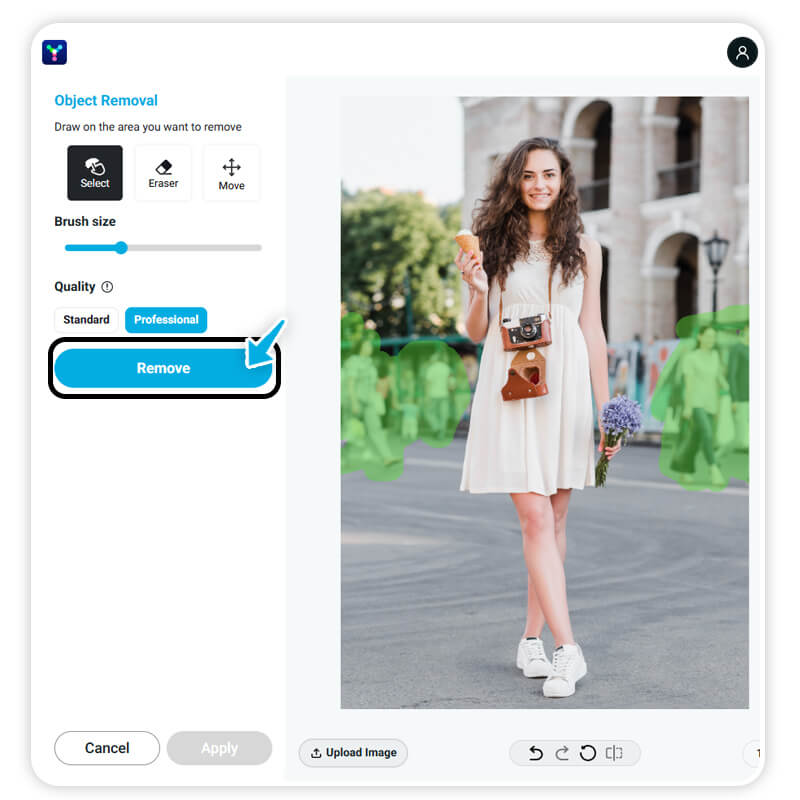
Use the brush tool to highlight the person or people you want to remove from the image.
Simply paint over the unwanted area — the AI will recognize the selection and prepare it for removal.
Step 3. Remove & Save
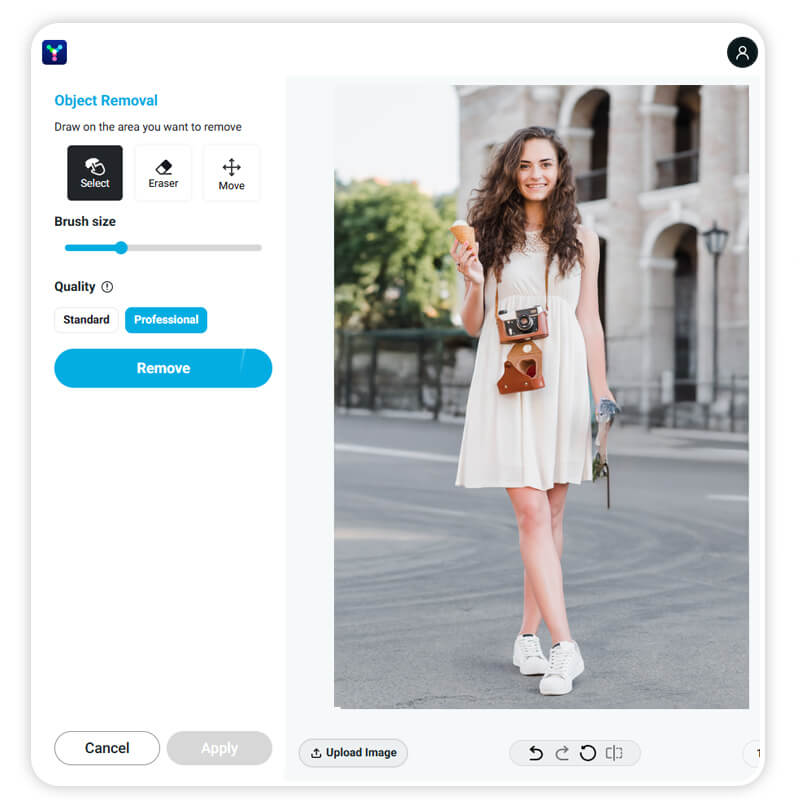
Click the Remove button and let the AI automatically erase the selected person from your picture.
Within seconds, the AI will rebuild the background seamlessly.
Once you’re happy with the result, download your edited image and share it anywhere.
Remove Unwanted People from Photos in Seconds
Removing people from pictures used to require professional editing software and advanced skills.
Today, AI makes the process incredibly simple.
With the right tool, you can quickly:
- Remove photobombers
- Clean up background distractions
- Fix travel photos
- Create polished visuals for social media or marketing
Best of all, it only takes a few clicks.
Ready to fix your photos?
Try YouCam Online Editor today and remove people from pictures instantly.
About the Editors

The PERFECT Corp. Editorial Team
We are a team of experts on photo and video editing apps. Our goal is to deliver engaging content on everything from stunning selfie edits to eye-catching video effects. We cover the latest trends and share niche tips to help you master digital creation.


