




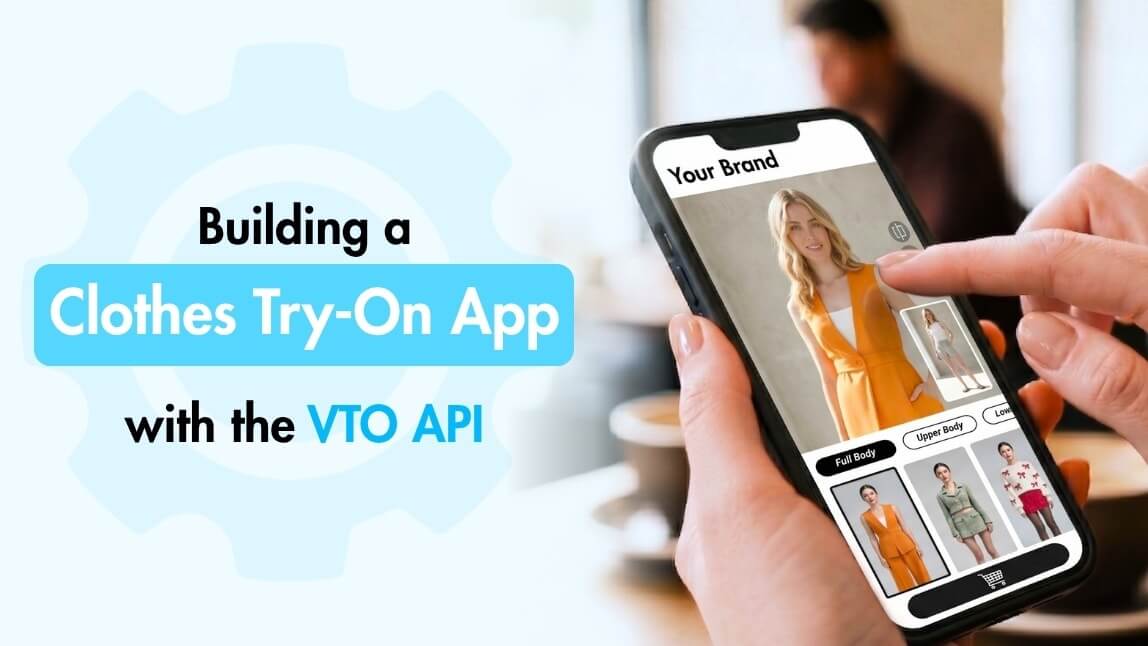
Online fashion shoppers often want one simple answer before buying: “How would this look on me?” A clothes try-on app helps answer that question by letting users preview outfits digitally before making a purchase decision.
To build a clothes try-on app, you need a user photo upload flow, garment image input, an AI Virtual Try-On API, a preview interface, and a way for users to save, compare, share, or shop the generated outfit results.
With the right Virtual Try-On Clothes API, brands and developers can create interactive fitting room experiences without building complex AI image-generation technology from scratch.
Key Takeaways
- A clothes try-on app lets users preview clothing on a person or uploaded photo.
- An AI Virtual Try-On API powers the image generation behind the experience.
- The app should include photo upload, garment selection, try-on preview, and shopping actions.
- YouCam APIs help developers launch faster than building AI try-on technology internally.
- Fashion ecommerce brands can use clothes try-on apps to create more interactive shopping journeys.
Table of Contents ▼ Click to Expand
- What Is a Clothes Try-On App?
- How Does an AI Virtual Try-On API Work?
- Core Features Every Clothes Try-On App Needs
- Step-by-Step: How to Build a Clothes Try-On App
- Clothes Try-On App Use Cases
- Why Use an API Instead of Building AI Try-On from Scratch?
- Free Virtual Try-On Clothes API vs Production-Ready API
- Clothes Try-On App Launch Checklist
- Build Your Clothes Try-On App with Perfect Corp.
- FAQs
What Is a Clothes Try-On App?
A clothes try-on app is a digital fashion experience that allows users to see how clothing may look on a person or uploaded image. Instead of only viewing a product on a model, users can interact with garments in a more personalized way.
For fashion ecommerce, this type of app can work as a virtual fitting room, product visualization tool, styling feature, or shopping assistant. A clothes try-on app can be added to a clothing store website, mobile app, fashion marketplace, wardrobe platform and more.
The goal is simple: help users visualize outfits before they buy, save, compare, or share them.
How Does an AI Virtual Try-On API Work?
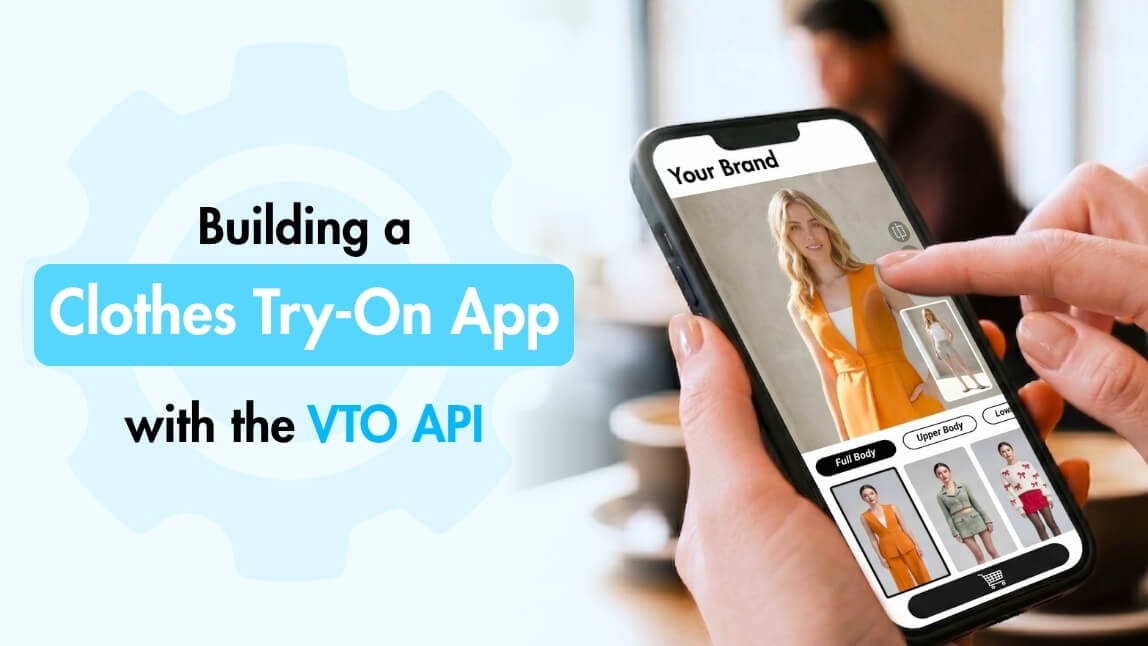
An AI Virtual Try-On API connects your app or platform to AI-powered clothes try-on technology. Instead of developing the image-generation model internally, your app sends images to the API and receives a generated try-on result.
A typical workflow looks like this:
- The user uploads or selects a photo.
- The user chooses a clothing item.
- The app sends the user image and garment image to the API.
- The AI processes the request.
- The app receives and displays the generated try-on image.
This allows developers to focus on the app experience while the API handles the AI image processing.
For example, Perfect Corp.’s AI Clothes Changer API is designed for virtual try-on clothes experiences using a single photo, with support for realistic clothing visualization, flexible image upload options, RESTful API integration, and realistic body-shape matching.
Core Features Every Clothes Try-On App Needs
A successful clothes try-on app is not only about generating an image. The full user experience matters.
At minimum, the app should include:
For ecommerce, the try-on result should not feel disconnected from the shopping journey. After users preview an outfit, they should be able to view product details, explore similar items, or continue to checkout.
Step-by-Step: How to Build a Clothes Try-On App
Step 1: Define the User Journey
Before choosing an API or designing the interface, define what the user should do inside the app.
For example:
- Upload a photo
- Select a clothing item
- Generate a try-on image
- Compare outfit options
- Save or share the result
- Click through to a product page
- Add the item to cart
A clothes try-on app for ecommerce should be fast, visual, and easy to understand. Users should not need technical instructions to try on an item.
Step 2: Prepare Clothing Images
The quality of the clothing image affects the try-on experience. Product images should clearly show the garment, including shape, color, material, and pattern.
For best results, fashion brands should prepare clean product visuals. Avoid overly cluttered images, hidden garment details, or inconsistent image formats.
This is especially important for clothing with textures, prints, patterns, sleeves, collars, or layered silhouettes.
Step 3: Choose an AI Virtual Try-On API
The API is the engine behind the clothes try-on app. When evaluating an AI Virtual Try-On API, look at both image quality and developer usability.
Important criteria include:
- Realistic outfit generation
- Support for different body shapes
- Material and pattern rendering
- Simple API integration
- Fast processing time
- Flexible image upload options
- Scalable usage plans
- Clear developer documentation
- Testing or playground access
A good API for clothes should help your team move from prototype to production without requiring your developers to build the AI model themselves.
This is where Perfect Corp.’s AI Virtual Try-On API can support development, backed by 10+ years of AI and AR technology experience and a global partner network of 800+ brands. Perfect Corp. delivers hyper-realistic results and seamless integration through its suite of API solutions for beauty and fashion.
Step 4: Build the Photo Upload Flow
The user photo upload step should be simple and guided. If the uploaded image is too dark, too blurry, or cropped incorrectly, the result may be less useful.
The app can improve results by giving users clear instructions, such as:
- Use a clear front-facing photo
- Make sure the body is visible
- Avoid heavy obstructions
- Use good lighting
- Avoid extreme poses
This guidance improves the user experience and reduces failed or low-quality results.
Step 5: Send Images to the API
Once the user photo and clothing image are ready, your app sends them to the AI Virtual Try-On API.
In a typical implementation, the request includes the user image, garment image, and any required parameters. The API processes the images and returns a generated try-on output.
This is where a developer-friendly AI Virtual Try-On API becomes valuable. The easier the API is to integrate, the faster your team can test, refine, and launch the experience.
Step 6: Display the AI Try-On Result
After the API returns the generated image, the app should display it clearly.
The result page can include:
- The generated try-on images
- A before-and-after slider
- Product information
- Size or color options
- Save button
- Share button
- Add-to-cart button
For ecommerce, this page should feel like part of the purchase journey, not a separate AI demo.
Step 7: Connect the Result to Shopping Actions
A clothes try-on app becomes more valuable when it connects directly to shopping behavior.
After users generate a look, they may want to:
- View the product page
- Try another color
- Compare another garment
- Save the outfit
- Share it with friends
- Add the item to cart
This is especially useful for clothing stores and fashion ecommerce platforms because it turns product visualization into a more interactive buying experience.
Step 8: Test Image Quality and Edge Cases
Before launching, test the app with different image types, clothing categories, body shapes, poses, lighting conditions, and garment styles.
Your testing checklist should include:
- Tops
- Dresses
- Jackets
- Pants
- Patterned clothing
- Dark clothing
- Light clothing
- Different body shapes
- Different skin tones
- Different lighting conditions
- Mobile uploads
- Product catalog images
Testing helps ensure that the app experience is consistent enough for real users, not just ideal demo images.
Clothes Try-On App Use Cases
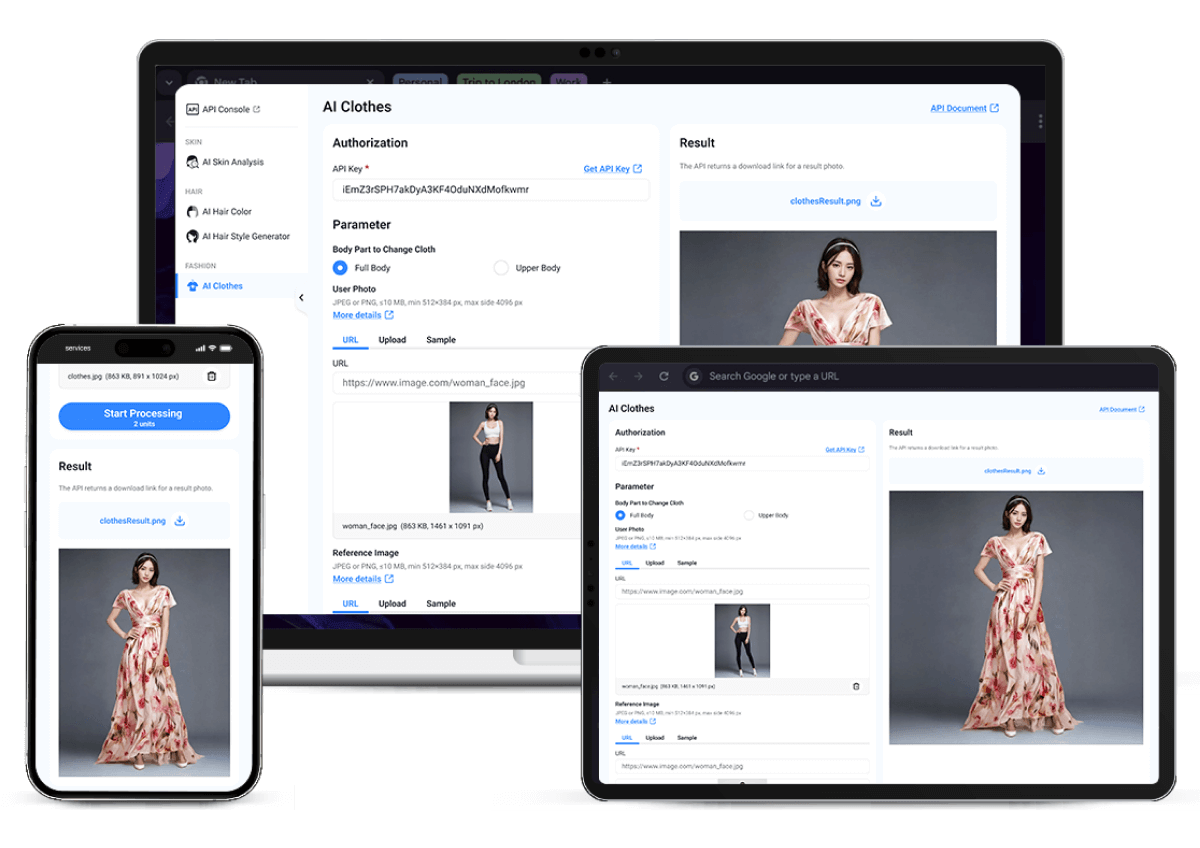
A clothes try-on app can support many fashion and retail experiences.
Fashion Ecommerce
Online fashion stores can add virtual try-on to product pages, campaign pages, or shopping flows. This helps shoppers interact with clothing before buying.
Clothing Stores
A clothing store can use a try-on app to let customers preview garments digitally, either online or in-store.
Fashion Marketplaces
Marketplaces can offer virtual try-on across multiple sellers or brands, helping users compare products in a more visual way.
Styling Apps
Styling apps can use a Virtual Try-On Clothes API to generate outfit previews and recommend looks based on user preferences.
Wardrobe Apps
Wardrobe apps can let users experiment with outfit combinations using uploaded clothing items or brand catalogs.
Social Shopping Apps
Social shopping platforms can use try-on results as shareable content, helping users get feedback before buying.
Why Use an API Instead of Building AI Try-On from Scratch?

Building AI virtual try-on technology internally can require machine learning expertise, training data, infrastructure, image processing pipelines, and ongoing model maintenance. Using an API helps teams launch faster.
Benefits include:
- Faster development
- Lower technical complexity
- Easier testing
- Scalable infrastructure
- Better maintenance
- More predictable integration
- Access to specialized AI try-on technology
For developers and product teams, an API approach allows the team to focus on the app experience, customer journey, and business logic while the AI processing is handled externally.
Free Virtual Try-On Clothes API vs Production-Ready API
Some developers search for a free Virtual Try-On Clothes API when they are testing an idea or building an early prototype. Free testing options can be useful, especially during the research stage.
However, a production-ready clothes try-on app usually needs more than basic API access.
Before launching, consider:
- Image quality
- Processing speed
- Usage limits
- Commercial rights
- Privacy and data handling
- API stability
- Documentation
- Support
- Scalability
A free or trial option is helpful for testing, but ecommerce brands and retail platforms need a reliable API that can support real users, real product images, and commercial traffic.
For testing, Perfect Corp. offers initial free credits in the YouCam API Playground, allowing developers to try this and other beauty and fashion APIs before committing to a larger usage plan. For teams with specific integration needs, custom usage volume, or enterprise requirements, you can also contact us for a personalized demo.
Clothes Try-On App Launch Checklist
Before launching your clothes try-on app, review these items:
- User photo upload is simple and mobile-friendly
- Garment images are clean and consistent
- The API returns realistic try-on results
- Users can compare before and after images
- Product details are connected to the try-on result
- Shopping CTAs are visible
- Error states are clear
- Privacy messaging is easy to understand
- The experience works on mobile and desktop
- The app has been tested with multiple clothing types
Build Your Clothes Try-On App with Perfect Corp.
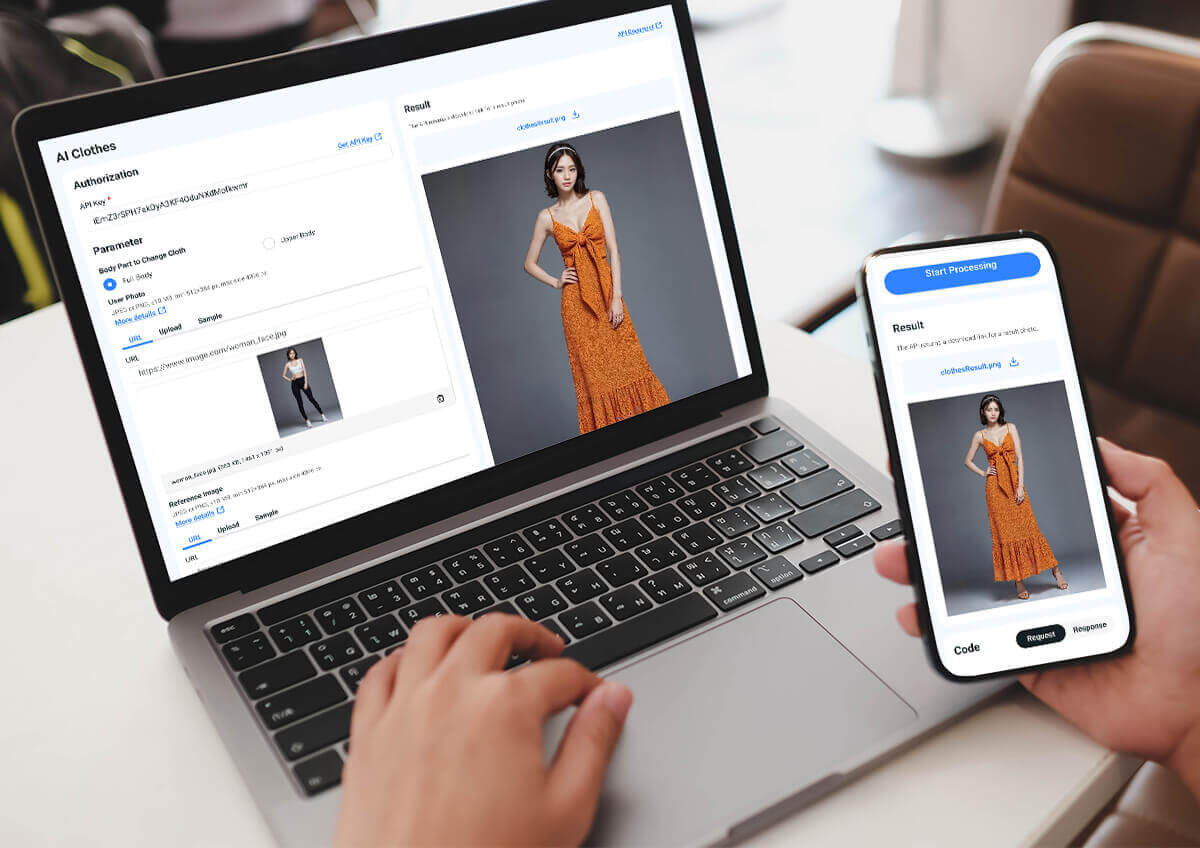
A clothes try-on app can help fashion brands, retailers, and developers create a more interactive shopping experience. With an AI Virtual Try-On API, teams can add realistic outfit previews to websites, mobile apps, ecommerce platforms, and styling tools without building the AI engine from scratch.
Perfect Corp.’s AI Clothes Changer API is designed to help brands and developers integrate virtual try-on clothes technology into their own platforms. The API supports realistic outfit visualization, flexible image upload options, and developer-friendly integration for fashion and ecommerce use cases.
Explore the AI Clothes Changer API and start building virtual try-on clothes experiences for your platform or talk to our team about custom integration needs, usage volume, or enterprise requirements.
FAQs
What is a clothes try-on app?
A clothes try-on app is a digital tool that lets users preview how clothing may look on a person or uploaded photo. It can be used by fashion ecommerce websites, shopping apps, styling platforms, and virtual fitting room experiences.
How do I build a clothes try-on app?
To build a clothes try-on app, define the user journey, prepare clothing images, choose an AI Virtual Try-On API, build the photo upload flow, send images to the API, display the generated try-on result, and connect the result to shopping actions.
What is an AI Virtual Try-On API?
An AI Virtual Try-On API is an application programming interface that allows an app or website to generate virtual clothing try-on results using AI. The app sends images to the API and receives an AI-generated output image.
Can I use a Virtual Try-On Clothes API for ecommerce?
Yes. A Virtual Try-On Clothes API can be used by fashion ecommerce platforms to add outfit previews to product pages, shopping apps, campaign pages, and virtual fitting room experiences.
Is there a free Virtual Try-On Clothes API?
Some providers may offer free trials, demos, or limited testing credits for evaluation. For production use, brands and developers should evaluate image quality, speed, privacy, usage limits, commercial rights, API stability, support, and scalability. Perfect Corp. offers initial free testing credits in the YouCam API Playground, where developers can test the Virtual Try-On Clothes API and explore the full suite of beauty and fashion APIs before choosing a usage plan. Teams with custom integration needs can also contact Perfect Corp. for a personalized demo.
Why use an API for a clothes try-on app instead of building the technology internally?
Using an API for clothes can help developers launch faster, reduce AI development complexity, and integrate virtual try-on features without building the image-generation model from scratch.


