




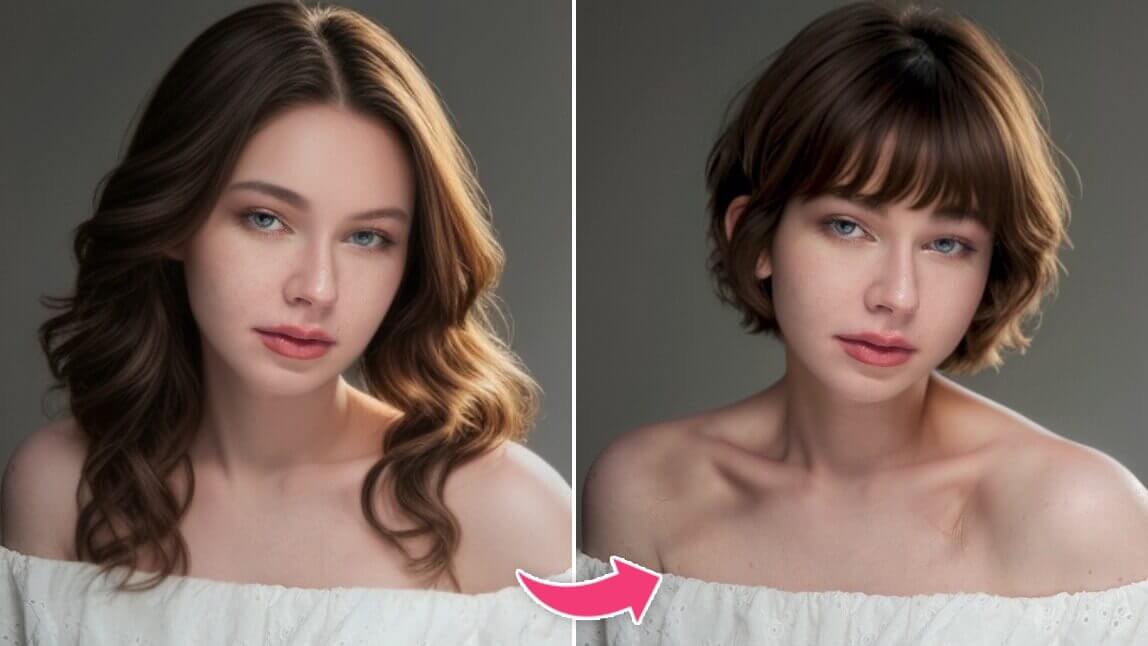
Gemini AI has become a popular tool for analyzing face shape and offering hairstyle recommendations.
Many people turn to Gemini to find trendy and flattering haircuts tailored to their unique facial features.
How to Use Gemini for Hairstyle Recommendations
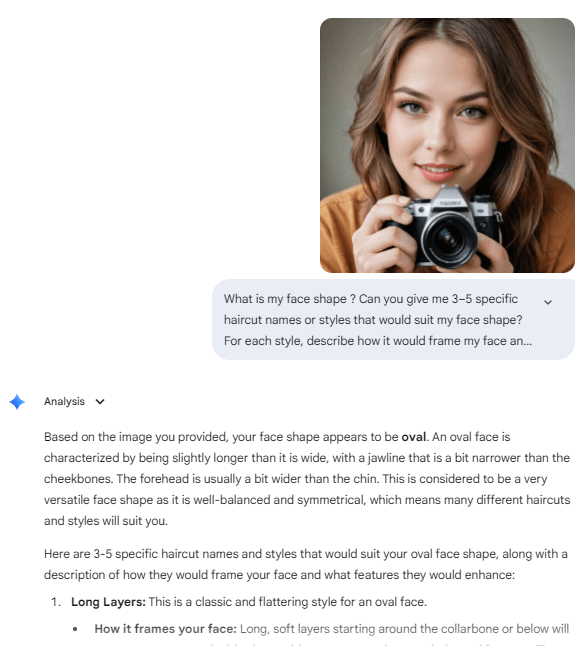
Using Gemini for hairstyle advice is easy and intuitive. Follow these simple steps:
- Take a clear selfie in good lighting, keeping your hair pushed back and face fully visible.
- Upload the photo to Gemini on your phone or tablet.
- Ask Gemini, “What is my face shape?” to get the AI’s face shape analysis.
- Then prompt Gemini for tailored haircut suggestions by asking for “3-5 haircut styles that suit my face shape” with descriptions about how each style flatters your features.
Although Gemini gives useful hairstyle suggestions, but without before-and-after photos, I’m unsure if a style suits me—YouCam, however, offers an intuitive, visual try-on experience.
For a powerful alternative, consider exploring the AI Hairstyle Generator in YouCam Online Editor. It offers not only hairstyle suggestions but also an all-in-one solution enhanced by face shape analysis and hairstyle try-on capabilities that bring your next look to life.
Meet YouCam Online Editor: Your True Hairstyle Advisor
YouCam Online Editor offers a truly comprehensive AI hairstyle experience that goes far beyond simple recommendations. Leveraging cutting-edge AI technology trained on millions of real faces, this tool provides ultra-realistic virtual hairstyle previews that help users confidently explore their next look.
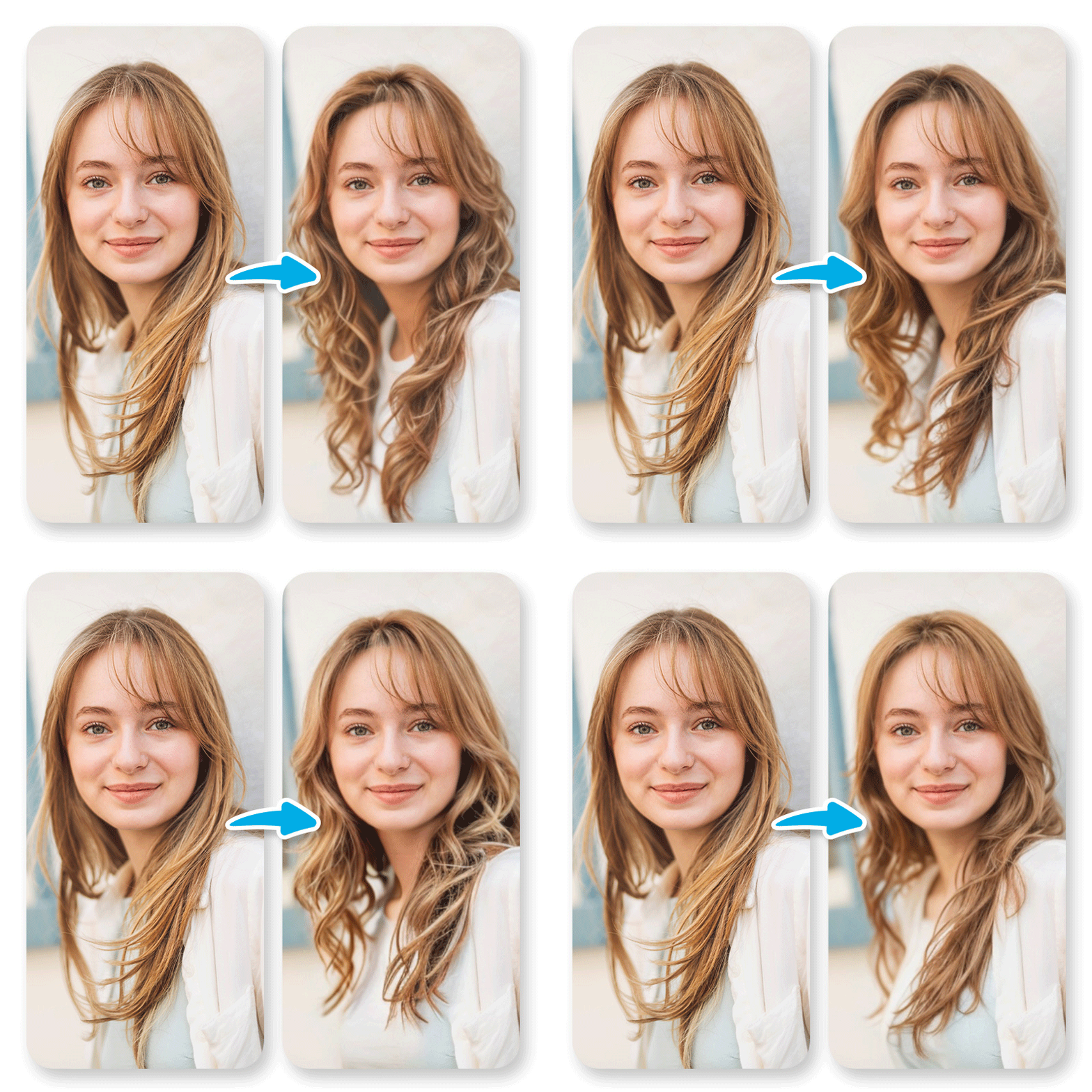
Key features include:
- Extensive Hairstyle Library: Choose from over 140 hairstyles, including trendy bobs, wavy curls, pixie cuts, buzz cuts, and elegant longs. The wide variety ensures everyone finds something that matches their taste and personality.
- Versatile Styling Options: Experiment with hair length, add bangs, adjust volume, and try on hair extensions—all with just a few clicks.
- Natural Movement Simulation: Unlike static apps, YouCam animates hairstyles in your photos to simulate natural hair movement, giving a more realistic preview of how a hairstyle truly looks.
- Advanced AI Face Shape Detection: Integrated with the AI Face Shape Detector, YouCam analyzes your unique face shape—whether oval, round, heart-shaped, square, or others—to tailor hairstyle recommendations precisely suited for your proportions.
- Personalized Hairstyle Suggestions: The AI not only matches hairstyles to your face shape but also considers your existing hair features like hairline and volume for customized advice.
- Real-time Styling Previews: Try on different hair colors, styles, and lengths instantly online, with no download required. Switch between options effortlessly to find your perfect look before any real-life commitment.
- Perfect for Stylists and Content Creators: Professionals can showcase multiple hairstyle options to clients or create dynamic hair transformation content for social media with ease.
All these features combine to offer a seamless and enjoyable experience that helps users make confident hairstyle choices. And if face shape detection is what you’re after, the companion AI Face Shape Detector tool by YouCam accurately identifies your face shape in one click and provides actionable hairstyle advice, making it an all-in-one platform for hair transformations.
How to Use YouCam AI Hairstyle Generator
Follow these simple steps to find your perfect wavy hairstyle using the YouCam Online Editor:
Step 1: Visit YouCam AI Hairstyle Generator
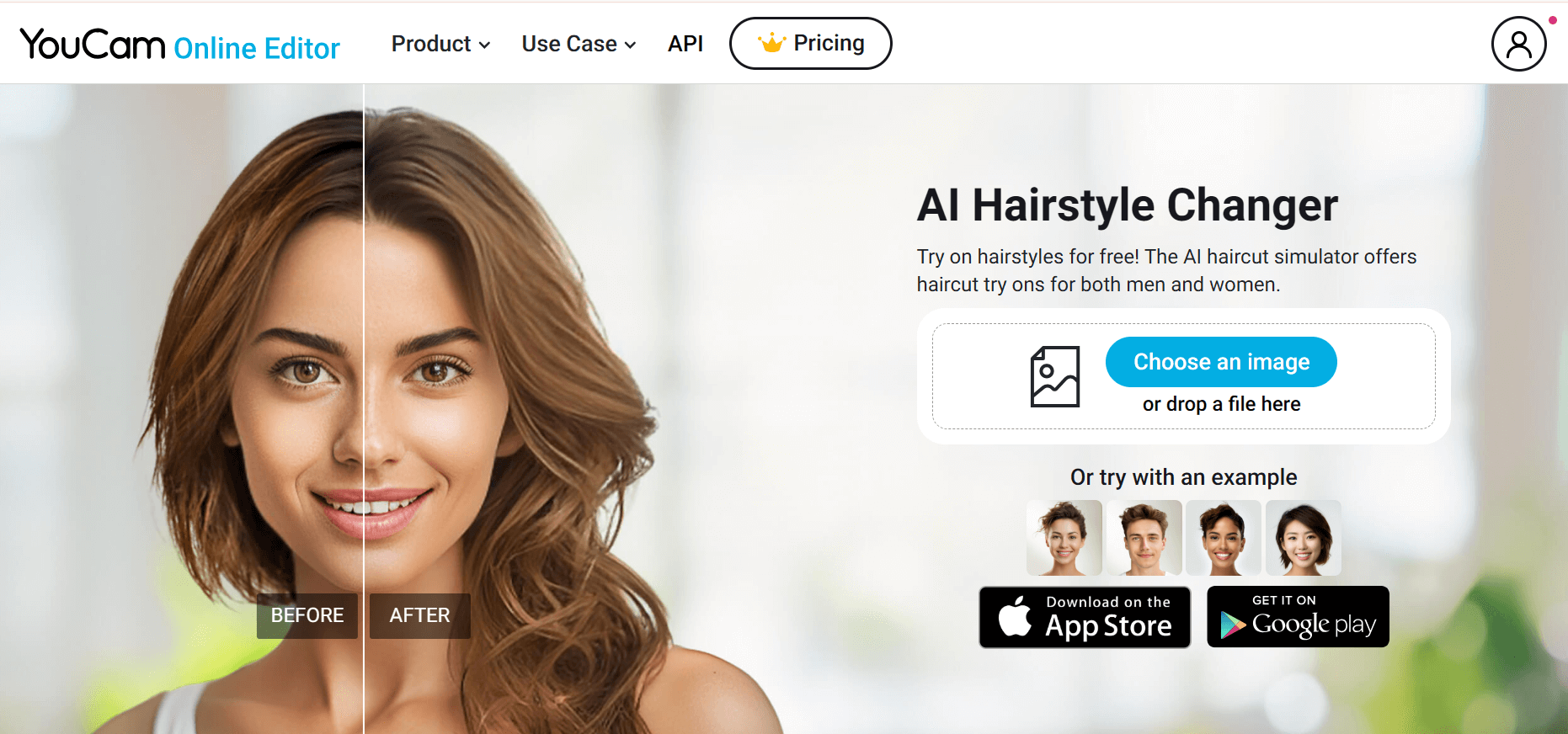
Visit the YouCam Online Editor AI Hairstyle Generator and upload a high-quality, front-facing selfie for optimal results.
Step 2: Select & Customized Your Ideal Hairstyle
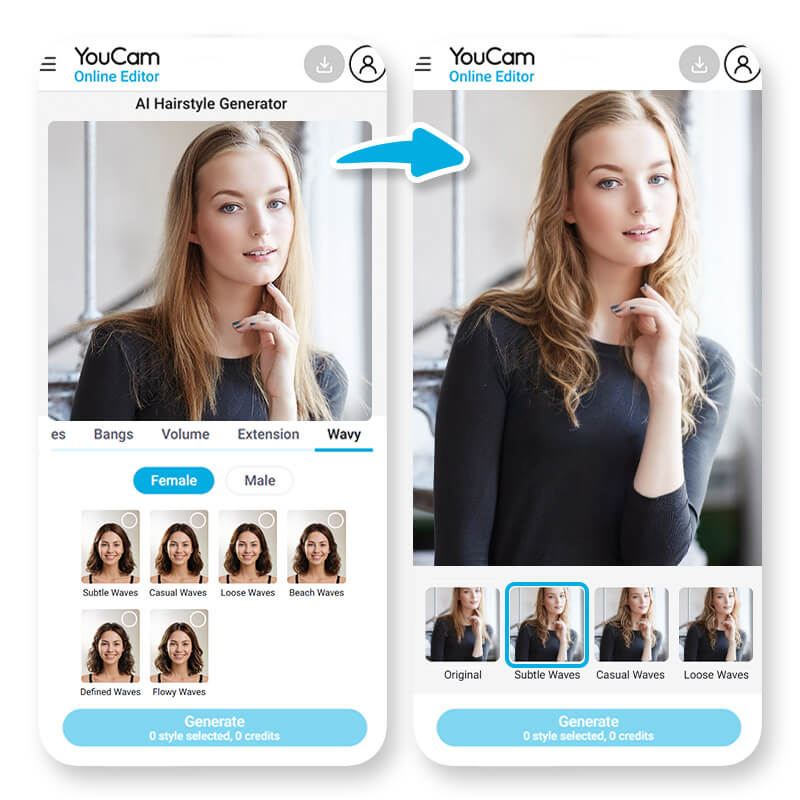
Browse a diverse range of hairstyles and try them on to see the before-and-after contrast; for example, I chose "Subtle Waves" because it suits my face shape and gives a soft, natural vibe.
Then, use advanced customization features like “Volume,” “Hair Extension,” and “Bangs” to perfectly express your personal style and preferences.
Step 3: Save and Share
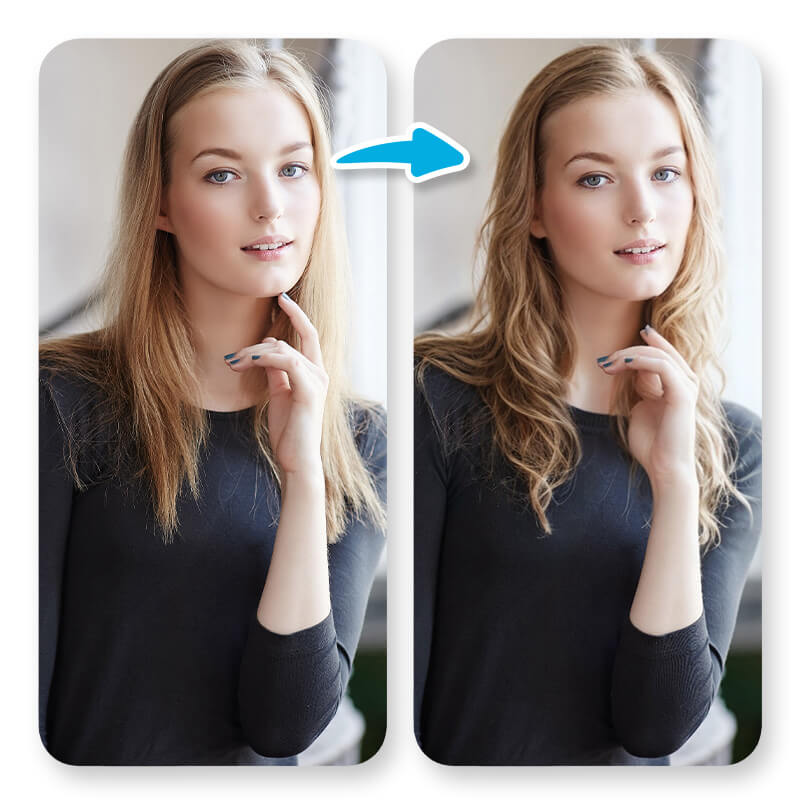
Experience a stunning transformation with hairstyles in just moments!
Elevate your look to an Instagram-worthy level using YouCam Online Editor’s advanced “AI Color Correction” and “AI Lighting” features, giving your photos a polished and vibrant finish.
YouCam Makeup Beauty Agent
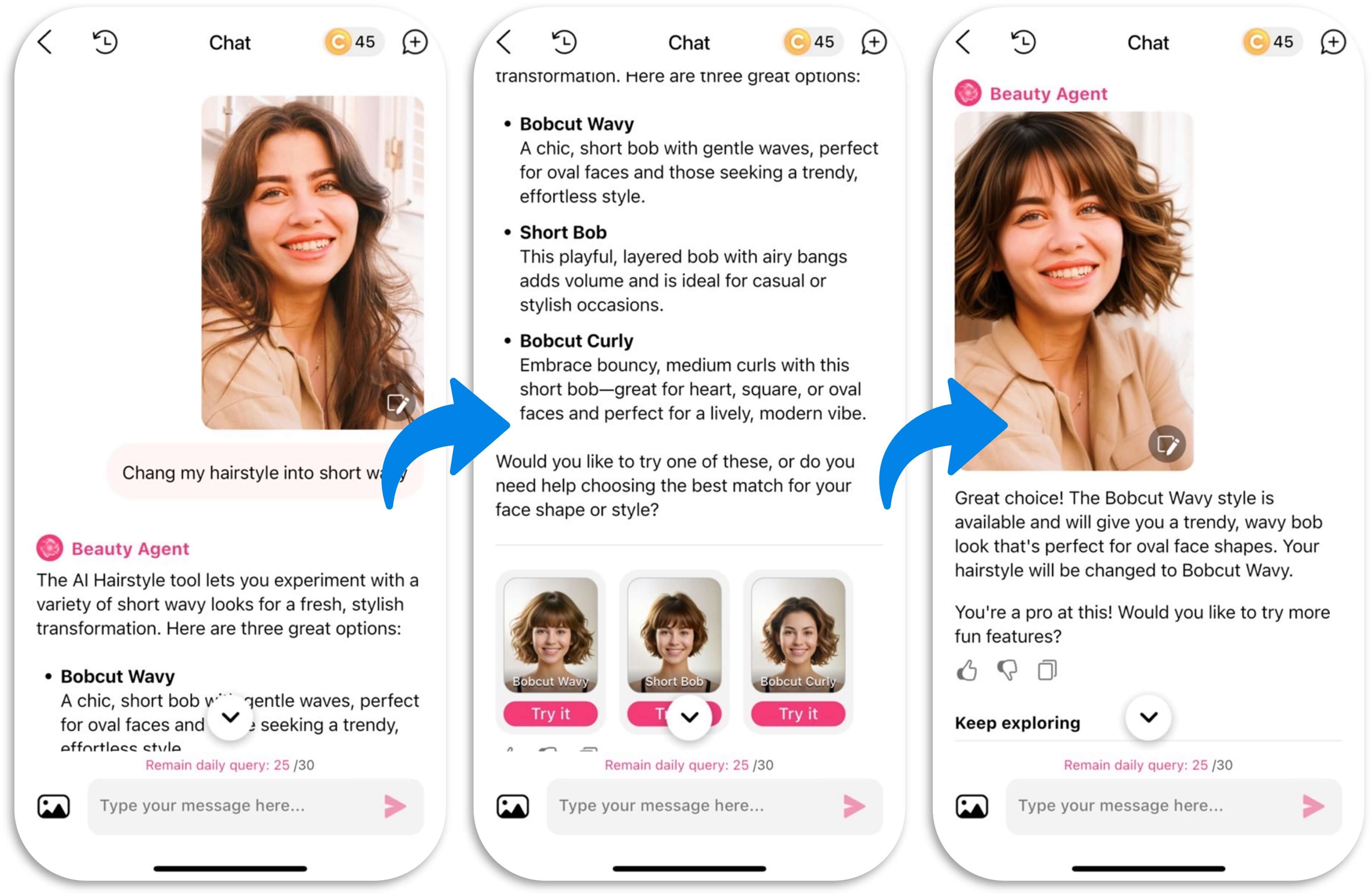
Let me introduce your AI-powered style companion! As a Gemini alternative AI Hairstyle agent, YouCam Makeup Beaty Agent can instantly try on new hairstyles, colors, and makeup looks in photos, helping you explore trends and find your perfect look — all virtually and effortlessly.
Advantages:
- Provide ready-to-use hairstyles for user to choose
- More hairstyle tools (Hair Color, Bangs, Hair Extension, Hair Volume)
- Analyze face shapes & suggested hairstyles
Gemini Prompt Ideas for Hairstyle
Want to try a new hair look without the commitment? These prompts let you swap styles, colors, and textures in your photos — from chic bobs to playful space buns — for instant virtual makeovers.
#1 “Change the hairstyle in this photo to a sleek bob with a middle part, glossy dark brown finish and subtle inward curve at the ends.”
#2 “Edit my hair in the uploaded image to long straight layers in soft caramel‑blonde, parted slightly off centre, with natural movement and shine.”
#3 “Transform the hairstyle to a textured pixie cut in ash blonde, with short sides, longer top layers and some tousled fringe for a modern look.”
#4 “Change the hairstyle to natural curly afro‑texture with defined coils and medium length, plenty of volume, rich black colour and a soft fade at the nape.”
#5 “Give the person in the photo a high sleek ponytail with a long tail, smooth finish, dark brunette colour, and a subtle hair‑wrap detail around the base.”
#6 “Edit the hairstyle into a retro 70s feathered cut: medium length, soft layers flicked outwards, warm honey‑brown tones and a gentle curtain fringe.”
#7 “Change the hairstyle to two high space buns in pastel pink, with loose face‑framing curls, playful Y2K style, and bubblegum tones.”
#8 “Transform the hair into long mermaid waves that fade from dark root to pastel lavender ends, loose flowing waves past the waist and ethereal texture.”
#9 “Change the hairstyle to a modern shag cut in warm caramel brown: shoulder length, choppy textured layers, curtain bangs and a slightly messy, effortless vibe.”
#10 “Edit the hair in the photo to a curly top with a mid fade on the sides: natural tight curls on top, clean faded sides, dark hair colour with defined texture and healthy shine.”
Some prompts for Men:
#11 “Change the hairstyle to a classic buzz cut with clean edges for a sharp, low-maintenance look.”
#12 “Edit the photo to a messy French crop with faded sides and textured top.”
#13 “Transform hair into a curly top with taper fade, keeping natural curls defined on top.”
#14 “Change hairstyle to a crew cut with sharp lines for a timeless, clean appearance.”
#15 “Edit hair into a medium-length wavy style pushed back naturally, casual yet polished.”
#16 “Transform the hairstyle into a long man bun, neatly tied with smooth strands.”
#17 “Change hair to a mid fade with spiky top for a modern, youthful vibe.”
#18 “Edit the hairstyle to a curtain style with a middle part, soft waves framing the face.”
#19 “Transform hair into a pompadour with high fade, voluminous top with clean sides.”
#20 “Change hairstyle to a taper fade with short twists on top, textured and stylish.”
And of course, prompts for Women:
#21 “Edit the hairstyle to a crown French braid starting from the top of the head, elegant and neat.”
#22 “Transform hair into a half-up, half-down wavy style, soft and romantic.”
#23 “Change hairstyle to layered cut with side-swept bangs, flattering and dynamic.”
#24 “Edit hair into a choppy textured bob with waves for a bold, modern look.”
#25 “Transform hair into a sleek bob cut with middle part, polished and chic.”
#26 “Change hairstyle to long straight layers with soft movement and shine.”
#27 “Edit hair into a classic pixie cut with textured layers, bold and dimensional.”
#28 “Transform hair into natural curly afro with full volume and defined coils.”
#29 “Change hairstyle to a high sleek ponytail with a smooth finish and subtle hair wrap.”
#30 “Edit hair into a retro 70s feathered style, medium length with flicked-out layers.”
With these prompts, have fun and discover your next favorite style with YouCam Makeup Beauty Agent!
Start Using YouCam Online Editor Hairstyle Generator Today
Ready to find your perfect hairstyle with confidence?
Skip the trial and error by trying YouCam Online Editor’s AI Hairstyle Generator — the ultimate hairstyle advisor. Upload your photo now, unlock your best look, and enjoy trying endless hairstyles in one seamless AI-powered platform.


