




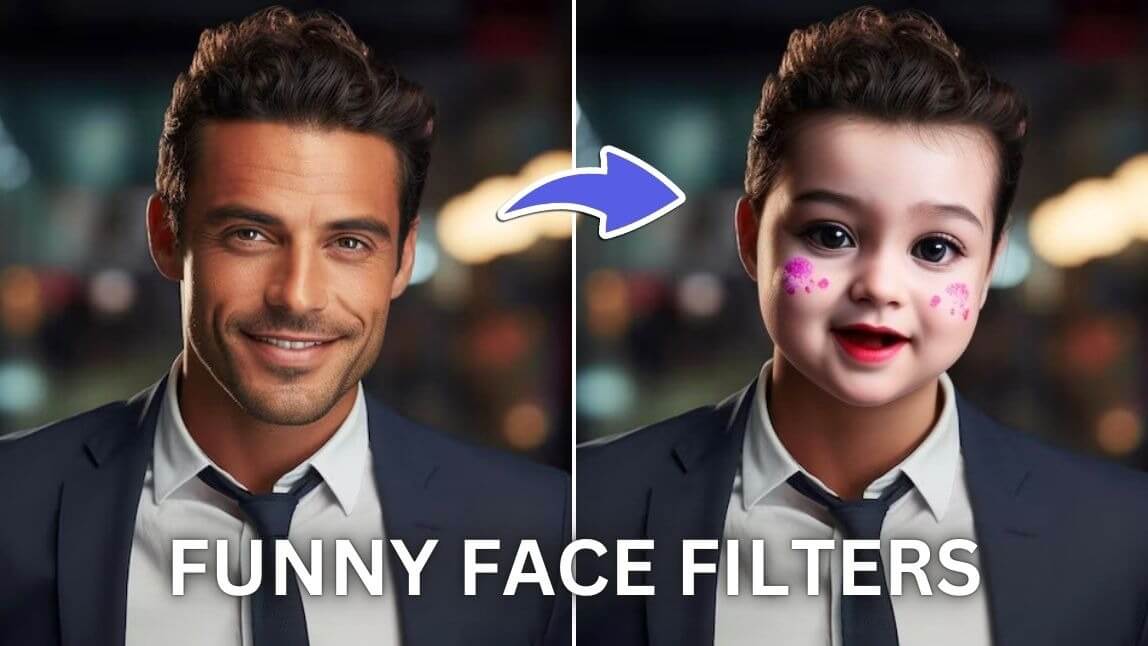
Are you ready to inject some fun into your social media posts? Funny face filters are a fantastic way to entertain your friends and followers. This guide will show you how to access and use funny face filters for free.
What is Funny Face Filters?
Face filters have taken social media by storm, allowing users to transform their selfies with humorous and often whimsical effects. These filters can add cartoon features, distort facial features, or overlay funny accessories. They're popular on platforms like Instagram, Snapchat, and TikTok. Let's explore how you can start using them for free.
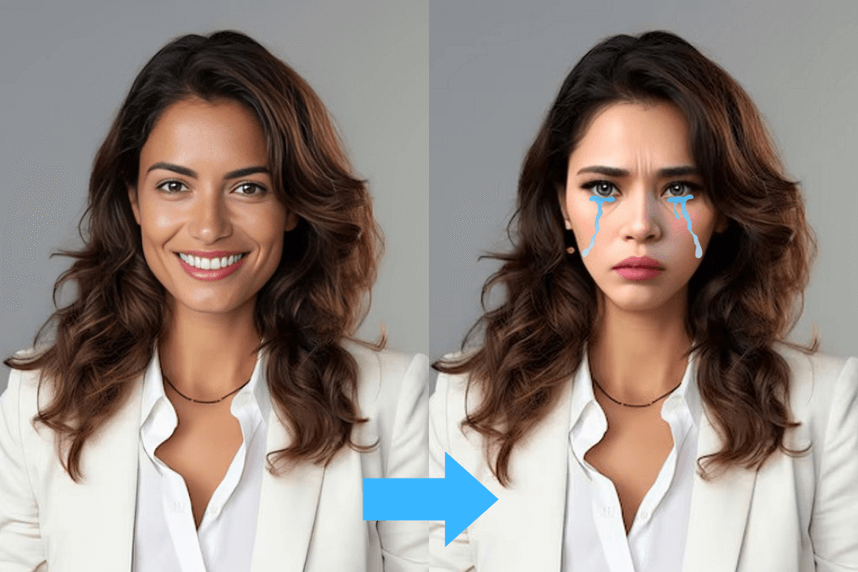
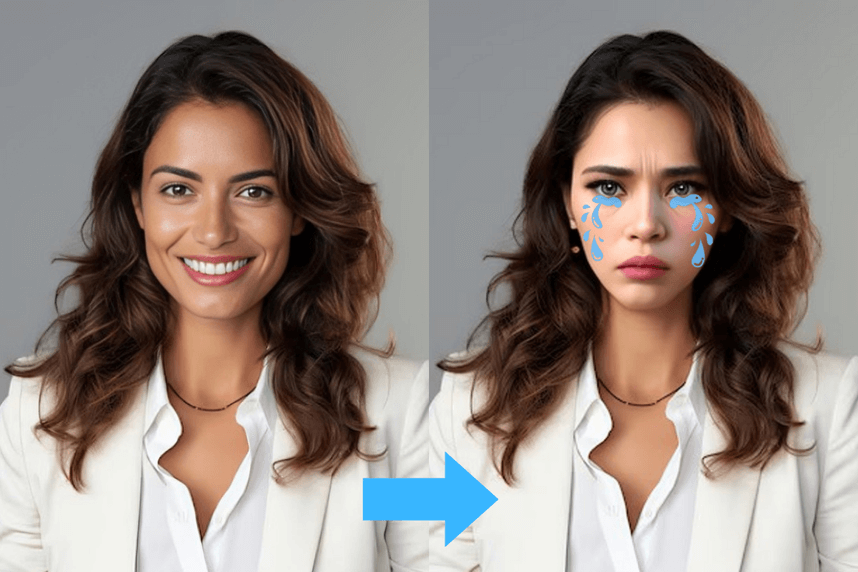
Funny Filters 1. Crying Face
The Funny Crying Face filter adds a comedic twist to your photos by exaggerating your features with large, exaggerated tears and a pouty expression, perfect for eliciting laughs from your audience.
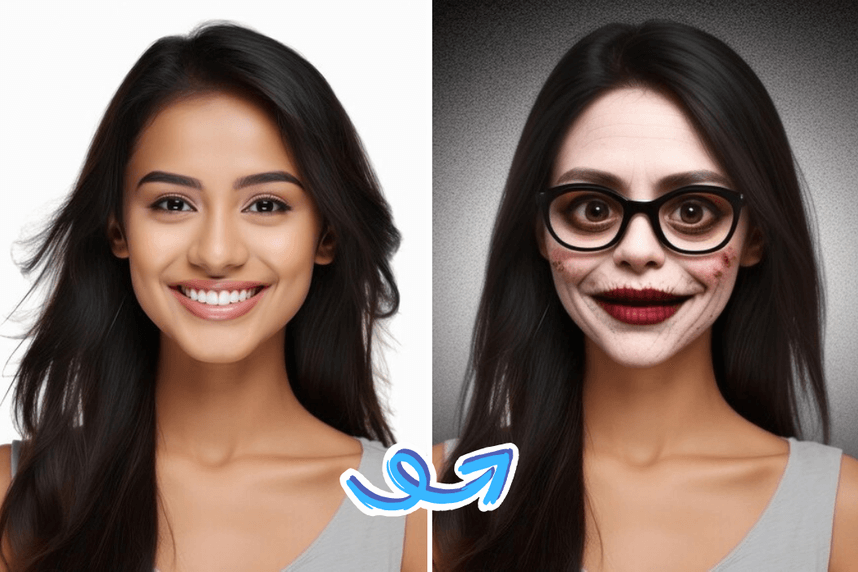
Funny Face Filters 2. Scary Funny Face
The Scary Funny Face filter combines fright with fun by transforming your face into a hilarious monster, complete with exaggerated fangs and wild eyes, making it an ideal way to entertain and surprise your friends.
Funny Filters 3. Baby Funny Face
The Baby Funny Face filter transforms your appearance into that of an adorable infant, complete with oversized eyes and a chubby-cheeked smile, allowing you to share the cutest and most laughable versions of yourself.
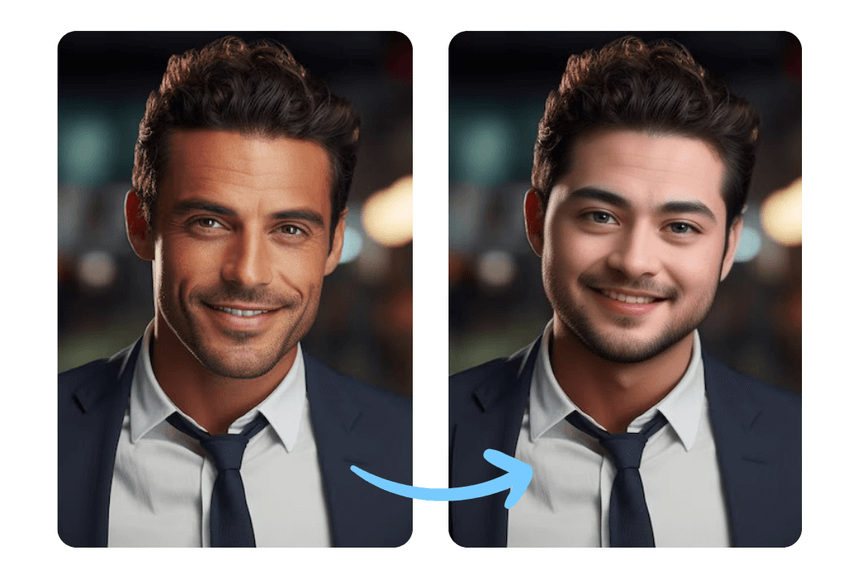
Funny Face Filter: How to Create Funny Face Filters Online for Free
Here's how you can find and use free funny face filters:
Step 1. Upload Your Own Photo
First, ensure you have a clear photo of yourself saved on your device. A well-lit, neutral expression photo works best for face filters.
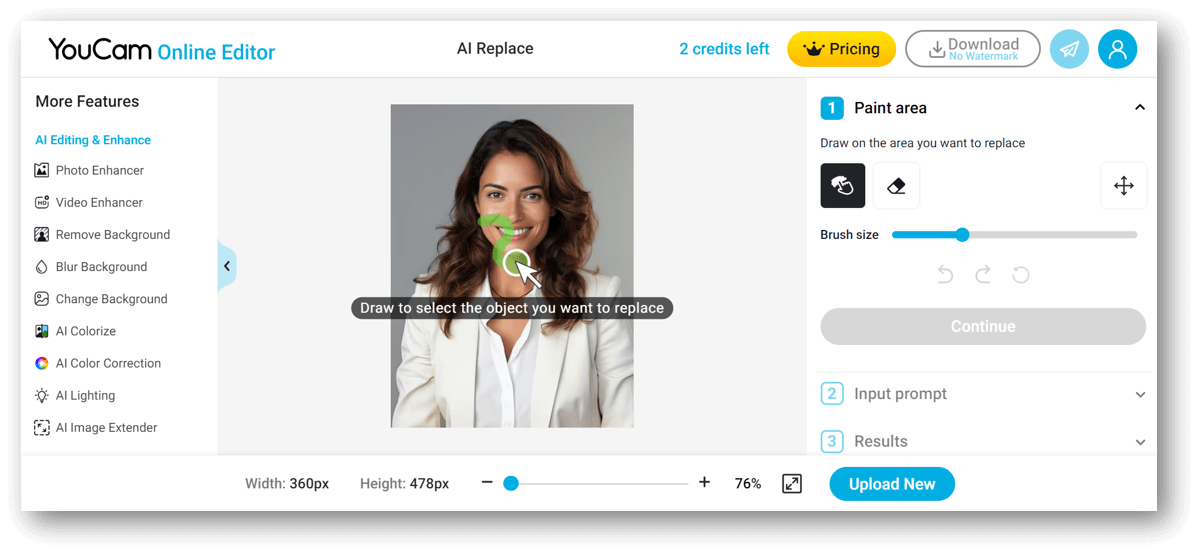
Step 2. Go to AI Replace Page
Visit AI Replace, an online tool that allows you to replace objects in photos using AI.
Step 3. Mark Your Face Area
On the AI Replace page, upload your photo and mark the area of your face you want to apply the filter to. This helps the tool accurately place the filter on your features.
Step 4. Add Prompt to Create Funny Face
Follow the instructions to add a prompt and create your funny face. The AI will generate a humorous filter based on your input.
Step 5. Download Your Funny Face Photo
Once you're happy with the result, download the edited photo to your device.
Capturing the Perfect Moment for Funny Face Filters
For the best results, follow these tips when taking photos or recording videos with face filters:
Lighting:
Good lighting is crucial. Natural light works best, so try to take photos near a window or outside.
Angles:
Experiment with different angles to find the most flattering and fun perspectives.
Expressions:
Don’t be afraid to be silly! Funny faces and exaggerated expressions make the filters even more entertaining.
Hope your Funny Face Filters are Funnier than Mine.
Funny face filters are a great way to bring joy and creativity to your social media presence. By following this guide, you can easily access and use these filters for free, capturing perfect moments and entertaining your audience.
Ready to have some fun? Head over to AI Replace now and start creating your hilarious face filter photos. And don't forget to share your creations with us and your friends!
Happy filtering!
Funny Face Filters FAQs
1. Where can I get funny face filters?
You can find funny face filters on popular social media platforms like Instagram, Snapchat, and TikTok. Additionally, websites like AI Replace offer tools to create customized funny face filters using your own photos.
2. How do you do the funny face filter?
To use a funny face filter, upload a clear photo to a platform that supports face filters. After selecting the desired filter, apply it to your photo or video. You can often adjust the filter to fit your features and enhance the humorous effect.
3. What is the app that makes funny faces?
There are several apps that provide funny face filters, including Snapchat and Instagram, which feature native filters. Additionally, apps like FaceApp and MSQRD also offer a variety of amusing filters for transforming your selfies.
4. What is the best free funny face filter?
The best free funny face filter depends on your personal preference. Many users enjoy Snapchat's wide range of filters. However, AI Replace offers unique customizable filters that go beyond traditional options, making it an excellent choice to explore.
5. What filter app is everyone using?
Currently, YouCam remains a leading choice for users seeking funny face filters due to its extensive library and constant updates. Instagram also boasts popular filters that are frequently used in user-generated content.
6. Is there a free face filter app?
Yes, there are multiple free face filter apps available. Besides YouCam and Instagram, you can also explore options like Snapchat, Tiktok, which offer a variety of free filters for your photos and videos.


