




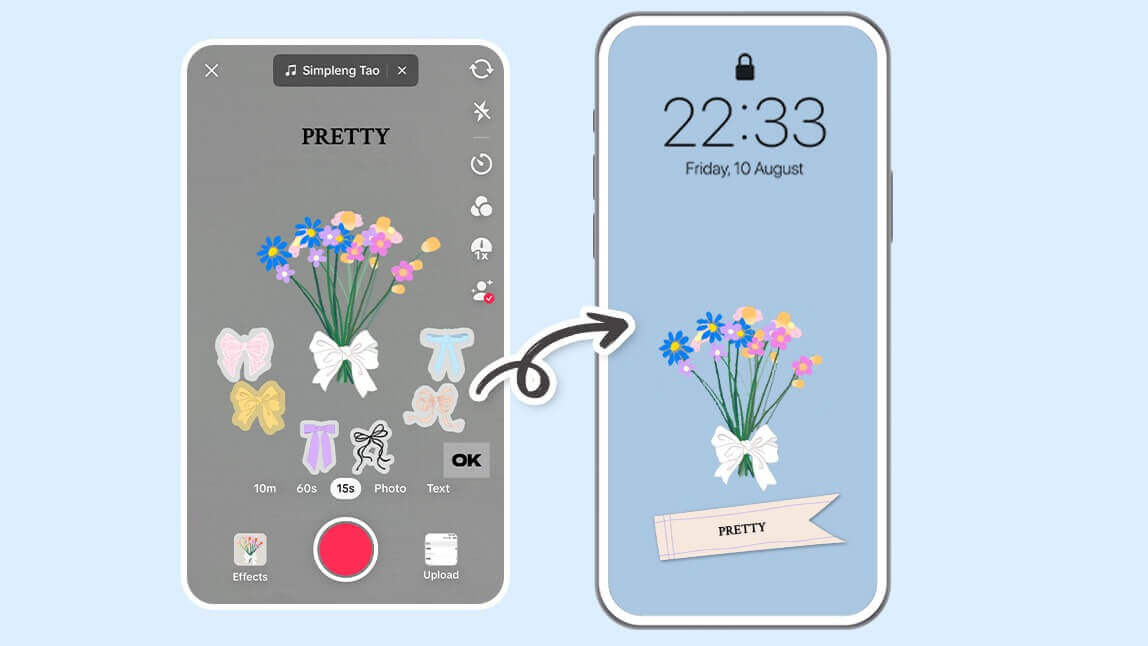
The TikTok "Flower Language Filter" is a viral social media trend, letting users share vibrant bouquets that convey messages through the symbolic meaning of flowers. These stunning visuals are often personalized with names, making them perfect for profile pictures, video backgrounds, or digital cards.
But what if the filter doesn't have your favorite flower or the exact style you want? Don't worry, you can create your own!
With the YouCam Online Editor AI Image Generator, you can design a completely custom flower language bouquet and turn it into a unique card for any occasion—like birthdays, Valentine's Day, or anniversaries. Let's explore how to use its powerful Text-to-Image and Background Remover tools!
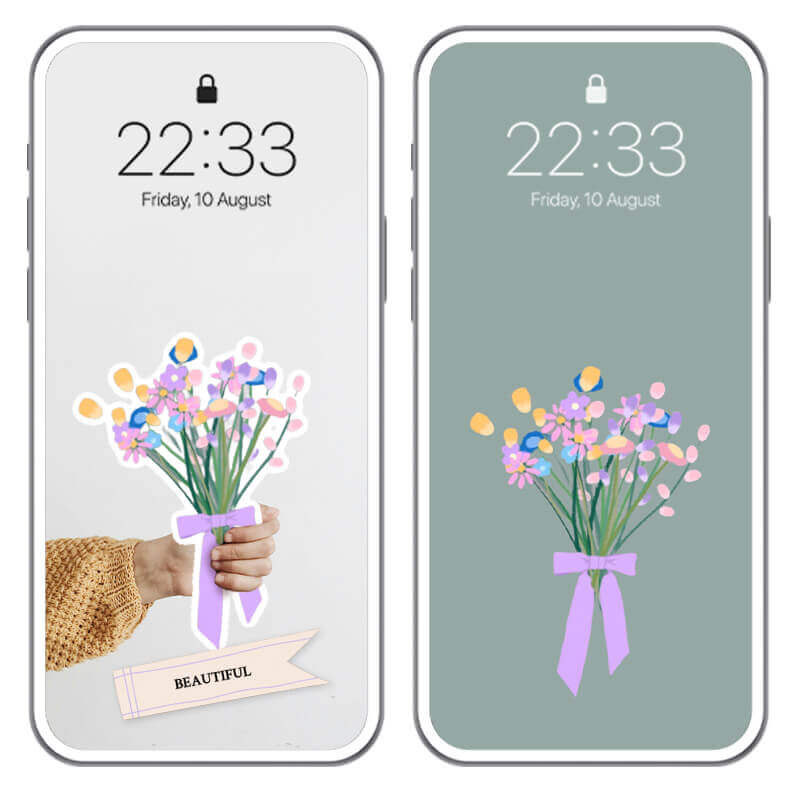
How to Create a Custom Flower Language Wallpaper in 4 Steps
Ready to design your own personalized floral masterpiece? Follow this simple guide to bring your flower language ideas to life with the free YouCam Online Editor.
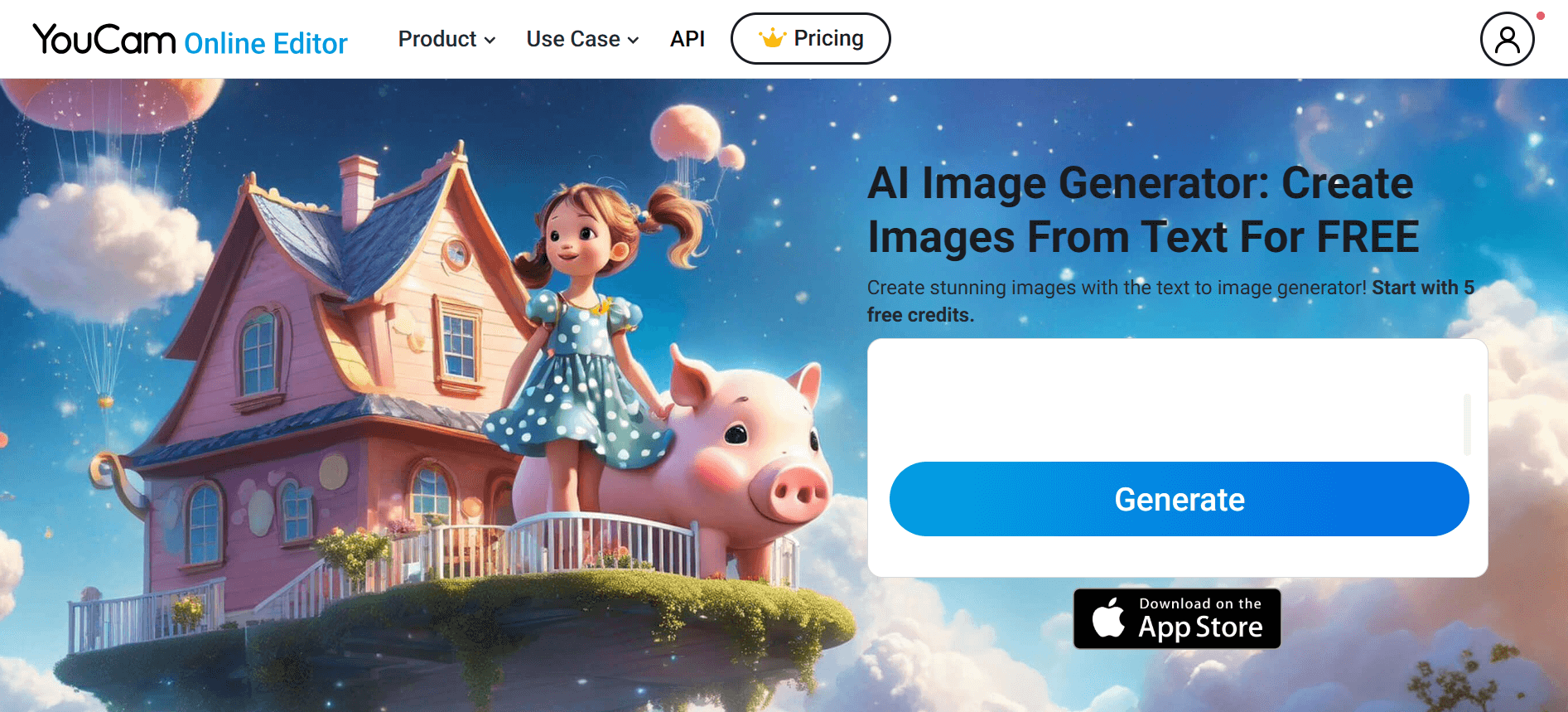
Step 1: Open the Free AI Flower Language Generator
First, navigate to the AI Image Generator. Click the “Generate” button to start. This free text-to-image tool is designed to transform your ideas into beautiful AI flower art in seconds.
Step 2: Describe Your Dream Bouquet with a Text Prompt
This is where your creativity comes to life! Enter a descriptive text prompt to generate your perfect bouquet. The more detailed you are, the better the result.
Not sure where to start? Click and use this prompt template below:
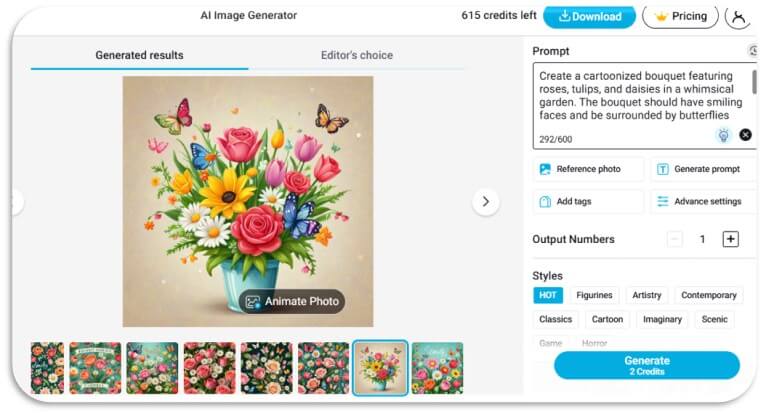
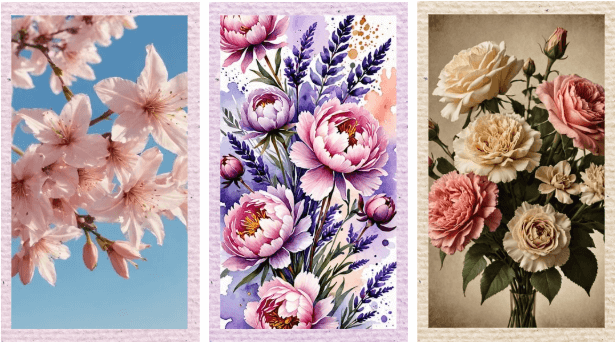
You can also experiment with over 30 TikTok and Instagram-inspired styles in our Text-2-Image Generator, such as "Anime," "Watercolor," or "Pencil Sketch." Here are a few style ideas:
- Anime Style: “An anime-style bouquet of cherry blossoms and lilies with pastel colors and sparkly effects.”
- Watercolor Style: “A delicate watercolor painting of a bouquet of peonies and lavender in soft pinks and purples.”
- Vintage Style: “A retro-inspired bouquet of roses and carnations with a warm, sepia-toned background.”
Keywords like “cartoonized”, “dreamy”, “sparkling”, or “minimalist” can also help you match the latest social media aesthetics.
Step 3: Remove the Background for a Custom Look
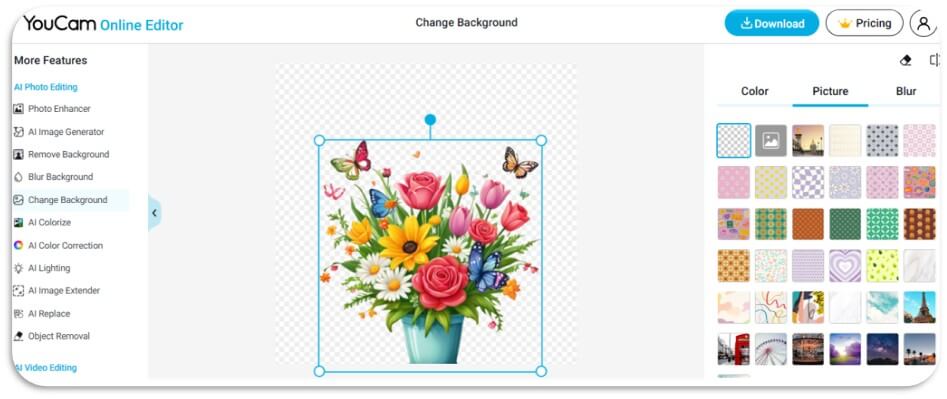
Your AI-generated bouquet is ready, but why stop there? Use the AI Background Remover in the YouCam Online Editor to make your creation even more versatile.
With a single click, you can get a transparent background and place your bouquet on a solid color, a dreamy gradient, or another image entirely. Plus, explore over 30 customizable image templates to create perfect digital cards for birthdays, anniversaries, or Valentine’s Day. This feature is perfect for turning your art into shareable content.
Step 4: Add Your Flower Bouquet to a Photo or Card
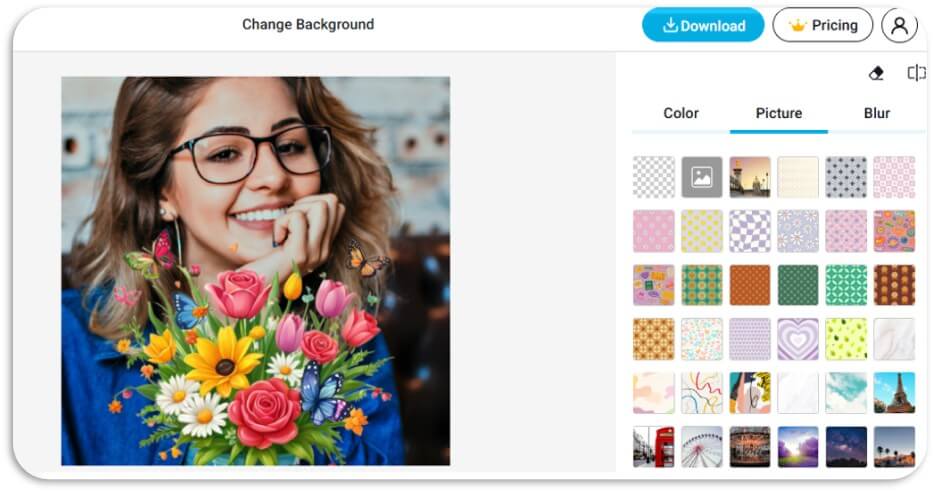
Tired of generic greeting cards? Add your custom flower language bouquet to a personal photo for a creative and heartfelt touch! Simply upload your photo and place your transparent bouquet on top to create a one-of-a-kind digital card or social media post.
This is a unique way to confess your feelings, surprise a loved one, or celebrate a special occasion. Since each flower carries a unique meaning, you can swap blooms to match your message. Check out our flower language ideas below for inspiration!
10 Flower Language Ideas for Your AI Bouquet
To make your custom bouquet truly meaningful, incorporate flowers with symbolic meanings. Here are 10 popular flower language ideas to spark your creativity (inspired by The Old Farmer’s Almanac):
- Red Rose: Love and passion. Perfect for romantic cards or Valentine’s Day posts.
- Yellow Tulip: Cheerfulness and hope. Great for uplifting birthday or get-well-soon messages.
- Daisy: Innocence and purity. Ideal for playful, youthful designs or baby shower cards.
- Lily: Purity and renewal. A classy choice for anniversaries or heartfelt apologies.
- Sunflower: Adoration and loyalty. Brighten someone’s day with a sunny thank-you card.
- Peony: Prosperity and honor. Add elegance to wedding or congratulatory designs.
- Lavender: Serenity and devotion. Create calming wallpapers or mindfulness-themed posts.
- Pink Carnation: Gratitude and affection. Perfect for Mother’s Day or friendship cards.
- Cherry Blossom: Renewal and fleeting beauty. A poetic pick for spring-themed or farewell messages.
- Orchid: Luxury and strength. Elevate your design for milestone celebrations.
Mix and match these flowers in the YouCam Online Editor AI Image Generator prompt to tell a story that’s uniquely yours!
Pro Tips for Perfecting Your Flower Wallpaper
Take your creation to the next level with these advanced editing tips.
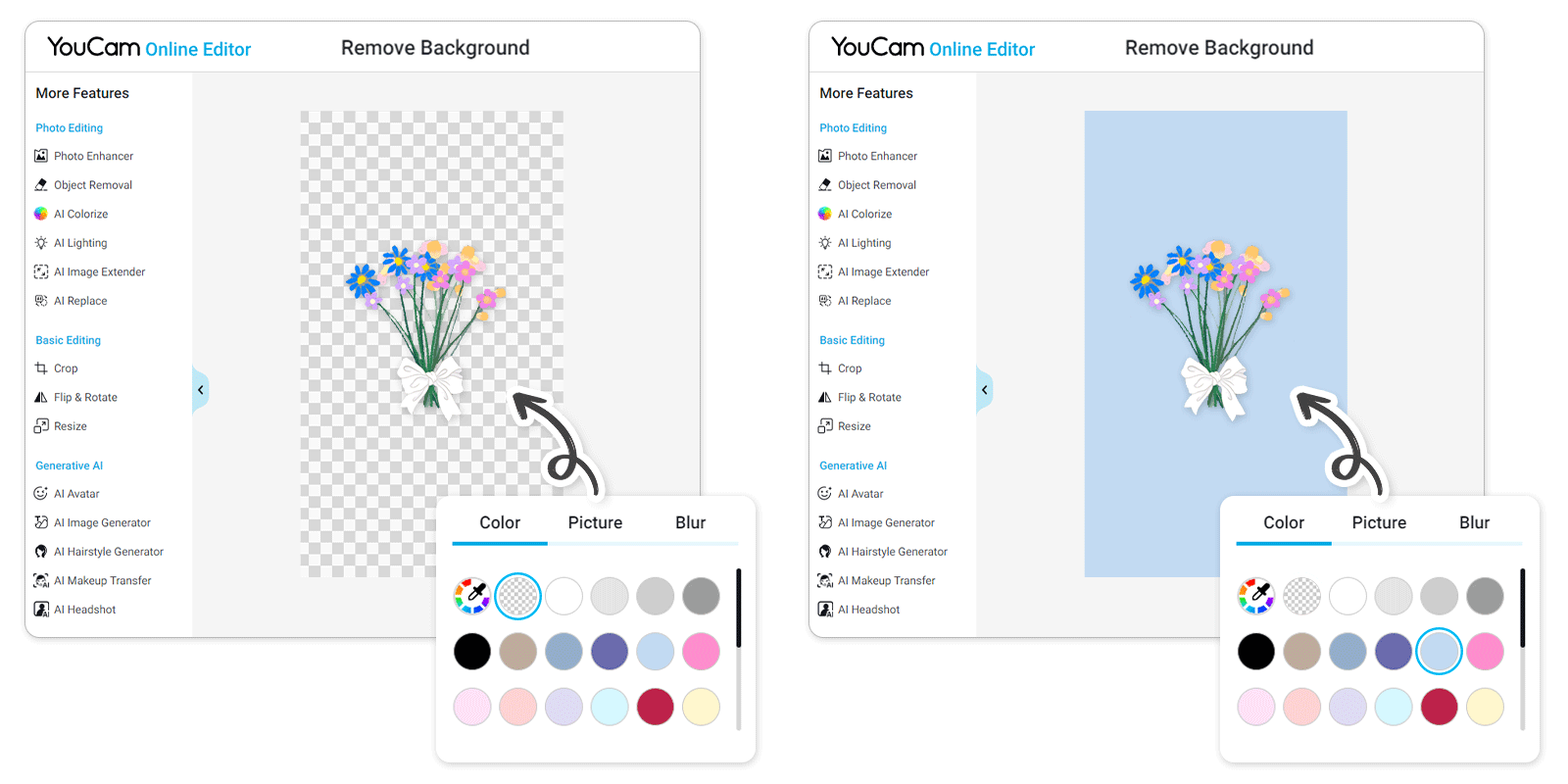
Pro Tip 1: Swap Backgrounds with the AI Background Remover
Use the AI Background Remover to isolate your bouquet. This allows you to easily place it on any background, change colors, or add it to other photos for a clean, professional look.
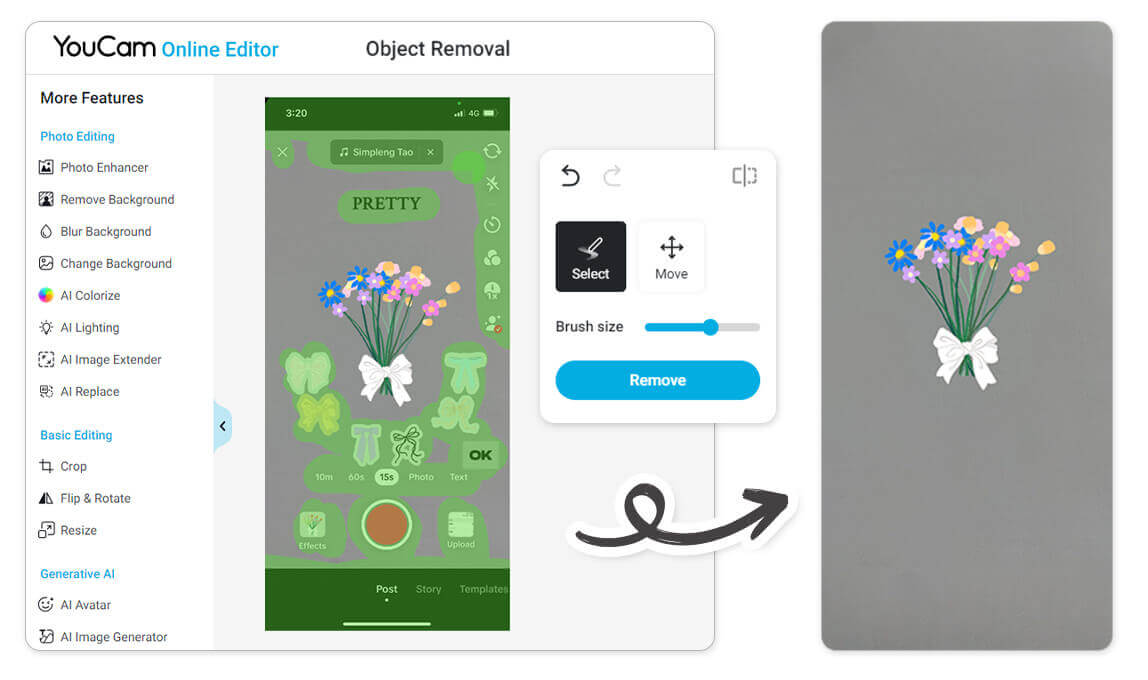
Pro Tip 2: Clean Up Your Image with AI Object Removal
Sometimes your AI generation might include small, unwanted details. Say goodbye to distractions with the AI Object Removal feature. Simply highlight any unwanted element, and the tool will magically erase it, leaving your floral creation looking flawless.
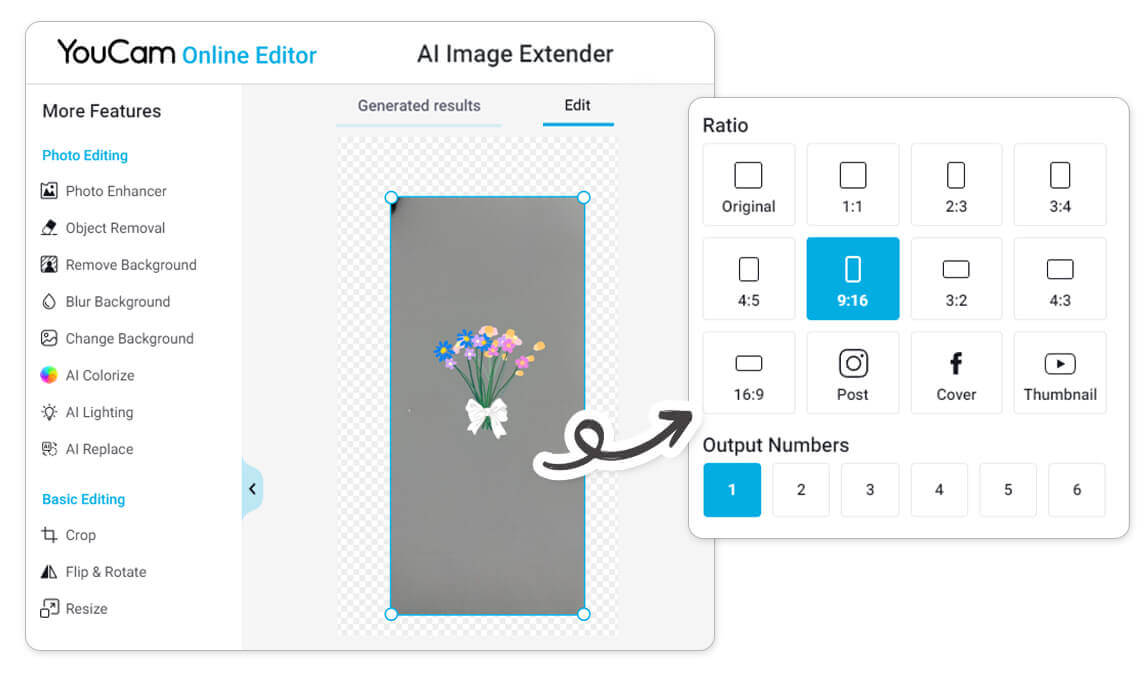
After cleaning up your image, you can even use the AI Image Extender to expand the background and create a perfectly sized wallpaper for any device.
Final Thoughts: Create Beautiful Memories with AI
I tried this myself and was amazed at how easy it is to turn a name—whether it's your own, a loved one's, or a family member's—into a unique flower language wallpaper. With just a few simple steps, you can create a beautiful and personal design.
Whether you make them into digital cards or phone wallpapers, these AI-generated bouquets become beautiful, lasting memories. I hope you enjoy creating yours as much as I did!


