




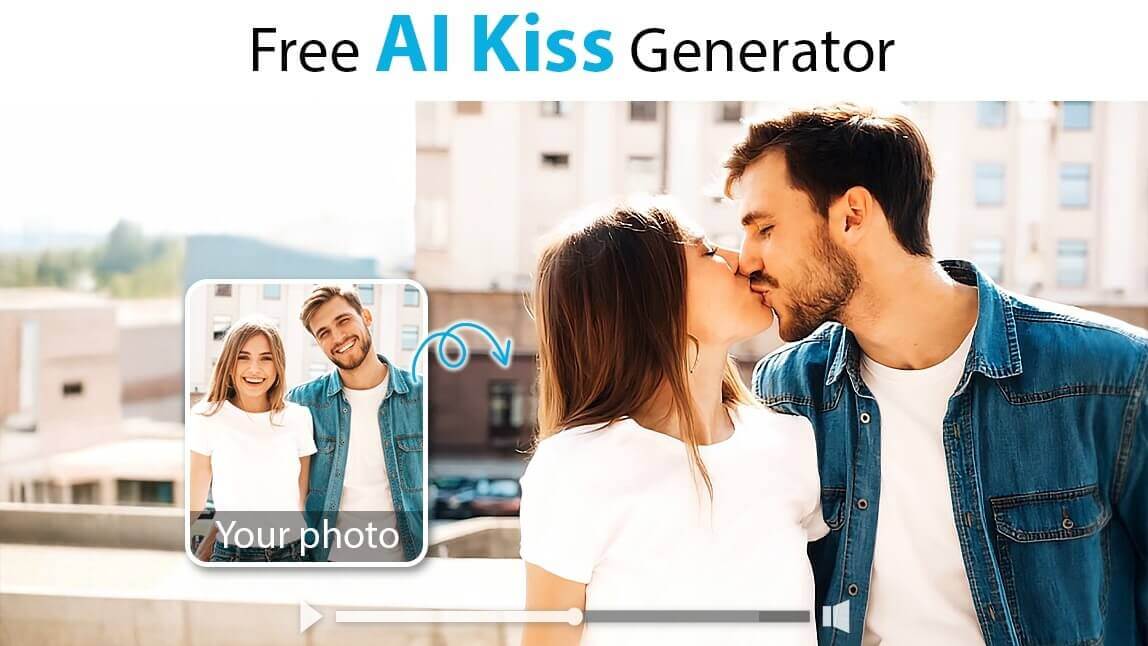
Want to bring your photos to life? With a powerful AI image-to-video generator, you can instantly transform any static picture into a dynamic, moving video.
Imagine making the people in your photos smile, hug, or share a romantic kiss—all with the power of AI. This guide will show you exactly how to create beautiful AI-generated kissing videos from your favorite photos in just a few clicks, online.
💋Key Takeaways: AI Kissing Generator
- Learn to transform any photo into an animated kissing video using an online AI tool.
- Follow a simple 5-step guide to generate your AI kissing video in minutes.
- Discover 40+ creative prompts and ideas for romantic, cute, and fun videos.
- The best tool is the YouCam AI Video Generator, available online and as a mobile app.
Disclaimer: AI-generated kiss animations are for creative and entertainment purposes only. The results are simulated. Please use this feature respectfully and avoid generating content that could be considered inappropriate or offensive.
How to Create an AI Kissing Video from a Photo: Step-by-Step
Follow this simple tutorial to transform your photo into a romantic AI kiss video, perfect for sharing with someone special.
🎓 Expert Guide: How to Get Realistic AI Kiss Results
AI video generation works by predicting movement in a 3D space based on a 2D image. To stop your animation from looking "glitchy" or unnatural, understanding how the AI "sees" your photo is crucial. Use these tips to select the perfect photo:
- 1. Use Side Profiles (Crucial):
In front-facing photos, the nose and lips often look flat when converted to 3D. If subjects lean in from the front, their faces may merge. Solution: Choose photos where subjects are turned slightly to the side (profile view). This gives the AI clear data on where the lips begin. - 2. Lighting Creates Depth:
Flat lighting (like a camera flash) eliminates shadows, making faces look like flat stickers. Solution: Use photos with natural, directional lighting. Shadows define the jawline and help the AI differentiate between the two faces. - 3. Leave a Small Gap:
If the subjects in your photo are already touching or hugging tightly, the AI has no "room" to generate movement. Solution: Select a photo where there is a small visible gap between the faces. The AI excels at closing this gap to create the animation.
Step 1: Open the AI Kissing Video Generator
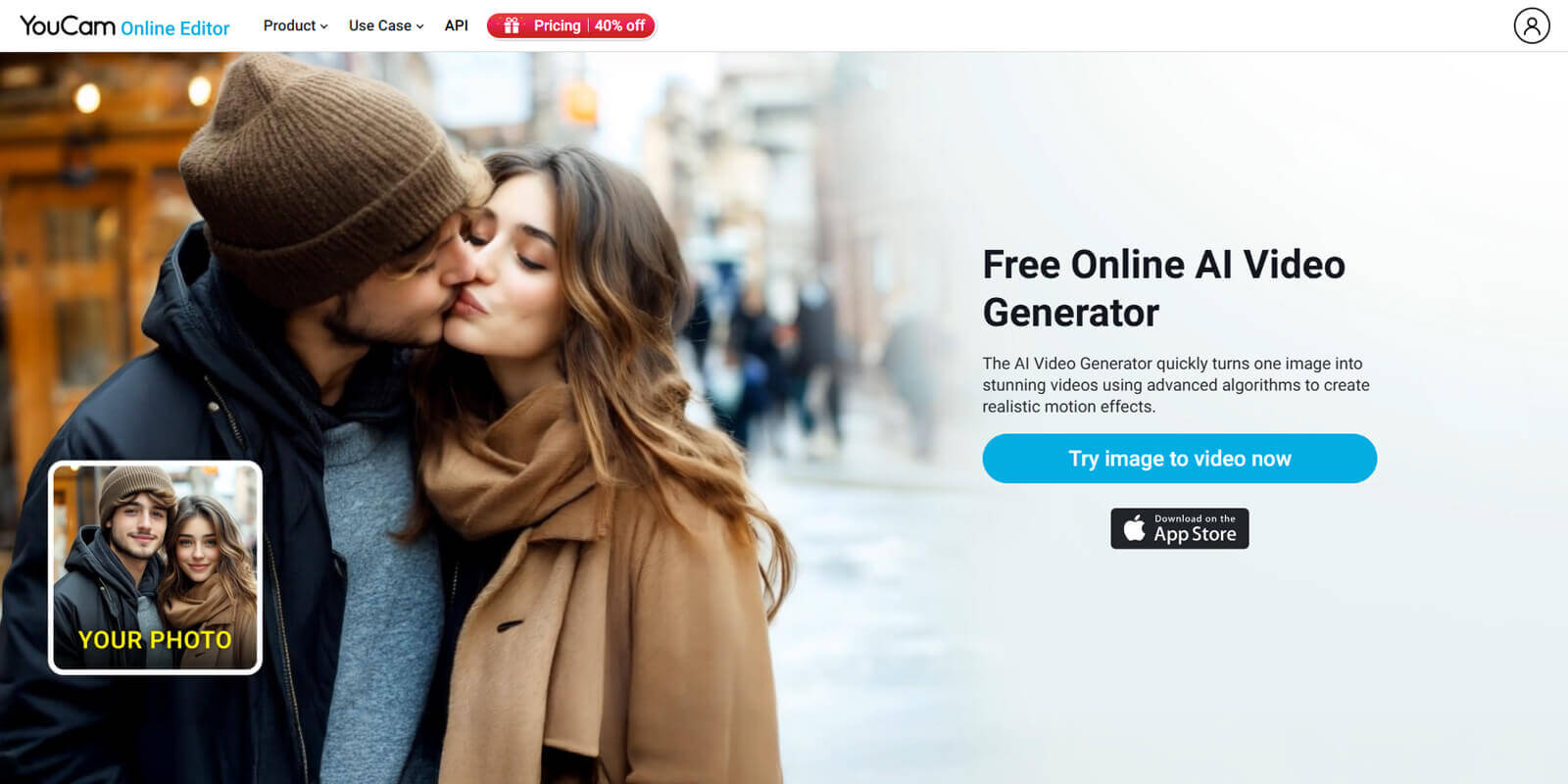
Start by opening the YouCam AI Video Generator. This online tool is designed for creating AI animations easily.
Step 2: Upload Your Photo
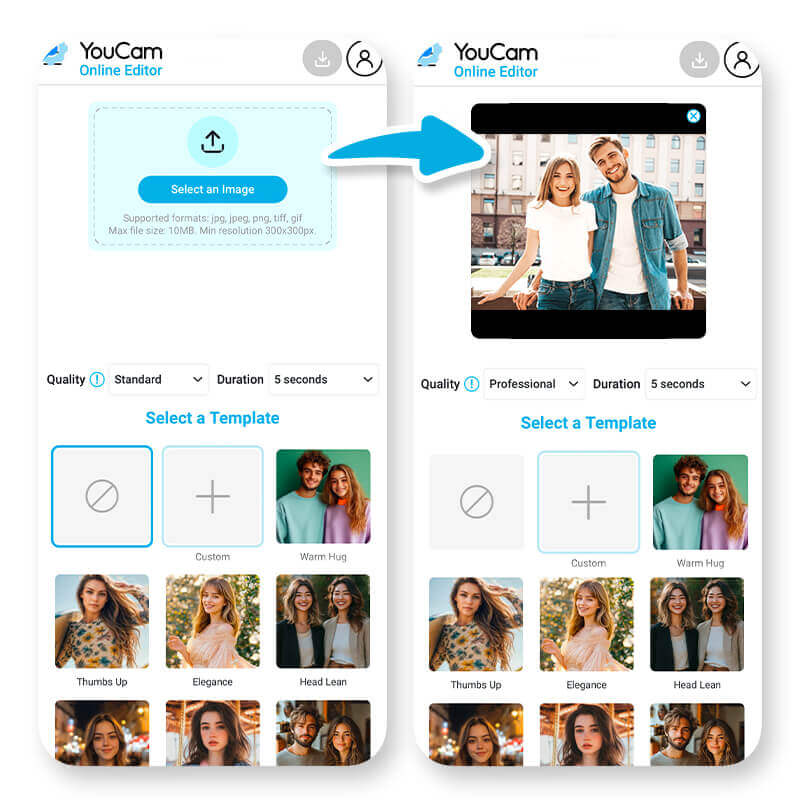
Select and upload a photo from your device. Refer to the expert guide above to ensure your photo has the right lighting and angle.
Step 3: Apply the Kissing Filter or Use a Prompt
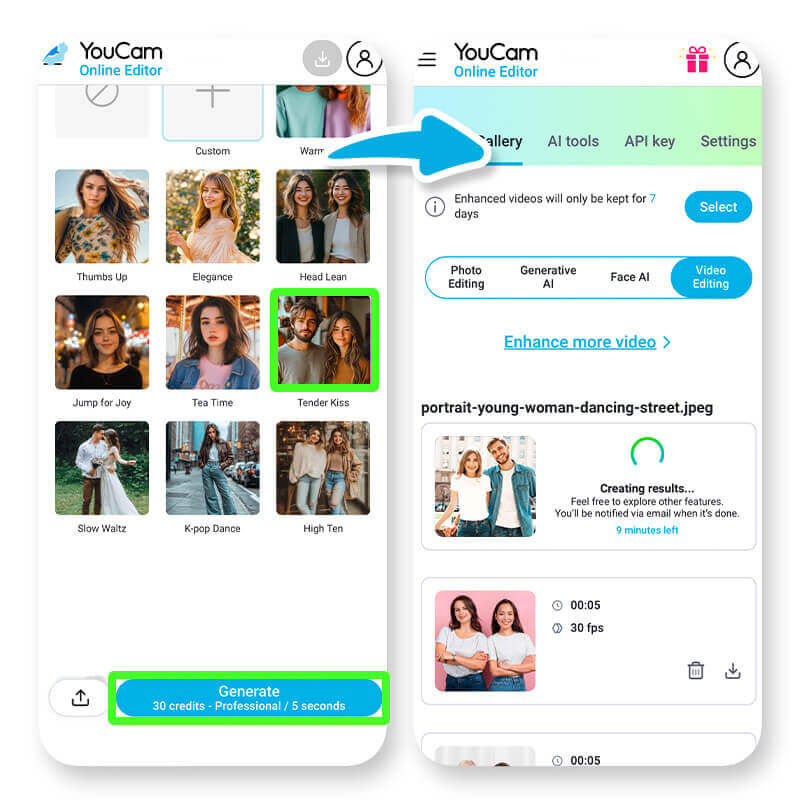
Browse the available AI video effects. To create a kissing video, select the "Tender Kiss" filter. For more control, you can also enter a custom text prompt to describe the exact action you want.
5 AI Kiss Prompt Ideas to Try:
- "A gentle kiss on the forehead, eyes closed."
- "A sweet kiss on the cheek followed by a warm smile."
- "A romantic hand kiss, in the style of an old movie."
- "A playful nose-to-nose kiss, then a soft laugh."
- "One person kisses the top of the other’s head while in a hug."
Next, choose your video quality and length. Select "Standard" or "Professional" quality and a length of 5 or 10 seconds. Processing time will vary based on your selections.
Step 4: Generate Your AI Kiss Video
Give the AI a moment to process your photo and create the animation. Once ready, the video will appear for you to preview.
Why Choose the YouCam Online Editor for AI Kiss Videos?
- Incredibly Easy to Use: Our intuitive interface means you don't need any technical skills. If you can upload a photo, you can create a magical animation in seconds.
- Custom Animations: Use text prompts to create a personalized video that's uniquely yours.
- Stunningly Realistic Animations: Powered by the latest 2025 generative AI model, YouCam creates fluid, lifelike movements that capture the emotion of the moment, avoiding the robotic look of older tools.
- Free and Accessible: Use the tool online or download the YouCam Video app for iOS.
- Perfect for Special Occasions: Create a unique gift for Valentine's Day, anniversaries, or just because.
40+ AI Kissing Video Ideas & Prompts to Spark Your Creativity
Ready to start creating? Here are over 40 ideas and prompts, organized by theme, to inspire your next AI-generated video masterpiece.
Romantic & Sweet Prompts
- A gentle kiss on the forehead, eyes closed with a soft smile.
- A nostalgic first kiss moment recreated from an old photo.
- A shy kiss while holding hands in a cozy cafe.
- A romantic smooch in the rain with dreamy lighting.
- A surprise kiss under a firework-lit sky.
- A romantic kiss on a cloud in a magical sky.
- A sweet peck on the nose during a cozy date.
- A New Year’s Eve kiss with a countdown and confetti.
- A romantic kiss under a cherry blossom tree.
- A vintage black-and-white film style kiss.
- A tender kiss in a candlelit library.
- Create romantic videos with your partner's photo.
- Share virtual kisses with a partner in a long-distance relationship.
- Celebrate special occasions like anniversaries or Valentine's Day.
Fun & Playful Prompts
- A silly kiss where the characters bump teeth and then laugh.
- A playful peck on the nose during a snowball fight.
- An adorable video of you giving your pet a smooch on the head.
- A mischievous kiss where one character pulls the other closer.
- A cute and playful kiss inside a floating bubble.
- A kiss on the cheek from your AI pet wearing a bow tie.
- Animate fun scenarios with historical figures or fictional characters.
- Create a cartoon kissing video with your favorite anime character.
- A virtual kiss exchanged through a screen with digital effects.
- A kiss that transitions into a heart shape animation.
Cinematic & Dramatic Prompts
- A reenactment of a famous movie kiss (like a superhero movie or classic romance).
- A cinematic kiss with dramatic lighting, in black-and-white film style.
- A romantic emotional kiss with hands gently caressing each other's faces.
- A heartfelt embrace with bodies pressed closely together.
- A dramatic farewell kiss at a train station as steam billows around.
- A magical kiss while floating in space, surrounded by stars and galaxies.
- A beachside sunset kiss with waves crashing behind.
- A dreamlike kiss while dancing in the clouds.
- A slow-motion kiss surrounded by floating flower petals.
- A fantasy-style kiss in an enchanted forest.
- A stylish kissing scene in a futuristic lounge.
- A cosmic kiss with glowing lips among swirling galaxies.
Start Creating Your AI Kissing Videos Today
Transforming a cherished photo into a moving, romantic video is now easier than ever. With the YouCam AI Video Generator, you have a powerful and free tool to bring your creative ideas to life in just a few clicks.
Whether you're making a heartfelt gift for Valentine's Day, surprising a partner on your anniversary, or just having fun with your favorite photos, the possibilities are endless. Don't let your best memories stay static—animate them!
More AI Video Ideas For You:
Legal and Ethical Guidelines
- Respect Privacy: Only use photos of yourself or individuals who have given clear consent.
- Avoid Misuse: Do not use AI-generated videos to deceive, impersonate, or mislead others. Always disclose that the content is AI-generated.
- Comply with Laws: Ensure your use of the feature complies with all applicable privacy and copyright laws.
- Use Ethically: Avoid generating content that could be considered offensive, inappropriate, or harmful.
- Intellectual Property: Do not upload images containing copyrighted materials without proper authorization.
AI Kissing Videos: Your Questions Answered
How do I make an AI kissing video from a photo?
You can create an AI kissing video from a photo in four simple steps using a free online tool:
- Open the YouCam AI Video Generator.
- Upload a clear photo of your choice (side profiles work best).
- Select the 'Tender Kiss' filter or a similar animation style.
- Generate, preview, and save your new animated video.
Can AI animate a photo to make people kiss?
Yes, absolutely. AI technology can analyze a static photo and generate a short, animated video that realistically simulates the people in the picture kissing. This is done using an image-to-video AI generator.
What is the best free AI tool to make pictures kiss in 2025?
In 2025, the YouCam AI Video Generator is a top choice for the best free AI kissing generator. It is highly recommended for its user-friendly interface, high-quality animations, and quick processing time.
Is there an app that can make pictures kiss?
Yes, the YouCam Video app for iOS includes an AI Image-to-Video Generator. This feature allows you to upload photos and apply kissing animations directly on your mobile device.
How long does it take to generate the AI video?
Processing time is very fast! For a standard-quality, 5-second video, it typically takes less than a minute. Higher quality or longer videos may take a few moments longer as the AI works its magic.
Will my AI-generated video have a watermark?
The free version of the YouCam AI Video Generator may include a small, discreet watermark. Premium subscribers have the option to generate and download videos without any watermark.
What if the animation doesn't look right?
For the best results, always use a clear, high-quality photo where faces are unobstructed. If an animation looks unusual, try a different photo or adjust your text prompt to be more specific. Sometimes, a simpler prompt like "a gentle kiss" works better than a complex one.
Is the AI Kiss Generator really free to use?
Yes, the YouCam AI Video Generator offers free generations for users to try. You can upload a photo and create an AI kissing video without any cost to see how it works. Advanced features or higher-quality exports may be part of a premium plan.
What kind of photos give the best results for AI kissing videos?
For the best results, use a clear, high-quality photo where the subjects' faces are well-lit and facing forward or slightly to the side. Photos with a simple background also help the AI focus on animating the subjects accurately.
Is it safe to upload my personal photos?
Yes. Reputable tools like the YouCam AI Video Generator prioritize user privacy. Photos are typically processed securely and are not used for any other purpose. Always be sure to check the privacy policy of any tool you use.
Can I customize the type of kiss in the video?
Yes. Beyond pre-set filters like "Tender Kiss," you can use the text prompt feature to describe the specific type of kiss you want. For example, you could try "a gentle kiss on the forehead" or "a playful peck on the cheek" for a more customized animation.


