




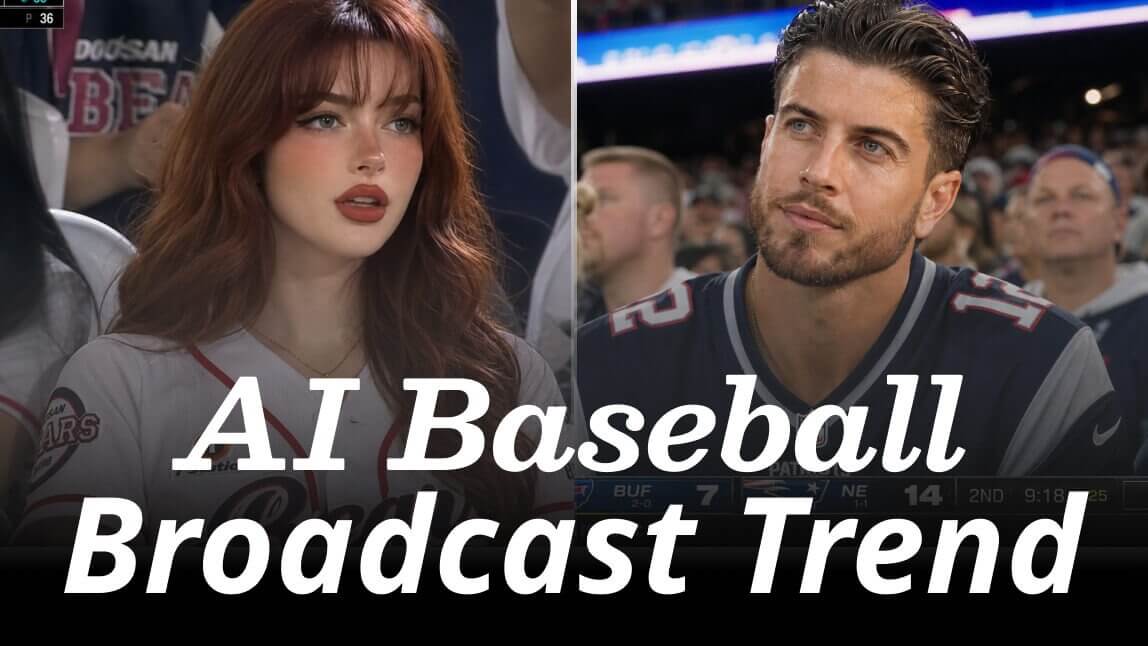
Well, you don't need a front-row ticket to live that dream. The viral Korean AI trend is taking over social media, allowing anyone to transform a simple selfie into a hyper-realistic, candid stadium broadcast screenshot.
This guide will show you exactly how to jump on the AI baseball broadcast trend using quick, copy-paste prompts and easy online tools.
Key Takeaways
- The Concept: This trend uses AI to mimic the candid, raw, and high-emotion "candid camera" moments of live sports broadcasts.
- The Customization: You can easily adapt the aesthetic to baseball, NFL, F1, or football styles.
- The Secret: No design skills are required. You just need a great prompt and an intuitive AI generator to do the heavy lifting.
- The Next Level: You can turn these static screenshots into dynamic baseball videos using simple image-to-video AI tools.
What is the AI Baseball Broadcast Trend?
Originating as a massive korean ai trend, this style uses generative AI to place your likeness directly into the stands of a crowded stadium.
Unlike a standard, polished AI portrait, the "broadcast trend" focuses on raw, imperfect realism. It captures the authentic vibes of a live TV broadcast: subtle motion blur, dramatic stadium floodlights, authentic TV graphics, and that classic, candid "caught off-guard" reaction. It’s fun, highly relatable, and incredibly engaging on social feeds like Instagram and TikTok.
Viral AI Baseball Broadcast Screenshot Prompts
Ready to generate your own? Simply copy and paste these prompts into your AI image generator. Feel free to tweak the bracketed details to match your style!
1. Baseball Surprise Close-Up
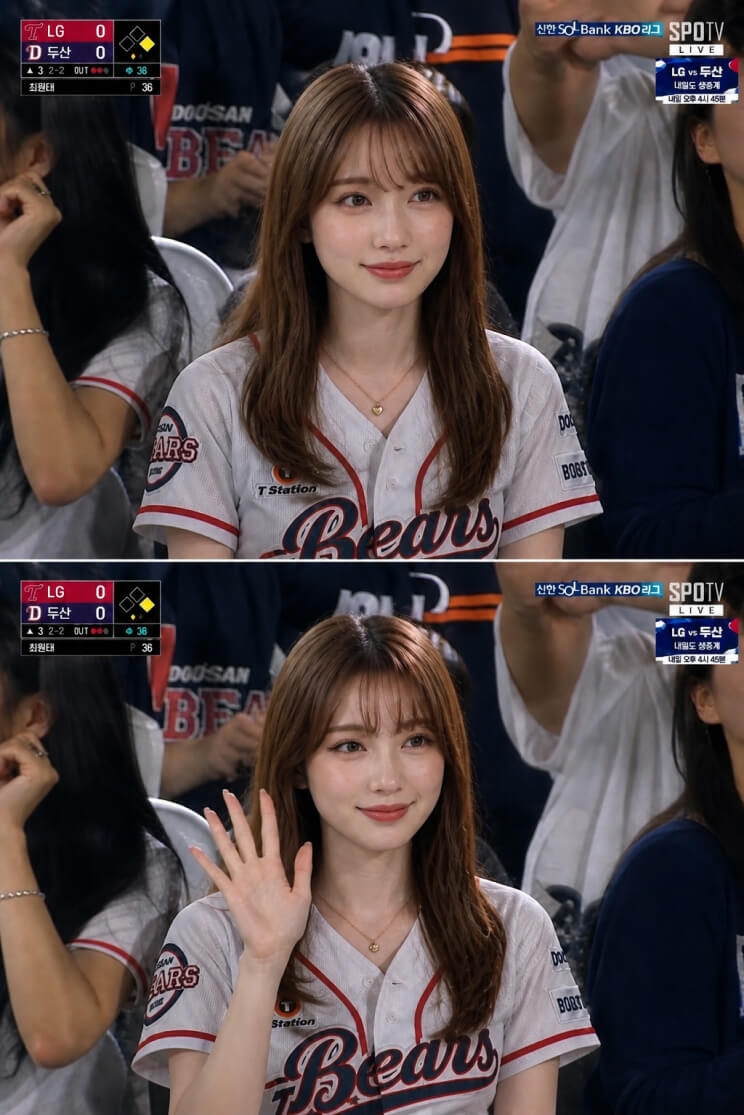
Prompt: Realistic KBO live broadcast frame, identity preserved exactly from the attached reference. Subject casually seated among spectators in a packed Korean baseball stadium, wearing an authentic KBO team jersey faithful to the reference. Aware of the camera but not posing — caught mid-moment with a slightly surprised candid expression, lips parted, eyes meeting the lens. Natural skin texture, subtle sheen under stadium floodlights, authentic pores. Surrounding fans slightly blurred, waving thundersticks, holding drinks and phones, chanting fan songs. Telephoto compression, shallow depth of field, crowd motion blur. Faint TV broadcast noise and grain, cinematic color grade. Live KBO scoreboard graphics in lower third — team logos, inning, score, count, runner indicators, network watermark. Documentary realism, candid spontaneity. Horizontal 16:9 only.
2. Stadium Natural Camera Catch
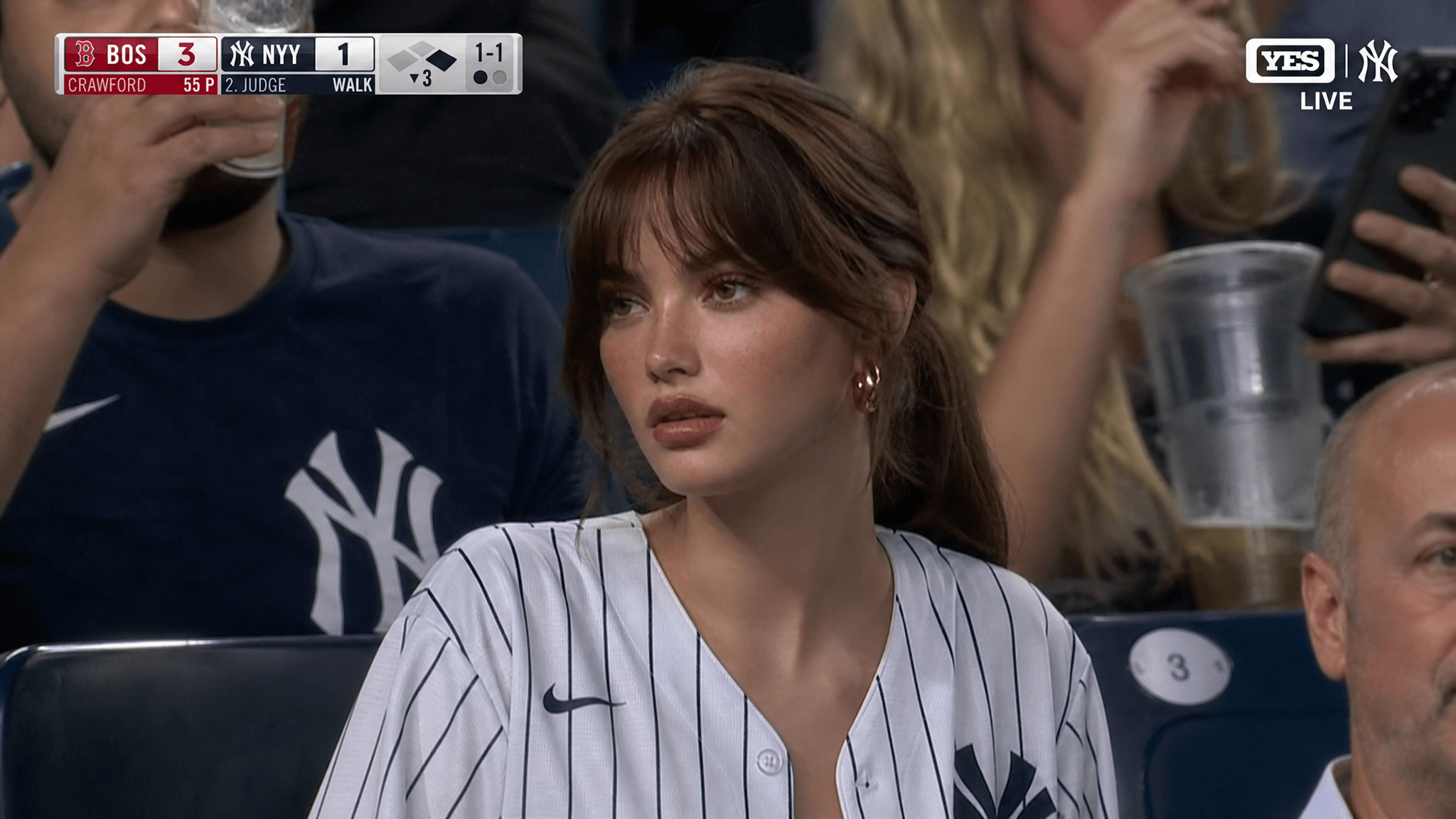
Prompt: Hyper-realistic live broadcast camera catch inside a packed baseball stadium. Subject sits relaxed in stadium seats wearing a team home jersey, gazing toward the field with a calm, focused expression, caught unaware. Subtle motion blur, authentic skin texture with natural sheen, surrounding fans slightly out of focus holding drinks and phones. Warm golden-hour light mixed with stadium floodlights, telephoto compression, shallow depth of field. Semi-transparent live scoreboard overlay in lower corner. Documentary realism, broadcast color grade. Horizontal 16:9 only.
3. NFL Jumbotron Video Shot
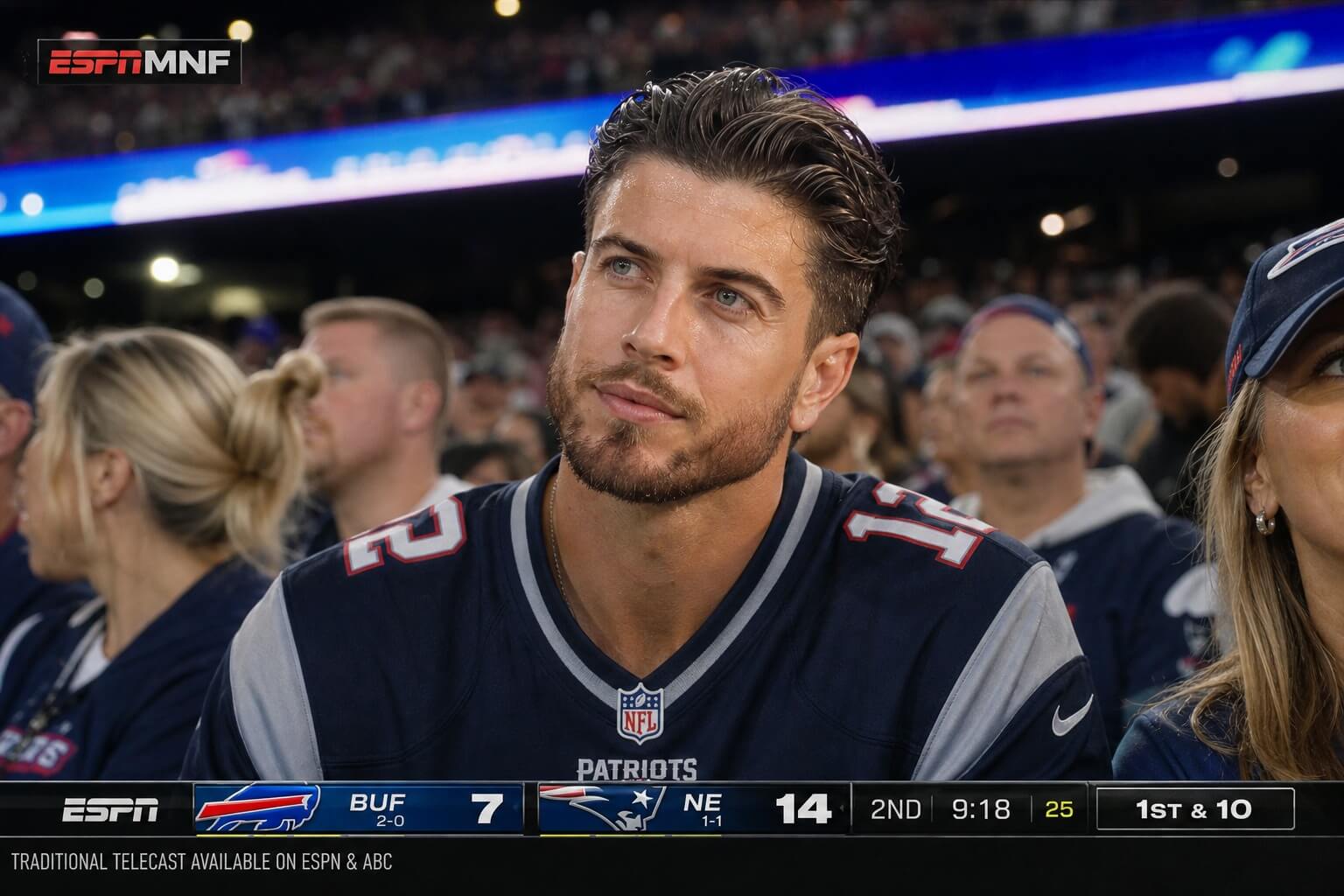
Prompt: Photorealistic NFL Jumbotron broadcast capture of a fan seated in the lower stands during a night game. Subject wears an NFL home team jersey, gazing toward the field with a focused, intent expression, caught candidly mid-play. Bright stadium floodlights cast crisp highlights and soft shadows, subtle sweat glow on the skin, authentic pores and texture. Surrounding fans slightly blurred, cheering with foam fingers and phones raised. Telephoto compression, shallow depth of field, live sports graphics overlay in lower third — score, quarter, down and distance. Realistic broadcast feed texture with faint grain. Horizontal 16:9 only.
4. F1 Garage Shot
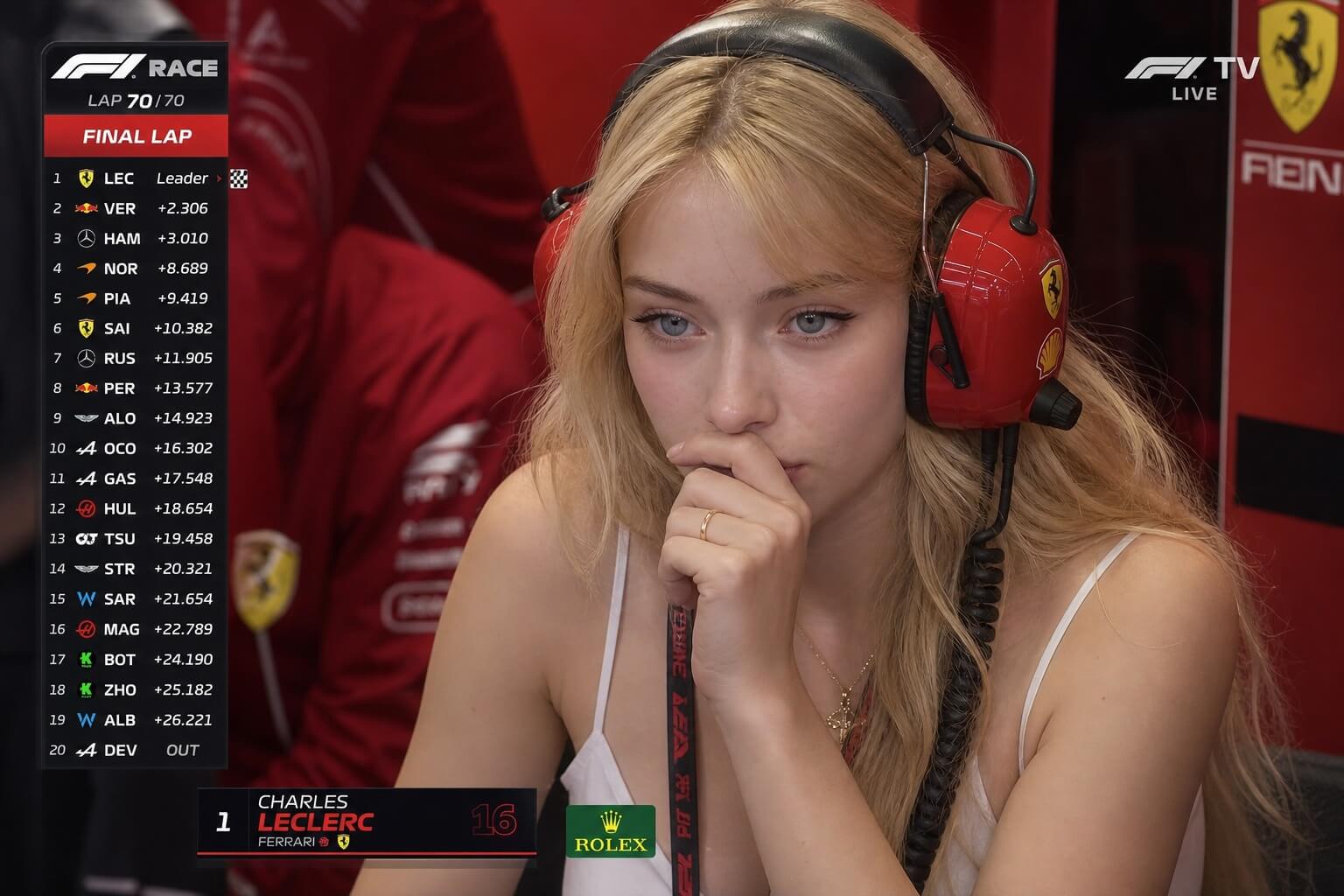
Prompt: Ultra-realistic F1 live TV broadcast screenshot, identity preserved from reference. Young woman seated inside the VIP Ferrari paddock garage during a Formula 1 race, framed as the driver's girlfriend. Final lap tension — wearing a professional racing headset, listening to team radio, leaning forward with one hand near her mouth, eyes on the garage monitors, proud yet anxious expression. Ferrari red gear and pit crew blurred behind her, telemetry screens glowing. Harsh garage lighting, subtle skin sheen, authentic texture, telephoto compression, shallow depth of field. Live race graphics in lower third — lap counter, position, gap times, sector splits, FOM watermark. Faint grain, broadcast color grade, documentary realism. 16:9 only.
5. Football Stadium Match Day
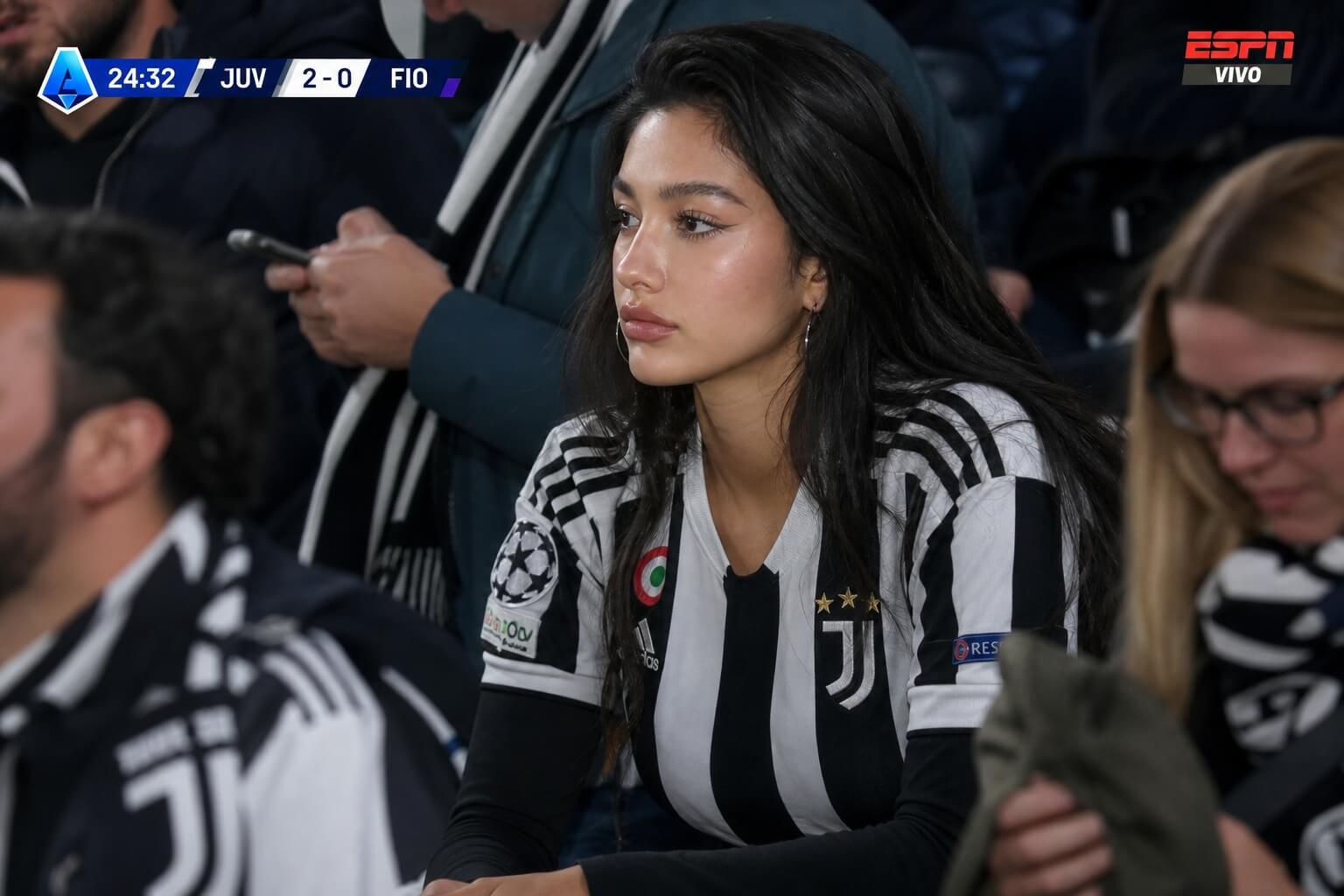
Prompt: Realistic Serie A soccer broadcast screenshot from the spectator stands, distant broadcast camera angle. Identity preserved from reference. Subject seated among the crowd in three-quarter side profile, head turned toward the pitch, focused serious expression. Wearing the authentic Juventus home jersey (black and white stripes) with black arm sleeves. Leaning slightly forward. Wider framing, smaller in frame as if zoomed from across the stadium. Bright floodlights, subtle skin sheen, authentic texture. Fans blurred — jerseys, scarves, phones, flags, crowd motion. Long telephoto, shallow depth of field, candid mid-match moment. Live broadcast graphics at top: scoreboard, timer, team names, league watermark. Faint grain, cinematic color, documentary realism. 4:3.
How to Create the AI Baseball Broadcast Trend Online
Creating your own viral sports moment takes less than two minutes. Here is how to do it step-by-step:
Step 1. Visit YouCam AI Image Generator
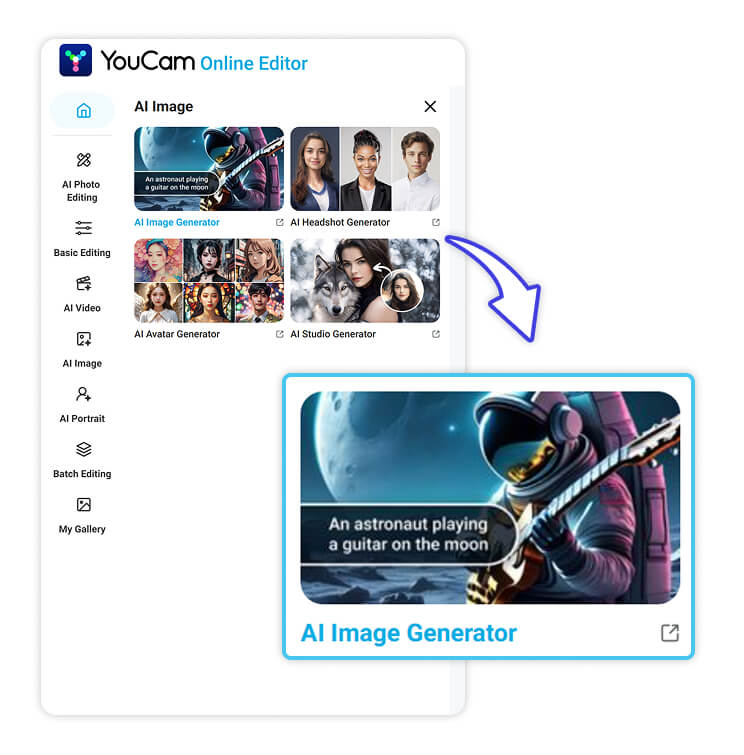
Head over to the YouCam Online Editor and navigate to the AI Image Generator tool. It's built to handle complex lighting and realistic human expressions perfectly.
Step 2. Upload Your Photo
To get the most accurate results, use the "Image-to-Image" feature. Upload a clear, front-facing selfie with a natural expression. This acts as the structural base for the AI, ensuring the final output actually looks like you.
Step 3. Enter Your Prompts
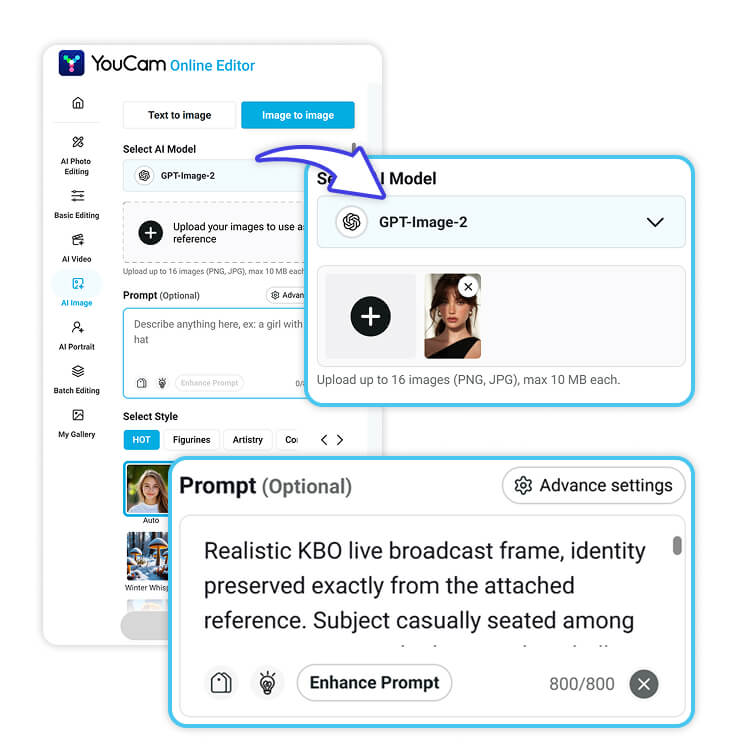
Paste one of the viral prompts from the list above into the generator text box. Adjust the description to match your clothing, hair color, or the specific sport you want to feature.
Step 4. Animate Your AI Baseball Reaction Shot
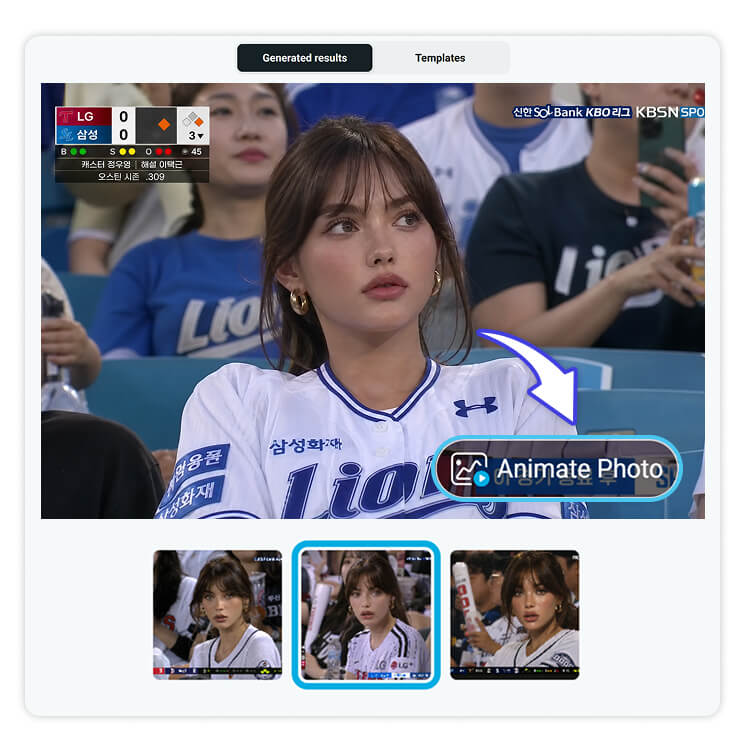
Static images are great, but a moving Reaction Shot is what truly stops the scroll. Take your newly generated image and run it through an Image-to-Video tool to add subtle head turns, eye blinks, or cheering gestures.
Step 5. Preview & Save
Once the AI works its magic, review the results. When you're happy with your realistic, candid sports star moment, hit download and get ready to share it with your followers!
Get on the Jumbotron Today!
You don't need expensive editing suites or a ticket to the World Series to create a viral, high-energy sports moment. With a few smart prompts and the right AI tools, you can put yourself in the center of the action instantly.
Ready to see yourself on the big screen?
👉 [Try YouCam Online Editor now] and create your viral AI broadcast shot today!
About the Editors
The PERFECT Corp. Editorial Team
We are a team of experts on photo and video editing apps. Our goal is to deliver engaging content on everything from stunning selfie edits to eye-catching video effects. We cover the latest trends and share niche tips to help you master digital creation.


