




![AI Action Figure Generator: Turn Yourself into Action Figures [Nano Banana (Gemini 2.5 Flash Image)]](https://plugins-media.makeupar.com/smb/blog/post/2025-09-05/webp_7eaa5bbf-f046-47ae-873e-b60c1bbb1142.jpg)
Ever wondered what it would be like to see yourself as an action figure?
With the AI Action Figure Generator, you can turn your photos into dynamic action figure images and videos using Nano Banana, ChatGPT and other AI tools.
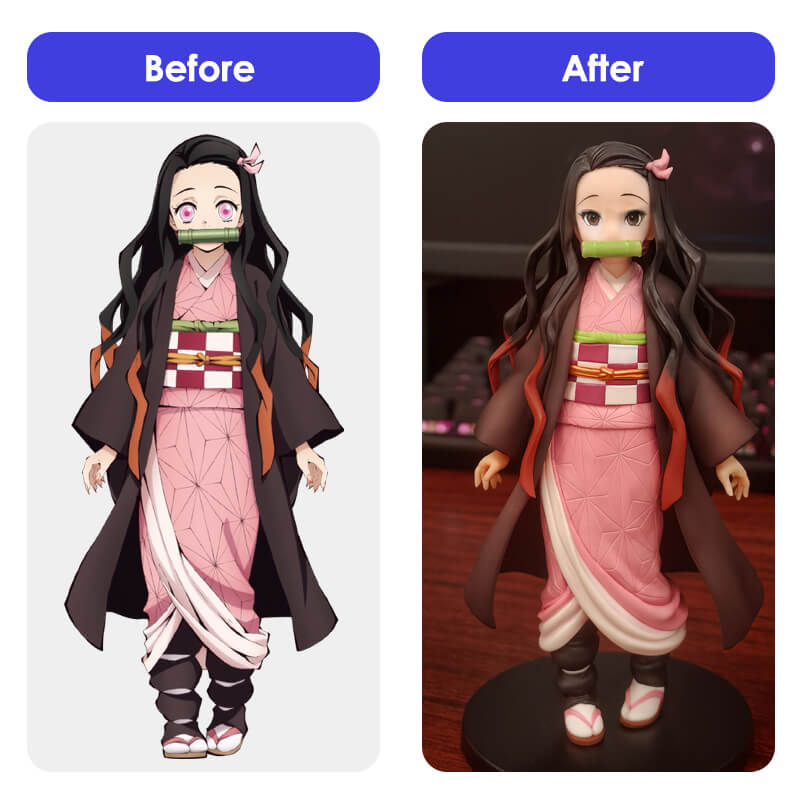
This tutorial article will guide you through the steps to bring your imagination to life and share unique content with friends and family. Ready to transform into your own superhero?
Disclaimer: This article reflects the author's personal experiences and opinions. Users should verify the tools and methods independently and adhere to current AI regulations and ethical guidelines.
How to Generate the AI Figure with Nano Banana For Free
Ready to create your own PVC action figure? Gemini's Nano Banana makes it incredibly simple.
Step 1: Open Gemini 2.5 Flash Image (Nano Banana)
First, head over to the Gemini 2.5 Flash Image interface from Nano Banana. This powerful tool lets you generate high-quality, 3D-style images from text and photo prompts. It’s incredibly intuitive and, best of all, it’s completely free!
Step 2: Upload Your Photo and Enter Prompt
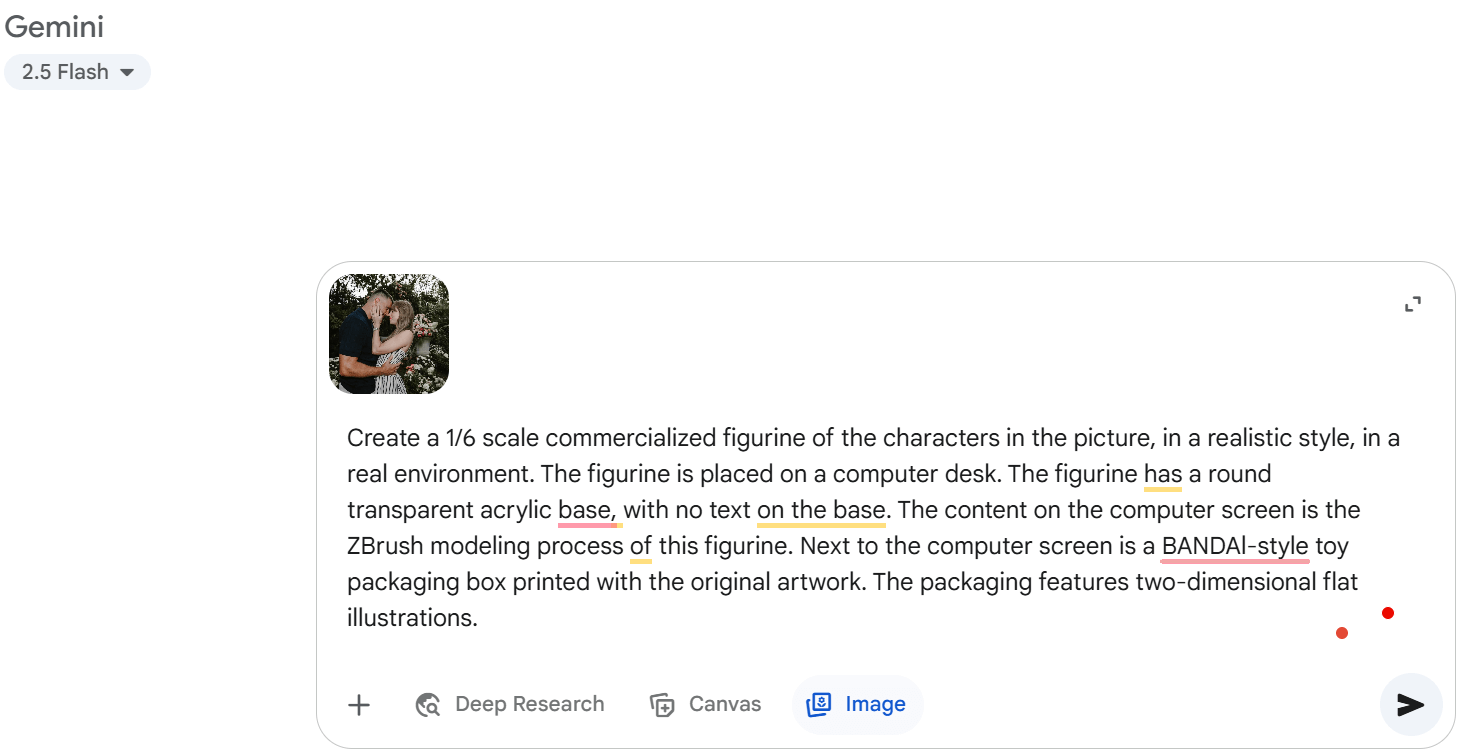
Next, upload a photo of yourself or the character you want to transform. Then, use a detailed prompt to guide the AI. Here's a suggestion to get you started:
Prompt Suggestion: Create a 1/6 scale commercialized figurine of the characters in the picture, in a realistic style, in a real environment. The figurine is placed on a computer desk. The figurine has a round transparent acrylic base, with no text on the base. The content on the computer screen is the ZBrush modeling process of this figurine. Next to the computer screen is a BANDAI-style toy packaging box printed with the original artwork. The packaging features two-dimensional flat illustrations.
Step 3: Generate & Save the 3D Figure Image
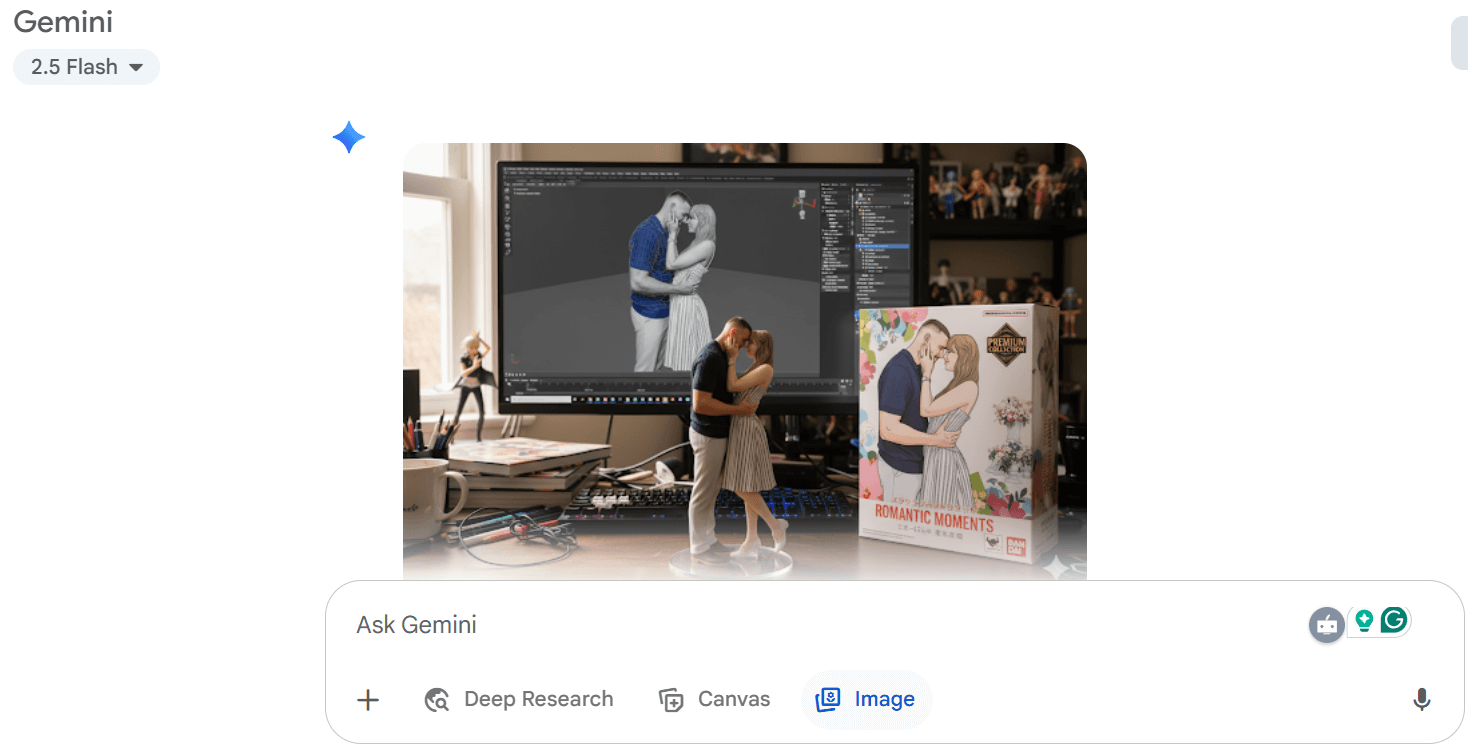
Once your photo is uploaded and your prompt is entered, hit "Generate." In moments, Gemini will craft your unique AI 3D figure. Review the results and save your favorite!
How to Create AI Action Figures Using ChatGPT
Follow this step-by-step tutorial to learn how to create personalized AI action figures using ChatGPT, transforming your photos into dynamic and unique characters.
Step 1: Open ChatGPT and Upload Your Photo
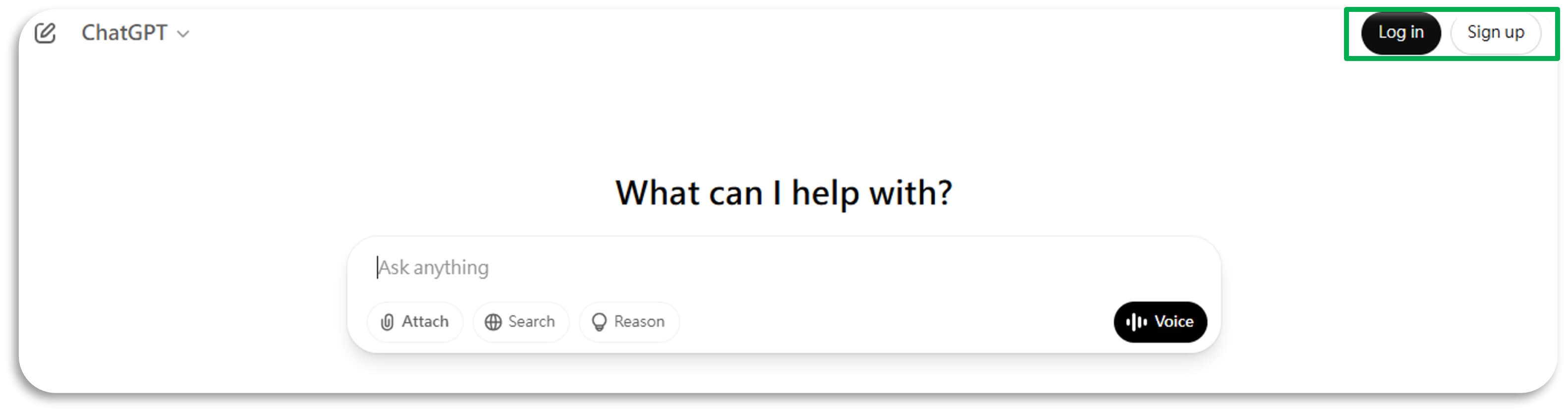
Start by launching ChatGPT and uploading a clear photo of yourself. Make sure the image is well-lit and shows your face and body clearly. This will help the AI generate a more accurate action figure representation.
Step 2: Describe Your Desired Action Figure
Next, enter a text prompt detailing how you want your action figure to look.
You can use this prompt suggestion: “Design an image of an action figure in its packaging, labeled '[Your Label]'. Use the attached photo for the face reference. The figure stands [Height] tall, wears [Outfit Description], and holds [Item, e.g., Coffee Mug]. The cardboard section should be [Color]. Include an 'Accessories' section featuring items like [List Accessories]. Ensure the design is visually appealing and represents the [Describe Industry].”
The more detailed your description, the better the AI can match your vision.
Step 3. Wait for the AI to Turn Your Photo into AI Action Figures
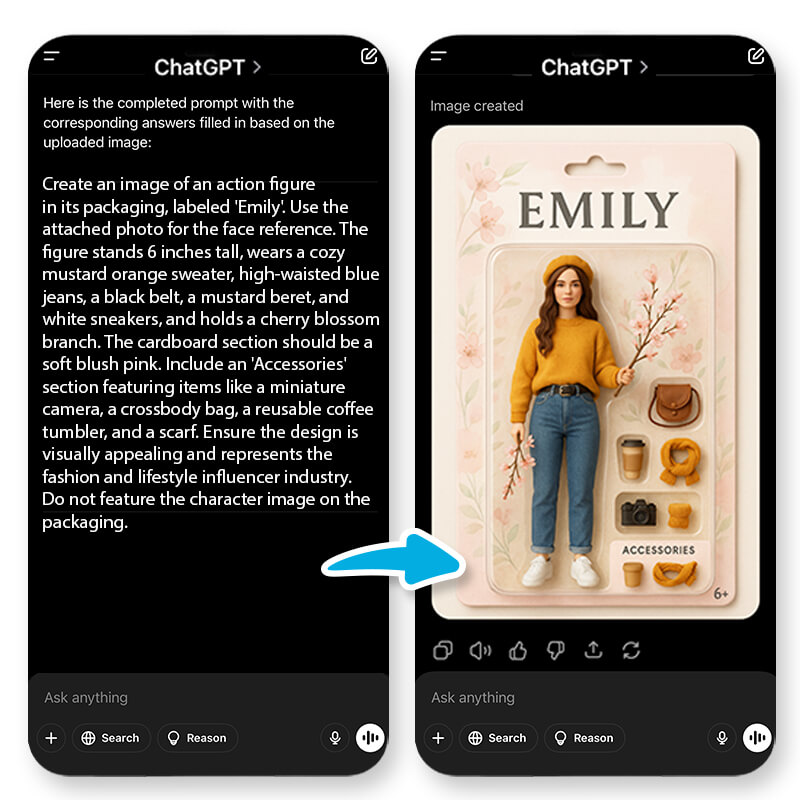
Now, sit back and relax while the AI processes your photo and text prompt. In just a few moments, you'll have a unique action figure image ready to share. It's like watching your imagination come to life!
Advance Tip: Animate Your Action Figures
To take it a step further, upload your AI action figure image to YouCam AI Image to Video.
Choose your ideal video template or enter a text prompt to guide your action figure's movements. This adds an extra layer of fun and creativity to your action figure experience!
How to Create AI Action Figures Using Nano Banana Alternative
If you're looking for another alternative, I want to recommend YouCam AI Image Generator. It can turn any photos into PVC figures, offering a fun and creative way to see yourself as a collectible action figure. Next, let me teach you how to use this tool.
Step 1: Visit YouCam AI Image Generator
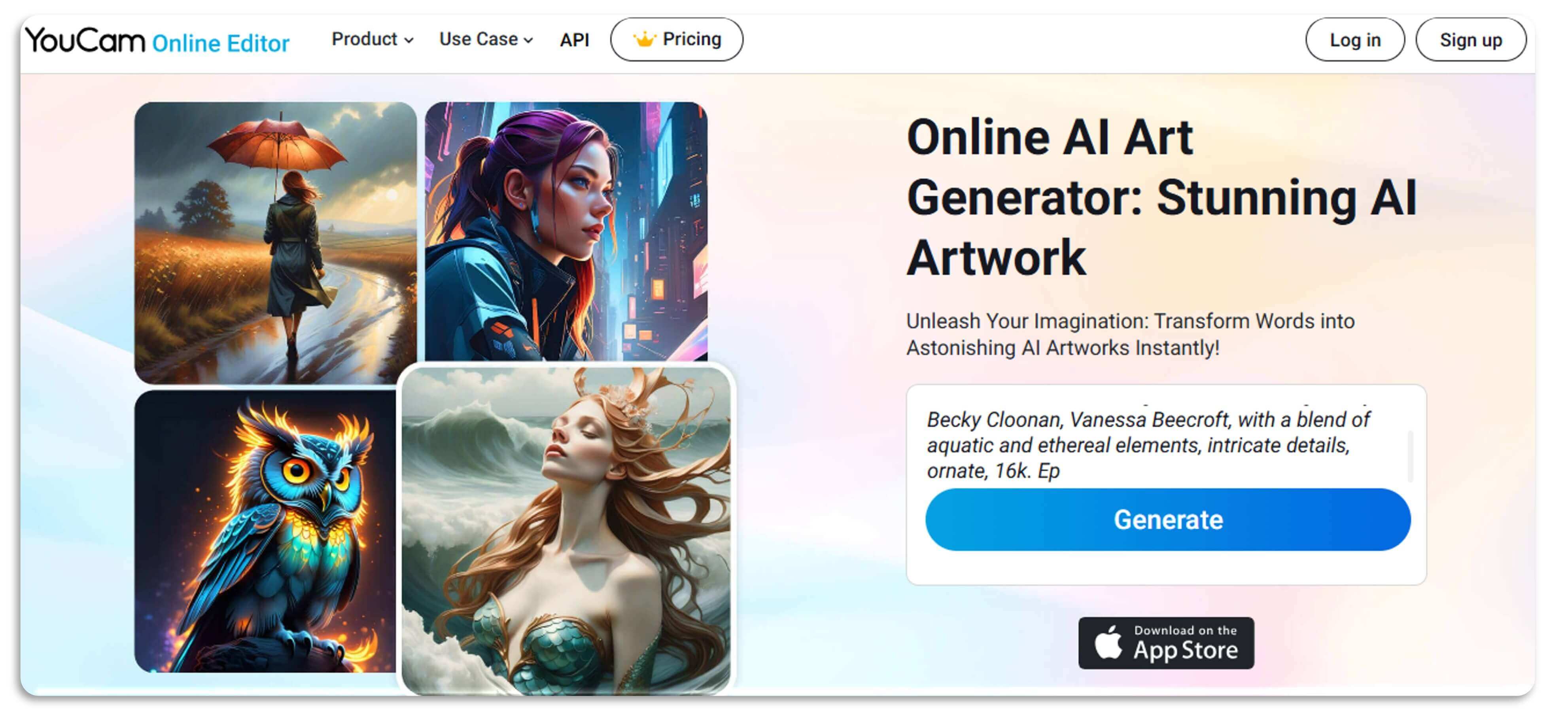
Start by heading over to the YouCam AI Image Generator website. It's user-friendly and easy to navigate, making it perfect for creating your custom action figure.
Step 2. Upload Your Photo
Next, upload a clear photo of yourself as a reference. Ensure the image is well-lit and shows your face and body clearly to help the AI create an accurate PVC figure.
Step 3: Select PVC Figures and Enter Your Prompt
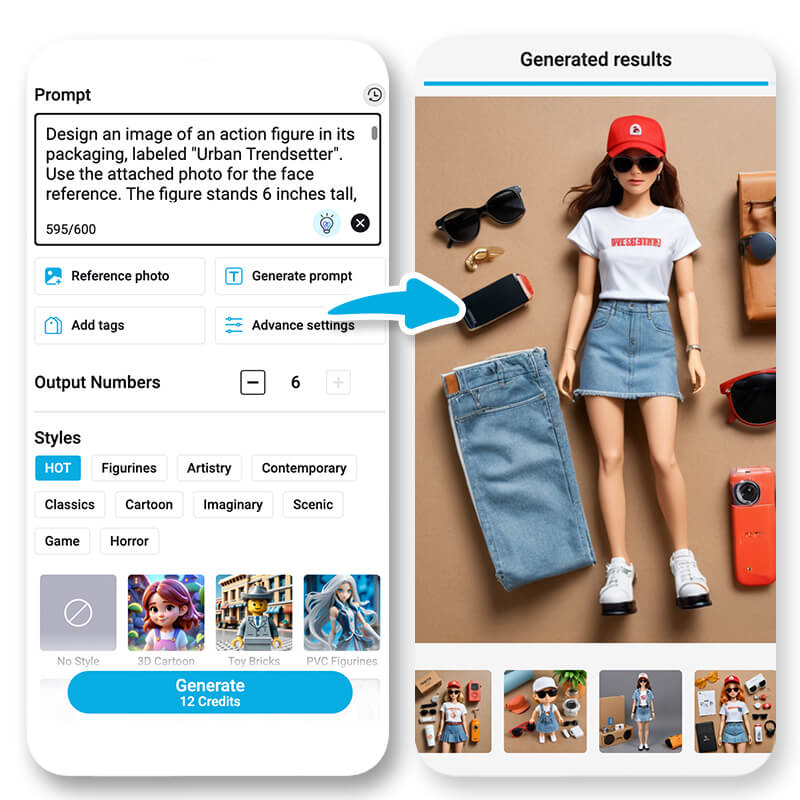
Choose the PVC figure style option and enter a detailed prompt describing your desired action figure. Be specific about the outfit, pose, and any accessories to get the best results.
Step 4: Animate Your Action Figure
Finally, turn your action figure into a video using AI Image to Video. Select your ideal video template or enter a text prompt to guide your action figure's movements, adding an extra layer of fun and creativity to your creation.
Bonus: YouCam Perfect's Editing Agent
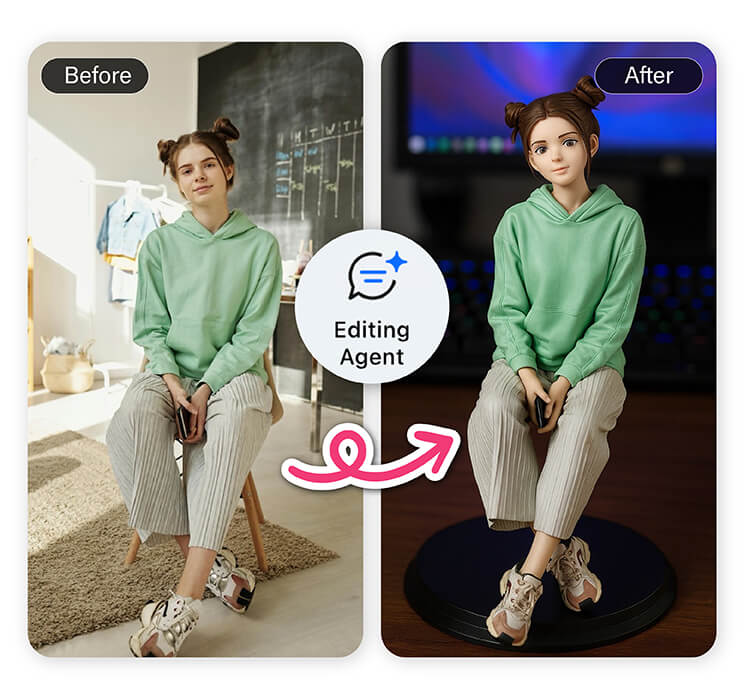
Ready to create your own AI 3D figure? Meet YouCam Perfect's powerful new "Editing Agent" feature. Unlike other tools, it's designed specifically to make AI image generation simple and fun.
- Built for Your Phone: You can create and edit on the go—just snap a photo and generate your figurine right away.
- Intelligent Subject Detection: The AI automatically identifies the person in your photo, so there's no need for manual selection.
- Smart Prompts: It uses intelligent commands to deliver highly precise retouching and editing effects based on what you need.
- No Complicated Prompts: Skip the confusing trial-and-error. The "Editing Agent" gives you great results without needing a complex prompt.
How to Make an AI Figure with YouCam Perfect
- Step 1: Download the YouCam Perfect app from the app store.
- Step 2: Open the app and find the Editing Agent feature, then upload your photo.
- Step 3: Enter your prompt. For the best results, use this detailed prompt:
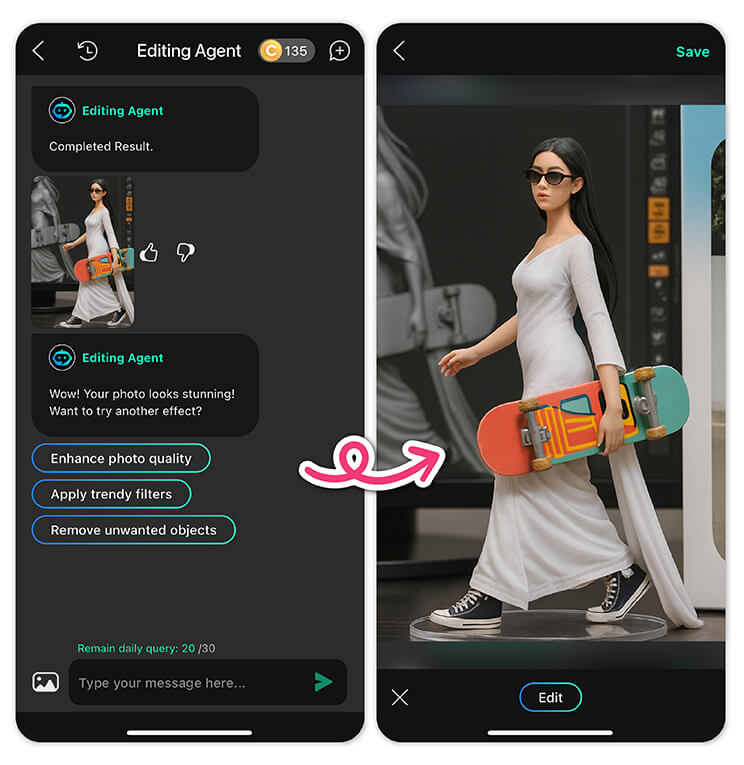
- Create a 1/6 scale commercialized figurine of the characters in the picture, in a realistic style, in a real environment. The figurine is placed on a computer desk. The figurine has a round transparent acrylic base, with no text on the base. The content on the computer screen is the ZBrush modeling process of this figurine. Next to the computer screen is a BANDAI-style toy packaging box printed with the original artwork. The packaging features two-dimensional flat illustrations.
- Step 4: Tap "Generate" to create your unique AI figure, then save it to your device!
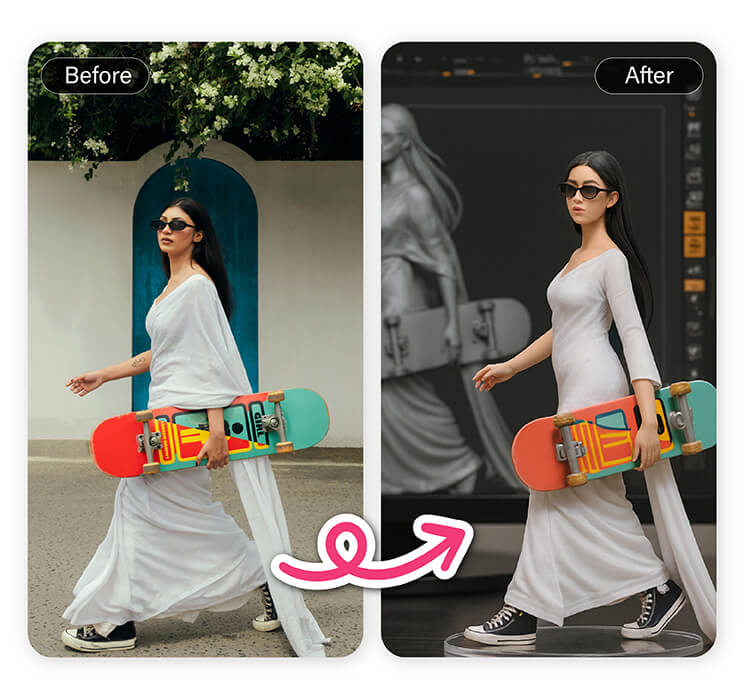
Start Creating Your AI Action Figures With the Best AI Art Generator Tools in 2025
Ready to bring your imagination to life?
Start creating your AI action figures with the best AI art generator tools in 2025, like ChatGPT and YouCam AI Image Generator.
These tools make it easy and fun to transform your photos into dynamic action figures and even animate them into videos.
Legal & Ethical Guidelines of Creating AI Action Figures
- Respect Copyright Laws
Ensure that images and content used for creating AI action figures are legally obtained and free from copyright infringement. This helps avoid any legal issues related to unauthorized use of copyrighted material. - Maintain Privacy
Handle personal photos and data with care, adhering to privacy regulations. Obtain consent from individuals before using their images for AI-generated content to respect their privacy rights. - Avoid Harmful Stereotypes
Create action figures that are inclusive and free from harmful stereotypes. Be mindful of representation and avoid content that could be offensive or discriminatory. - Transparency in AI Use
Disclose the use of AI tools in the creation process. Transparency builds trust and ensures that viewers understand the role of AI in generating the final product. - Ethical Review
Conduct an ethical review of AI-generated action figures to ensure they align with current guidelines and standards. This step helps create content that is responsible and respectful.


