


 Unduh tanpa watermarkAkses ke alat Edit Foto AIKredit yang tidak terpakai akan dibawa ke bulan berikutnya





AI Object Remover: Erase Anything from Photos
Clean up photobombers, distractions, text, watermarks, and more in seconds. No editing skills required.


How Does AI Object Removal Work?

Upload Your Photo
Choose the photo you want to edit & clean up. (Supported formats: JPG, PNG, HEIF)

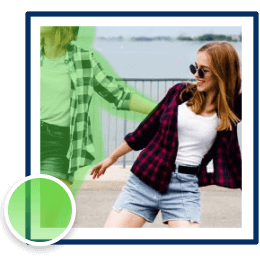
Select Objects
Brush or paint over the unwanted object. Use the slider to adjust the brush size.

Remove and Save
Click “Remove”. The AI instantly erases it and reconstructs the background. Download your polished photo.
What Can You Erase with YouCam AI Object Remover?
Erase Photobombers & Crowds
Stop letting strangers ruin your perfect shot. Whether it’s a crowded tourist spot or a person walking through your background, our AI intelligently fills the gap, recreating the scenery as if they were never there.
Best for: Your vacation photos, wedding shots, and social media posts.


Clean Up Professional Product Photos
Boost your e-commerce sales by removing distractions. Effortlessly erase scratches, wrinkles, dust, price tags, or unwanted reflections from your product images to create a clean, studio-quality look in seconds.
Best for: Amazon listings, Etsy shops, and professional portfolios.


Remove Power Lines & Urban Clutter
Clean up your landscape and street photography. Remove distracting power lines, trash cans, street signs, and shadows that take away from the beauty and aesthetics of your city snaps.
Best for: Your travel photos, landscape shots, and real estate photography.


Why People Trust YouCam for Object Removal
- Smart Auto-Detection: Our AI instantly identifies common objects like people and text, allowing for one-click selection and removal.
- Texture-Aware Inpainting: Unlike basic blur tools, YouCam analyzes the surrounding pixels to "paint" a realistic background that matches the original lighting and texture.
- High-Resolution Export: Keep your quality intact. We process your images with unparalleled precision, ensuring your final export is crisp and ready for print or web,
- Privacy-First Processing: Your photos are your business. We use secure encryption to ensure your uploads remain private and are never stored longer than necessary.

Frequently Asked Questions about AI Object Removal
How do I remove unwanted objects from a photo?
To remove objects, simply upload your image to the YouCam AI Object Remover, use the brush tool to highlight the area you want to erase, and click "Apply." Our AI will instantly analyze the pixels and fill the area with a realistic background.
Can I remove a person from a photo without ruining the background?
Yes. YouCam uses advanced AI Inpainting technology that doesn't just "blur" the area; it actually recreates the background textures (like clouds, bricks, or grass) to make it look as if the person was never there.
Is the YouCam AI Object Remover free to use?
You can get started with the YouCam Online Photo Editor for free to experience the AI's precision. For high-resolution downloads and unlimited access to professional features, we offer flexible premium options.
Can I remove text, watermarks, or dates from my images?
Absolutely. The AI is highly effective at identifying and erasing text and watermarks. Simply brush over the text, and the tool will clean the image while maintaining the original photo quality.
What is the best AI tool for removing photobombers?
YouCam AI Object Remover is a top choice for photographers and creators due to its "Texture-Aware" AI. Unlike standard editors, it intelligently predicts what should be behind the object, providing a seamless, natural-looking result.
Will removing an object reduce my photo’s resolution?
No. Our AI is designed to maintain the original clarity of your photo. When you export your edited image, it remains sharp and high-resolution, making it perfect for social media or professional use.
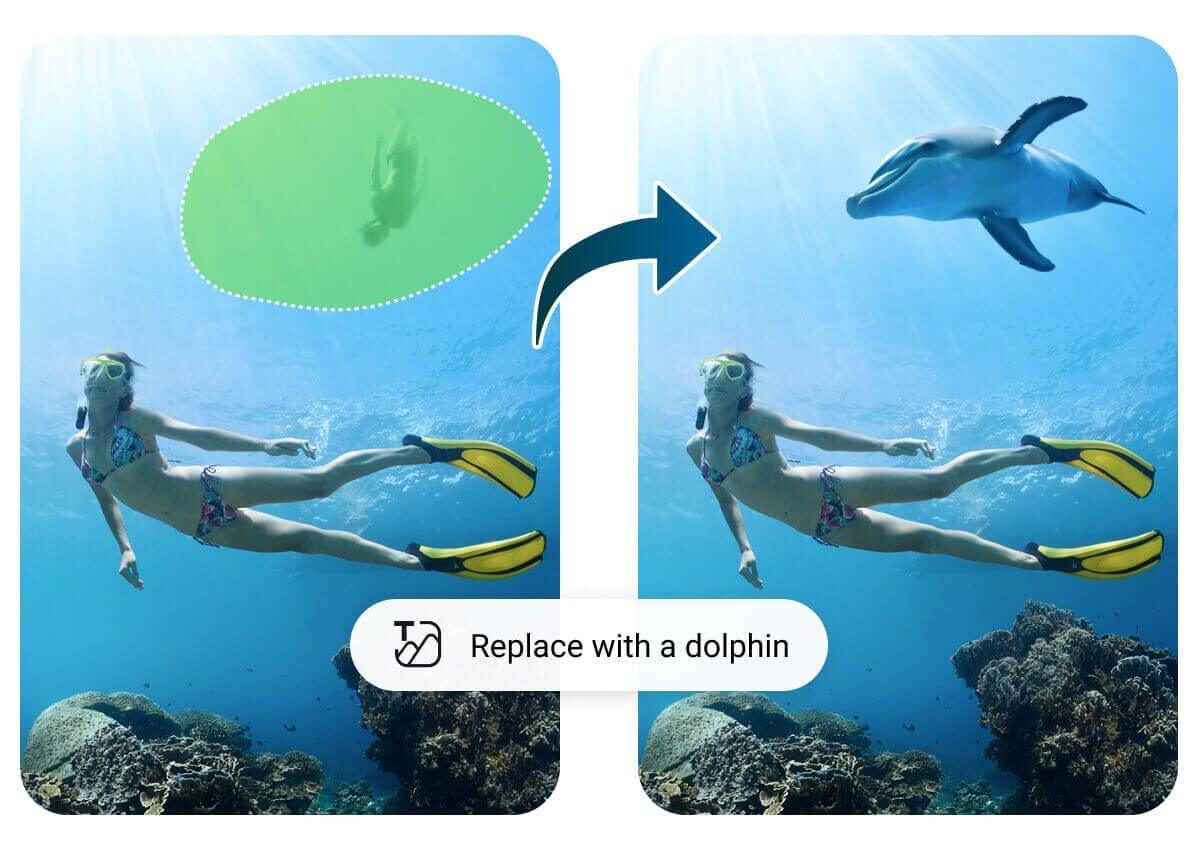
Instead of removing, you can also replace any object on your photos. An easy way to change up the scene of your snapshots!

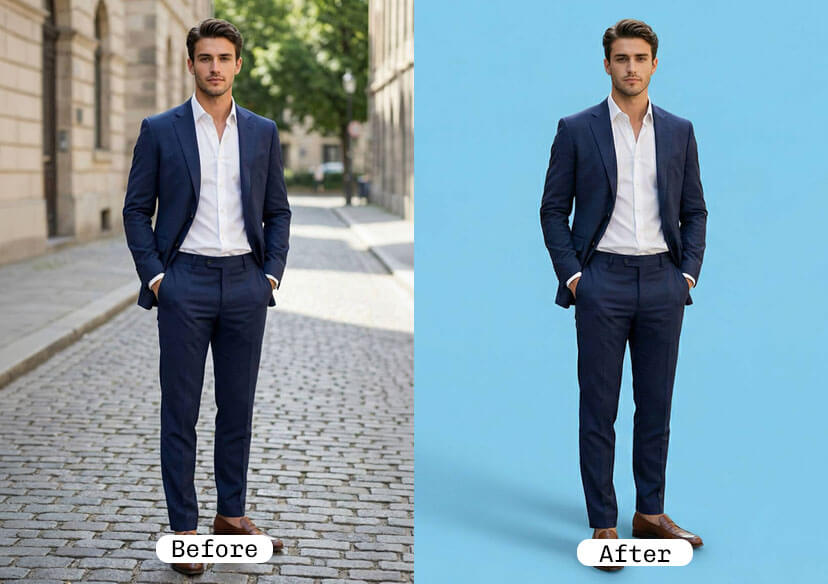
Or level up your photos with a completely new background. Especially perfect for business shots, headshots or your model portfolio.
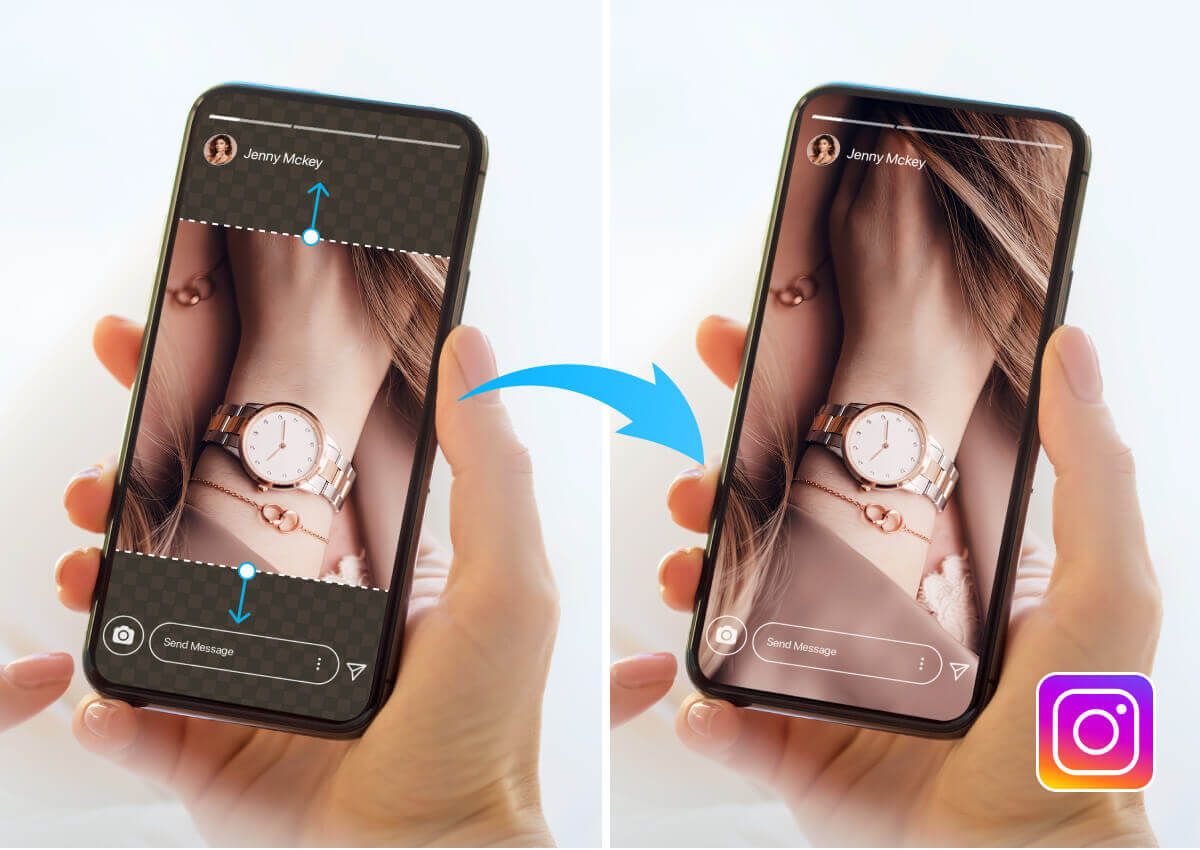
Ratio not quite ideal for one of your specific photos? Easily expand the your photo with Generative AI and achieve a perfect photo composition!

Remove Unwanted Objects on Your Phone With Our App!
Download Now


