

 Скачивайте без водяных знаковДоступ к инструментам редактирования фото с ИИНеиспользованные бонусы переносятся на следующий месяц






Unblur Images Online Free Using AI
Easily unblur your photos with YouCam’s AI blur remover. Clear up blurry images in your browser and transform them into sharp, high-quality pictures.







Best AI Blur Remover to Unblur Images Efficiently
- Batch Unblurring: Unblur up to 50 images at once.
- High-Resolution Enhancement: Boost image quality to 4K with "Best Quality".
- AI Precision: Detect and enhance blurry areas automatically.
- User-Friendly: Simple upload, process, and download steps.
- Fast Processing: Quickly unblur images without quality loss.
Explore more use cases: Increase Image Resolution, Sharpen Image, Unpixelate Image, HD Photo Converter


How to Unblur an Image Easily With YouCam AI Blur Remover

Upload Your Images
Open the YouCam AI Photo Enhancer tool and click on the upload icon. Select up to 50 blurry images from your device's gallery to upload.


Let AI Remove the Blur
Once your images are uploaded, the AI will automatically start the blur removal process. This may take a few moments depending on the number of images and their sizes.

Download HD or Further Enhance to 4x Resolution
After the AI has finished processing, you can download your images in HD quality. For even higher resolution, click "Best Quality" to unblur your images again and reach 4x resolution before downloading.

4 Highlights of the Best AI Image Unblurring Tool
Batch Unblurring: Process Multiple Photos at Once
One of the standout features is the ability to unblur up to 50 photos at once. This batch processing saves a ton of time and is perfect for those with large photo collections. Just upload your images, let the AI work its magic, and enjoy a gallery of sharp, high-quality photos.

3 Ways to Fix Blurry Photos Using YouCam Online Editor
Learn how to fix blurry photos in just a few clicks — here are 3 easy ways to do it using the YouCam Online Editor!
Deblur Images With AI
YouCam’s AI Unblur Image tool is designed to intelligently sharpen your photos by enhancing edges and restoring clarity. With just a few clicks, it adjusts the sharpness and brings blurry areas into focus, making your images look crisp and clear.

Brighten Images to Make Blurry Part Clear
Sometimes, poor lighting can make photos appear blurrier than they are. Using YouCam’s AI Lighting tool, you can brighten dark areas and improve overall visibility, helping to reveal hidden details and reduce the appearance of blur.
Remove Noise From Photos
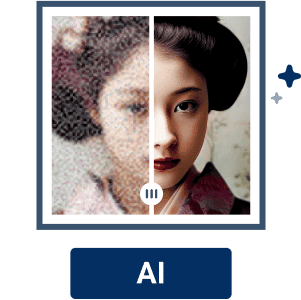
Blurry photos often come with unwanted grain or noise, especially in low-light conditions. The YouCam AI Photo Enhancer effectively removes this noise, smoothing out the image while preserving important details for a cleaner, more polished look.
AI-Powered Image Sharpener: Clear Up Blurry Photos
YouCam AI Blur Remover is a game-changer for anyone dealing with blurry photos.
Its AI-powered sharpener effortlessly transforms fuzzy images into crystal-clear pictures.
Whether it's a cherished memory or a professional shot, this tool ensures your photos look their best.
Why Choose YouCam to Unblur Images?

One-Tap AI Enhancement
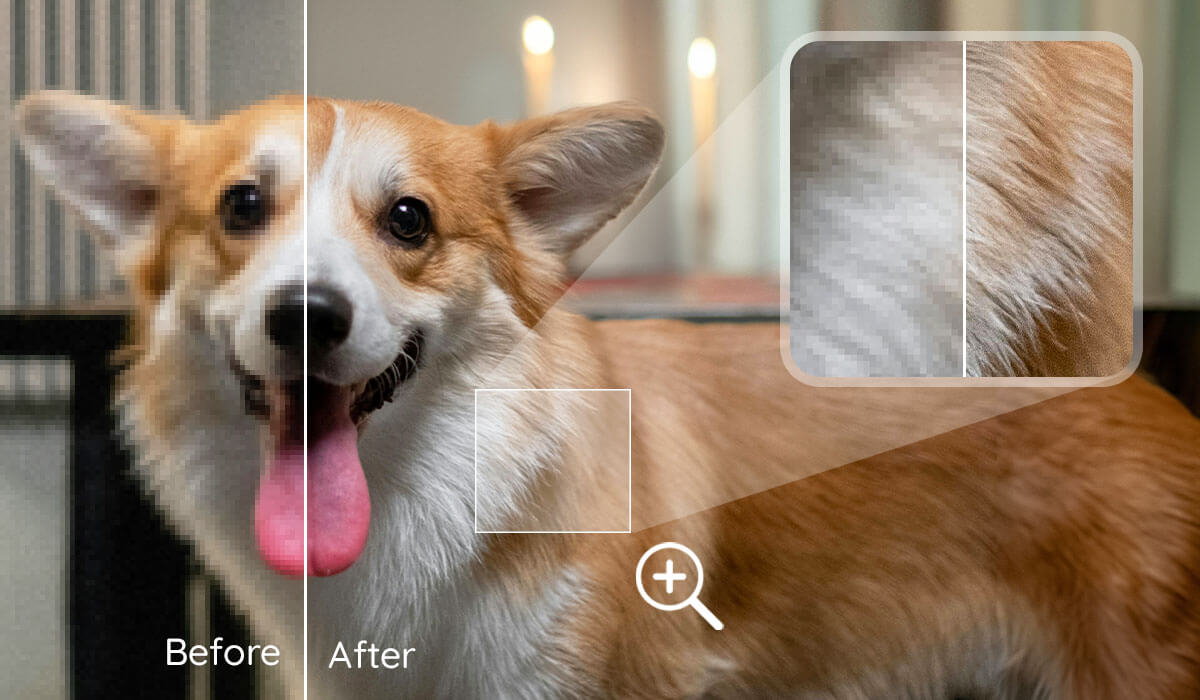
It automatically unblurs, sharpens, denoises, and upscales photos to high-definition with a single tap.
Facial Detail Restoration
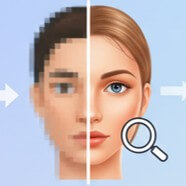
The advanced AI excels at realistically restoring and refining blurred facial features in portraits, unlike simple smoothing.
High-Resolution Upscaling
YouCam can upscale images, including blurry ones, up to 4K resolution without significant quality loss.
Batch Processing
The app allows users to efficiently unblur and enhance multiple photos at once, saving considerable time.

Comprehensive Photo Repair
Beyond unblurring, it also provides tools for photo restoration, color correction, and removing image noise/grain.

User-Friendly Interface
The application is designed to be intuitive and easy to use, making professional-looking results accessible even for beginners.
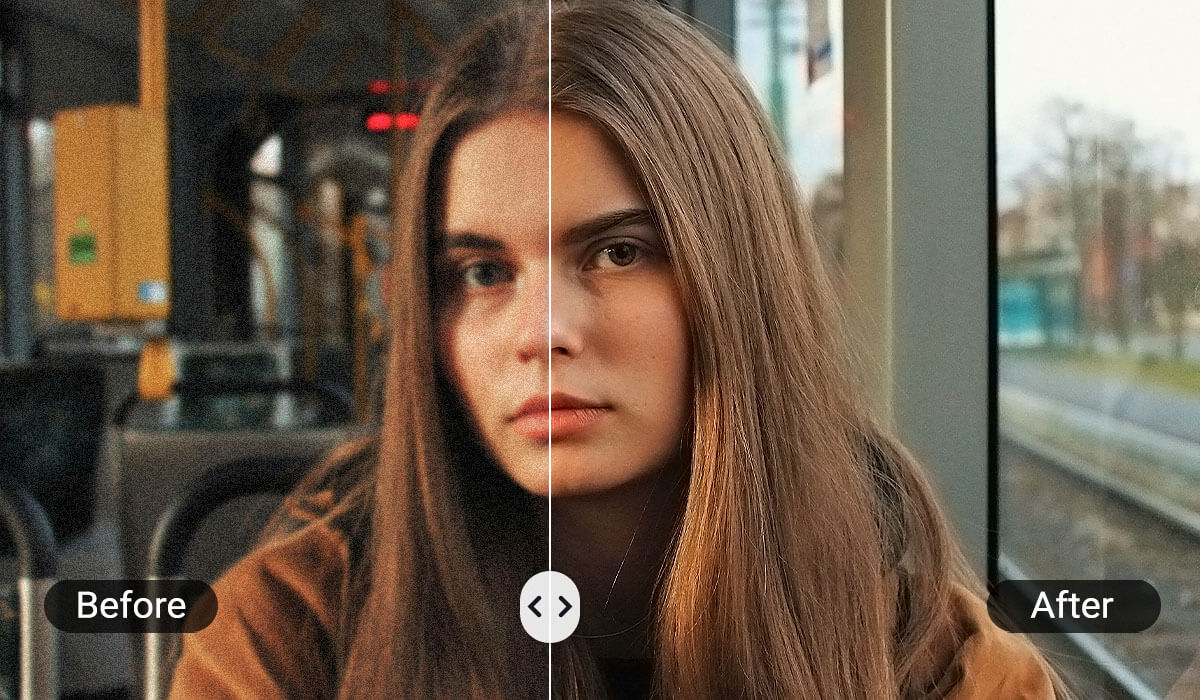
Motion Blur Removal: Fix Blurry Action Shots
Motion blur can ruin an otherwise perfect shot, but YouCam AI Blur Remover handles it with ease.
Whether it's a fast-moving subject or a shaky camera, this tool analyzes and corrects the blur, restoring clarity and detail to your photos. It's like having a professional photographer fix your images.
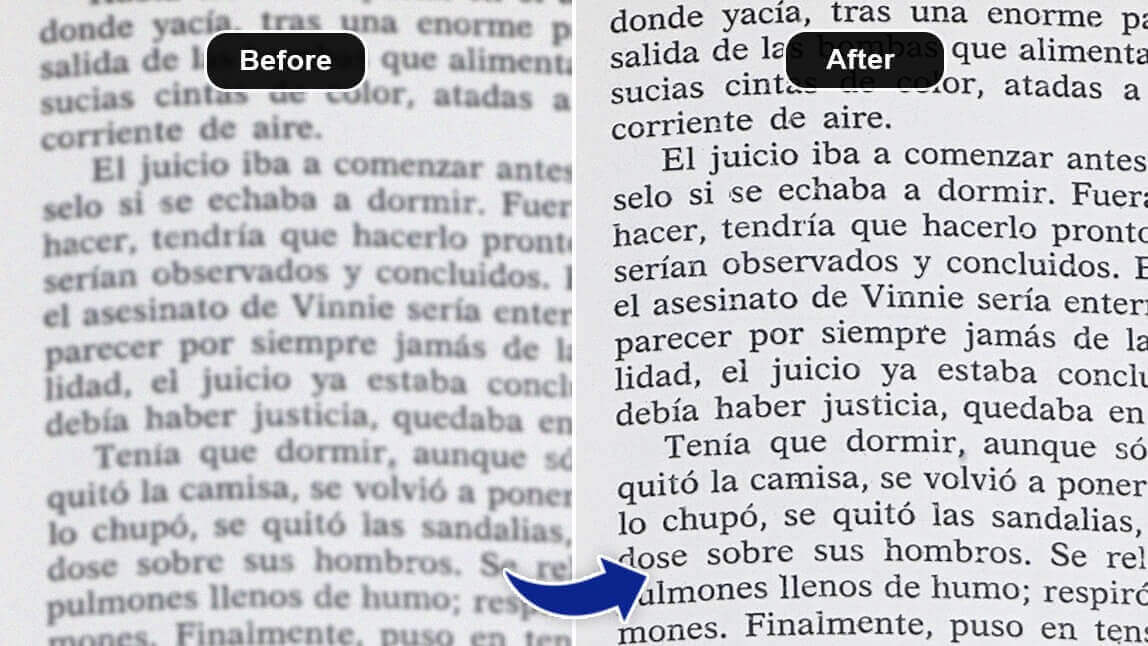
AI Text Enhancement: Make Blurry Text in Image Clear
Blurry text in images can be frustrating, especially for documents or infographics.
YouCam AI Blur Remover excels at making text sharp and readable.
Its advanced AI algorithms enhance the clarity of text, ensuring every word is legible and clear.
See What Our Users Think About Our Tool!
Discover what real users are saying about YouCam’s Unblur Image tool — see their experiences and results! Tool Rating: ★★★★★ 4.9/5 (292,537 reviews)
Eric - Social Media Writer
I absolutely love YouCam AI Blur Remover! Its comprehensive photo editing and quality-enhancing features are a game-changer for my social media posts. The upscaling capabilities make my pictures look stunning and professional.
William - Photographer
YouCam AI Blur Remover is a lifesaver for my photography work. The batch photo enhancing feature saves me so much time, and the way it enhances portrait photos is simply vivid and impressive. Highly recommend it
Alex - Designer
As a designer, YouCam AI Blur Remover has become an essential tool in my workflow. The precision and quality of the blur removal are top-notch, and it really helps in refining the details of my designs. Couldn't ask for a better tool!
How to Fix Blurry Photos with YouCam Online Editor
How can I unblur a photo or image?
You can easily unblur a photo using the YouCam Online Editor’s AI Unblur tool, which sharpens blurry areas and restores clarity in just a few clicks.
How do I make a blurry picture clear?
To make a blurry picture clear, use the AI Unblur feature to enhance sharpness, or try AI Lighting to brighten dark areas that may appear blurry.
Can I unblur photos on my iPhone?
Yes! YouCam Online Editor works on mobile browsers, including iPhones. Just upload your photo and use the AI Unblur tool to fix it instantly.
How do I remove blur from a photo?
Use the AI Photo Enhancer in YouCam to reduce noise and smooth out grainy textures, which helps remove blur and improve overall image quality.
How do I fix blurry photos online for free?
YouCam offers a free online editor where you can upload your image and use tools like AI Unblur, AI Lighting, and Photo Enhancer to fix blurry photos without downloading any software.
How many images can I unblur at once with the AI blur remover?
You can unblur up to 50 images at once using the batch processing feature.
Can the AI blur remover enhance the resolution of my images?
Yes, the tool can enhance your images to HD quality and even up to 4K resolution using the "Best Quality" feature.
How does the AI blur remover handle motion blur?
The tool uses advanced AI algorithms to analyze and correct motion blur, restoring clarity and detail to your photos.
Is it possible to unblur text in images with the AI blur remover?
Absolutely! The AI blur remover excels at making blurry text sharp and readable, ensuring every word is clear.
How long does the AI blur removal process take?
The processing time depends on the number and size of images, but it generally takes just a few moments for the AI to unblur your photos.
Can I use the AI blur remover on mobile devices
- Yes, you can access the AI photo enhancer online or download the YouCam Enhance app from the App Store or Google Play Store for mobile use.


